
Technical skills on a CV
Technical skills are the tools, methods, equipment and licences of your field. List them in labelled rows with versions where they matter, show how deeply and how recently you used each one, and prove the three the ad cares most about in bullets on what you built, fixed or ran.
What counts as technical skills
Technical skills are the ones tied to a field’s tools and methods. For a developer that is languages and cloud services. For an electrician it is test equipment, wiring regulations and a licence. For a lab technician it is instruments and methods.
O*NET, the US occupation database, has a group of technical skills with plain definitions. Programming (2.B.3.e) is writing computer programs for different purposes. Troubleshooting (2.B.3.k) is finding the causes of operating errors and deciding how to fix them. Equipment Maintenance (2.B.3.j) is routine upkeep and deciding when and what maintenance is needed. Installation (2.B.3.d) is setting up equipment, machines, wiring or software to specifications. Quality Control Analysis (2.B.3.m) is testing and inspecting products, services or processes. Use these names when you want a neutral label for what you do.
This page owns the layout of a dense technical section. The difference between hard and soft skills, how many to list and where the section goes are in skills for a CV and how to prove them. Office software is covered on Microsoft Office skills on a CV and Excel skills on a CV. The skills hub shows how these pages fit together.
1. Pull the terms from the ad
Copy the tools, methods and standards the ad names, in its spelling, into a scratch list. Mark each as must-have or nice-to-have. Our guide to reading a job ad shows the method, and CV keywords shows how to match wording.
If you need more terms, O*NET lists software by category on each occupation page. The Computer User Support Specialists page names categories such as helpdesk or call centre software, operating system software and spreadsheet software, each with named products. Use it to check the standard name of a tool, not to add tools you do not use.
Then delete the ones you cannot use now. A long list of half-known tools makes the strong ones harder to see.
2. Group them in labelled rows
One labelled row per group lets a reader find their term in a second. Put the group that matches the ad first. Our suggested groups, which you should rename to suit your field:
- Languages: Python, SQL, Bash
- Frameworks and libraries: Django, React
- Cloud and tools: AWS, Terraform, Git, Docker
- Equipment: multimeters, insulation testers, oscilloscopes
- Standards and licences: the name, the issuer and the year
Write an acronym with its full name once, then use the short form: “Programmable logic controllers (PLC)”. Readers outside your team and the search tools used in hiring both benefit. Our view: plain text rows, no icons, no logos and no bars. The ATS-friendly CV guide explains why a multi-column skills grid can read out of order.
3. Show depth and recency
A bare list does not say whether you used a tool yesterday or in 2016. Two short signals fix that.
Depth in IT. SFIA, the Skills Framework for the Information Age, is used by many IT employers. It describes seven levels of responsibility and accountability. SFIA 9, the current version, names them like this:
| SFIA level | Name | In plain words |
|---|---|---|
| 1 | Follow | Routine tasks under close supervision. |
| 2 | Assist | Supports others, handles routine problems with some discretion. |
| 3 | Apply | Varied tasks, some complex, with standard methods; manages own work to deadlines. |
| 4 | Enable | Diverse complex work; guides others and delegates; works autonomously within general direction. |
| 5 | Ensure, advise | Gives authoritative guidance and is accountable for significant outcomes. |
| 6 | Initiate, influence | Organisation-wide influence, high-level decisions, shapes policy. |
| 7 | Set strategy, inspire, mobilise | Sets the organisation’s vision and strategy. |
SFIA levels describe what you are trusted with, not how well you know a tool. Describe the work so a reader can see the level. A helpdesk analyst who fixes escalated faults alone and coaches new starters is, on our reading, working around levels 3 to 4: “Resolved escalated faults without supervision and coached two new starters.” Add “SFIA level 4” only if your employer rates roles with SFIA or the ad asks for it.
Depth for single tools, in any field. Simple labels about use are clearer. These are our own, not a standard:
- Used daily for the last year or more.
- Used on one project or in a few tasks.
- Trained, not used since a course or placement.
Recency. Drop tools you have not used in years, or date them: “Visual Basic (to 2019)”. A short list that is current reads better than a long one that is not. If the ad asks for a tool you used long ago, say so honestly in a bullet.
4. Prove the top three in bullets
You cannot prove a whole stack. Pick the three tools or methods the ad cares most about and give each a bullet in your experience section. The pattern is what you built, fixed or ran, with what, at what size, with what result.
- Name the tool inside the bullet, so the skills line and the bullet match.
- Give a size: users, servers, machines, sites, tickets.
- End on a change a person could check.
Licences, tickets and certificates
In trades and many technical jobs, a licence is the skill an employer checks first. List each as: name, issuing body, year or status. Our view: write the full name of the body, because the abbreviation changes between countries.
For Canada, the Red Seal Program’s own page says a Red Seal endorsement is a seal on your provincial or territorial trade certificate, showing you have the knowledge and skills to work in your trade anywhere in Canada. The Canadian Council of Directors of Apprenticeship administers it, and the page lists 54 Red Seal trades. A Canadian tradesperson might write “Red Seal endorsement, [trade name as on the certificate], 2021”, naming the Red Seal Program as the issuer.
We have not listed the licence names for other countries, because we did not verify an official example for each. Use the exact name on your certificate and the issuer’s name. Leave out expired licences unless the ad asks for them, or add the date.
For vendor certificates in IT, write the exact title, the vendor and the year, and give the status if it is in progress.
Weak and strong lines
| Weak | Strong |
|---|---|
| Python, Java, C++, SQL, HTML, CSS, JavaScript, React, Angular, Node, AWS, Azure, GCP, Docker, Kubernetes | Languages: Python, SQL (used daily). Cloud: AWS (EC2, S3), used on two projects. Docker, trained. |
| Good technical skills | Diagnosed and repaired 3-phase motor faults with insulation and earth-loop testers |
| Windows, Linux, networking | Windows Server 2019 and Active Directory, daily; Linux (Ubuntu), command-line only |
| PLC programming | Programmable logic controllers (PLC): modified ladder logic on two packing lines |
| Hands-on with machinery | CNC lathe setup and tool offsets on a 12-machine floor |
A worked example
Arjun Mehta is a fictional IT support engineer in Pune. He applies for a junior cloud engineer job at Kestrel Cloudworks, a fictional company. The ad asks for: “AWS (EC2, S3, IAM), Linux, Python scripting, Terraform, Git, and experience troubleshooting production issues.” He has two years in support, built a small AWS setup for his own team, and has used Terraform on one project.
Old line: Windows, Linux, AWS, Azure, Python, Terraform, Git, Docker, Kubernetes, SQL, networking, VMware, Jira, ServiceNow, Bash, PowerShell, Ansible.
New section:
- Cloud: AWS (EC2, S3, IAM), used on two projects; Terraform, used on one project
- Systems: Linux (Ubuntu, Red Hat), daily; Windows Server and Active Directory, daily
- Scripting and tools: Python and Bash (small scripts), Git, Jira, ServiceNow (used daily)
- Trained, not used since: Docker, Kubernetes
Two proof bullets:
- Set up an AWS account for a 12-person support team with IAM roles and S3 buckets for shared logs, and wrote the steps in Terraform so a second team could repeat them.
- Wrote a Python script that read server logs and listed repeat faults each Monday, which cut manual checking by about an hour a week.
Why it works:
- The ad’s terms lead each row, in the ad’s spelling.
- Each tool has a use label, so a reader knows what to ask about. Docker and Kubernetes sit in an honest “trained” line, not hidden among daily tools.
- Two bullets prove two of the top three terms with sizes and results.
For layouts in specific roles, see the CV examples for IT support, cloud engineer, software developer, electrician and maintenance technician.
Doing this in c-v.ai
c-v.ai suggests skills as a list that starts unticked, so only the tools you can truly use go on your CV. Every suggested change quotes the CV lines it is based on, and nothing changes until you approve it. When you export a PDF, an on-device check looks at selectable text, embedded fonts, standard headings and reading order. Systems differ, so no check can promise how a given one will read your CV.
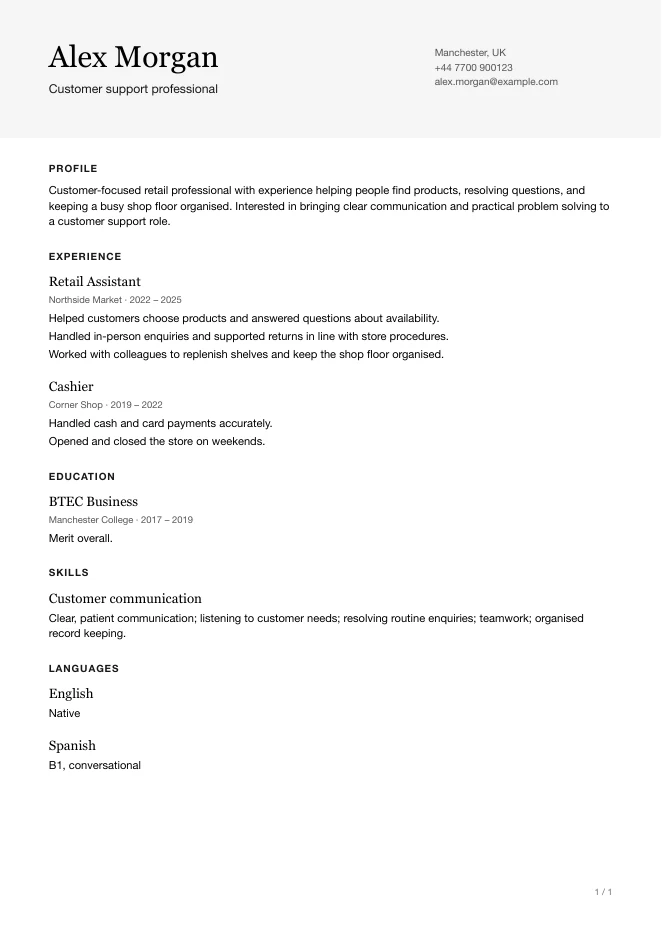 Classic
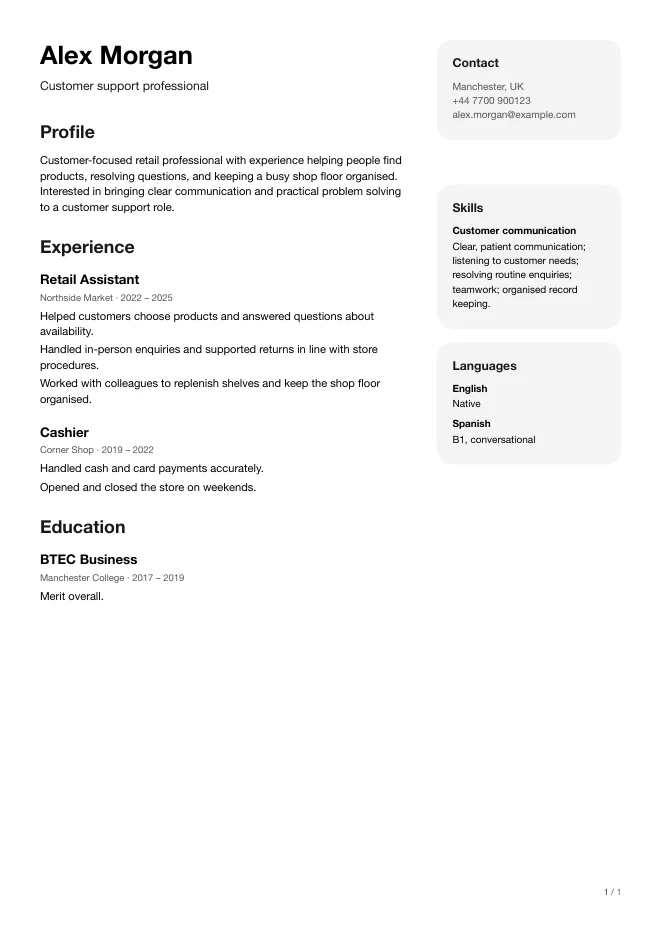 Modern
In c-v.ai your CV comes in six templates, from Classic and Modern to Banner and Timeline, each in six colours on A4 or US Letter.

Questions
How many technical skills should I list?
As many as you can honestly use, grouped in rows, with the ad’s must-haves first. We found no official limit. Our view: if a row runs past one line and half of it is old, cut the old half.
Should I put a version number?
Yes when it changes the job, such as Python 3, a PLC brand or a framework major version. Leave it off when every version does the same work. Follow the ad’s wording.
How do I show my level in a tool?
Use labels that describe use, such as “used daily”, “used on one project” or “trained, not used since”. IT roles can also use SFIA’s seven levels of responsibility. See skills for a CV for why bars and stars are best avoided.
Are licences and tickets technical skills?
Yes in trades and many technical jobs. List the licence or certificate name, the body that issued it and the year or status. In Canada, for example, the Red Seal is an endorsement on a provincial or territorial trade certificate, administered by the Canadian Council of Directors of Apprenticeship.
Can I use a skills table or columns?
Plain rows are safest. Columns and tables can read in the wrong order after a PDF is copied. Our ATS-friendly CV guide covers the check.
Sources
- O*NET OnLine: Skills, Technical Skills (2.B.3)
- O*NET OnLine: Computer User Support Specialists (15-1232.00), software skills
- SFIA Foundation: SFIA 9 levels of responsibility
- Red Seal Program (Canada): Welcome