
An AI CV builder that keeps your CV true
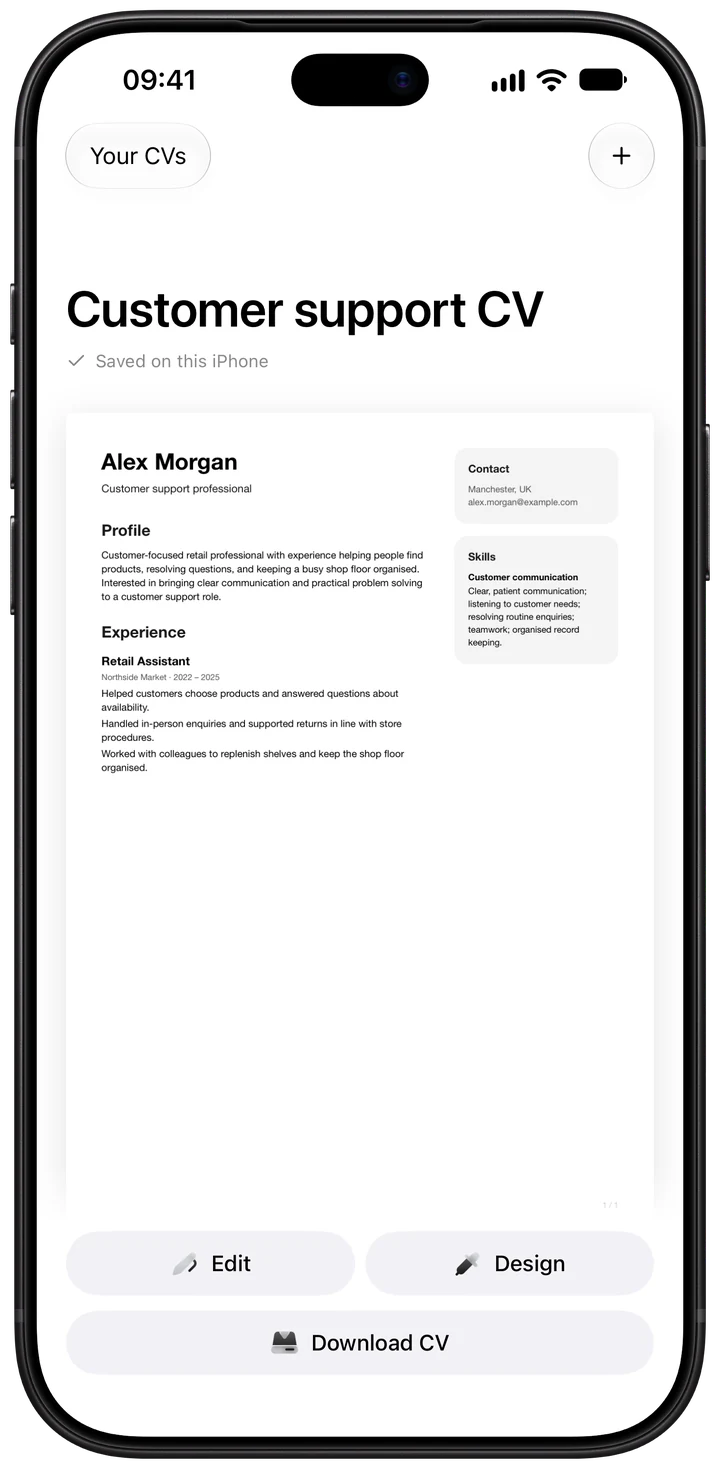
c-v.ai is an AI CV builder for iPhone. Import the CV you have or answer a few questions, tailor it to each job ad, approve every change and download a PDF. Building, editing and downloading are free.
From the CV you have to a version for every job
- Bring your CV or start fresh. Import a PDF (scanned pages too), a Word file or pasted text. No CV yet? Answer a few questions in six short stages. Suggested skills start unticked, so only what's true goes in.
- Sharpen the wording. AI review suggests clearer lines and shows which part of your CV each one comes from. If a detail is missing, it asks you instead of guessing.
- Tailor it to a job ad. Paste the ad or add a screenshot. The app sorts what the role asks for and shows where your CV already covers it and where it doesn't.
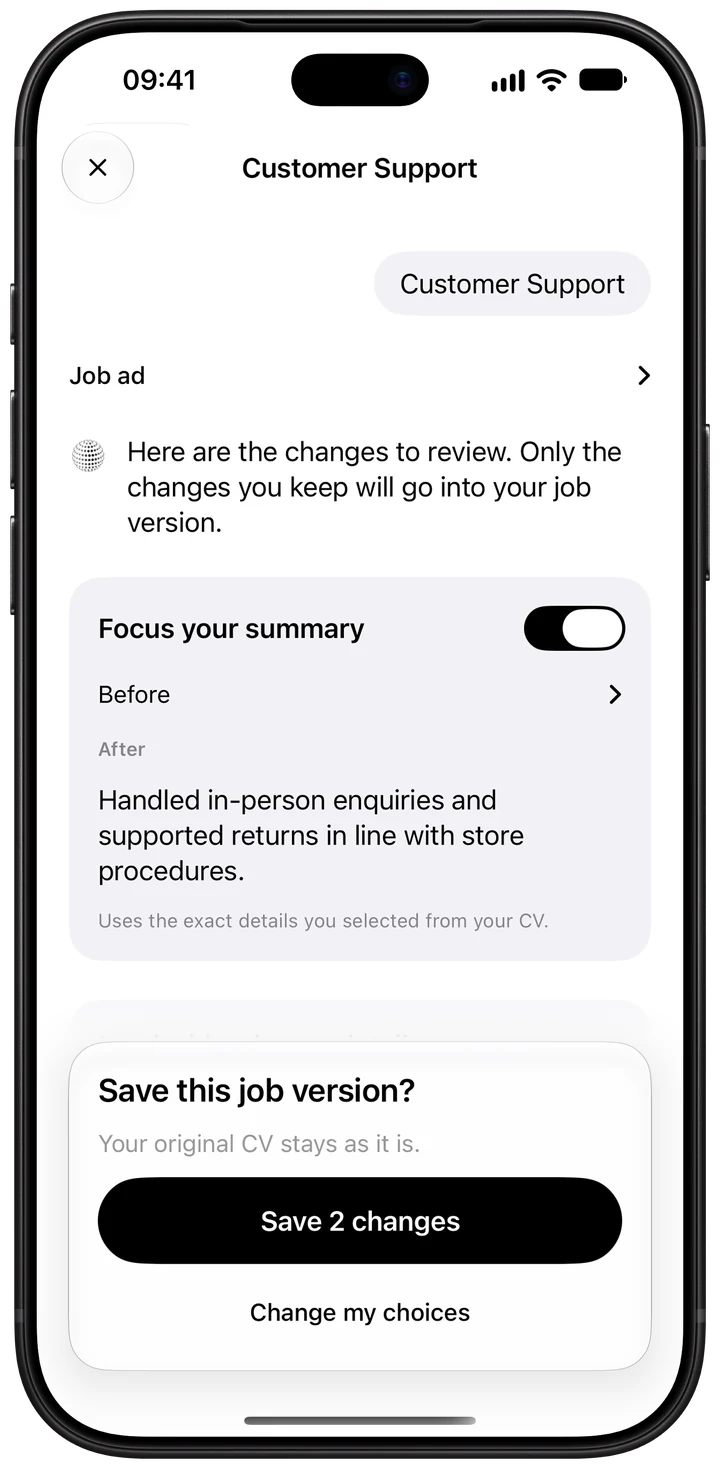
- Approve each change. Nothing goes in until you say so. Each job gets its own saved version, and your original CV stays as it was.
- Choose a design and export. Classic or Modern, an accent colour, A4 or US Letter. Every PDF gets a readability check before you send it.
Why the AI sticks to your facts
A general chatbot can write a CV, but it can't be held to rules. In c-v.ai the rules run as checks on every suggestion:
- Each suggested change must quote the lines of your CV it's based on.
- Changes that add numbers your CV doesn't contain are rejected.
- A second AI check throws out changes that aren't supported or that lose information.
- The job ad is never treated as evidence about you. It shows what the employer wants, not what you've done.
The rules come from years of hiring across industries, and of writing CVs professionally. For a fuller comparison, read c-v.ai or ChatGPT?
Tailoring in practice
Say the ad asks for "experience handling customer complaints" and "working to targets". The app lists both as must-haves, finds the line in your CV about resolving returns at the till, and suggests moving it to the top of that job. It has no line about targets, so it asks whether you had any, and how you did. Your answer goes in only if you give one. Read the full method in How to tailor your CV to a job description.
What you can export
Every export is a PDF in the template and colour you chose. The app keeps a copy of each PDF exactly as you sent it, so you can check what an employer has when they call you back weeks later.
- Templates: Classic and Modern, with six accent colours.
- Paper: A4 or US Letter.
- Photo: optional, for countries where one is expected.
- Readability check: selectable text, embedded fonts, contact details as text, standard headings and reading order. See the readability check.
Your data
Your CVs, job ads and PDFs stay on your iPhone. When you use an AI feature, the app shows what will be sent first. Text reviews and tailoring leave out your contact details and photo. c-v.ai has no ads and no tracking. Read the privacy policy.
Questions
Is c-v.ai free?
Creating, importing and editing a CV, choosing a design and downloading PDFs are free. AI import and the first AI review are also free after Sign in with Apple. AI tailoring for each job ad needs Plus or a one-off purchase for a single CV. See pricing.
Will the AI make up experience I don't have?
No change goes in unless you approve it. Every suggestion has to quote the lines of your CV it's based on, and changes that add numbers your CV doesn't contain are rejected. When a useful detail is missing, the app asks you for it. AI can still get things wrong, so read each suggestion.
Can I use c-v.ai on Android or a computer?
Not yet. c-v.ai is an iPhone app. You can send the PDF from your iPhone to a computer and attach it from there.
Which languages can my CV be in?
Each CV has its own language and job-market setting, and the AI wording and advice follow it. The app's screens are in English.
Does it work with applicant tracking systems?
Every PDF is checked on your iPhone for what those systems need to read it: selectable text, embedded fonts, your name and contact details as text, standard headings and a sensible reading order. Systems differ, so no single result is guaranteed. Read more in How to make your CV ATS-friendly.