
CV templates
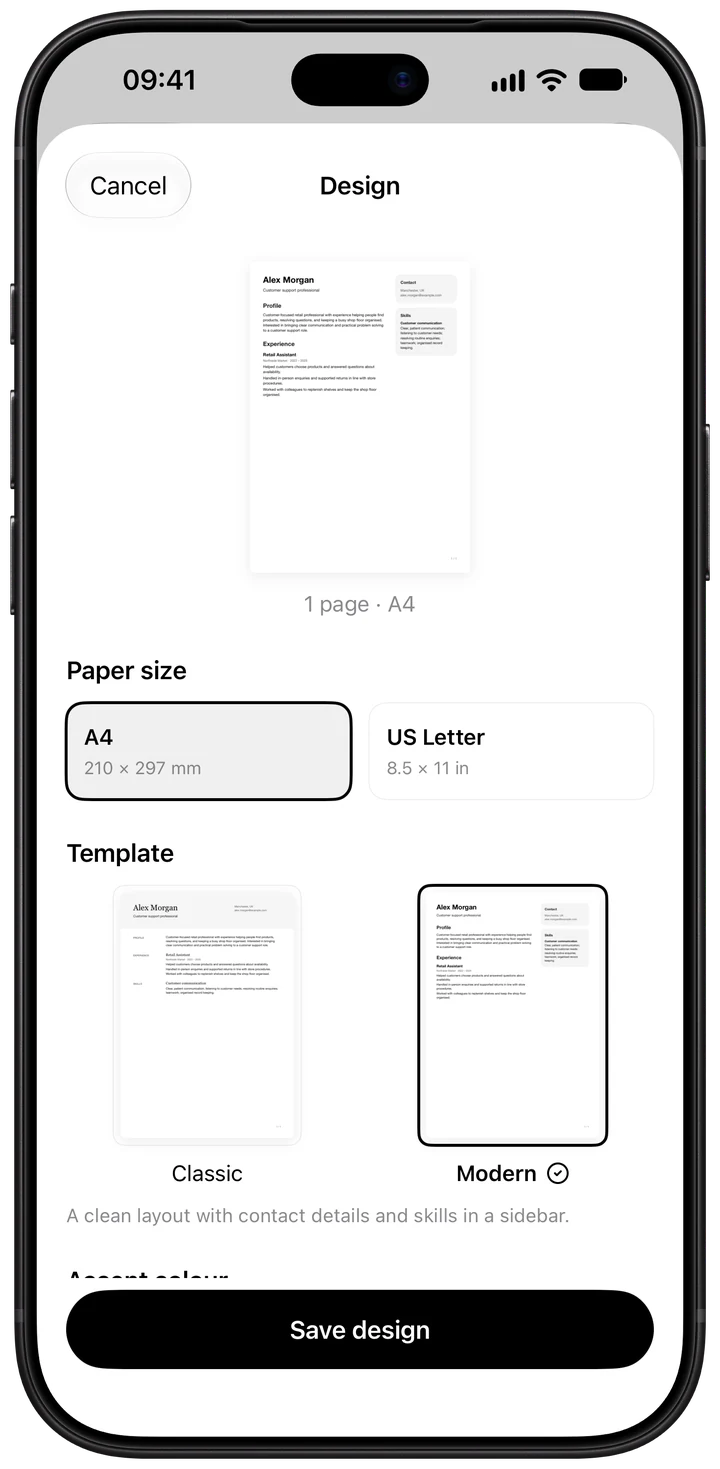
c-v.ai has two templates. Classic has serif headings and a single reading order. Modern puts your contact details and skills in a sidebar. Both come in six accent colours, on A4 or US Letter, with an optional photo, and every PDF gets the same readability check.
Classic
Serif headings and a clear reading order from top to bottom. Each section follows the one before it in a single column.
Modern
A clean layout with your contact details and skills in a sidebar, beside the main column with your experience and education.
Colours, paper and photo
- Accent colours: Black, Navy, Teal, Green, Burgundy and Rust. The colour is used in the PDF; your content stays the same.
- Paper size: A4 (210 × 297 mm) or US Letter (8.5 × 11 in). The US and Canada use Letter; most other countries use A4. See How to write a CV.
- Photo: optional. Some countries expect one and others leave it off.
A readability check on every PDF
Whichever template you choose, the app checks each PDF on your iPhone before you send it: selectable text, embedded fonts, your name and contact details as text, standard headings and reading order. If something might be misread, it names the problem, such as "Skills is read in the middle of Experience", so you can fix it. Systems differ, so no single result is guaranteed. Read about the readability check.
See it with your own CV
Import the CV you have and switch between the templates to see which one shows your experience best. The design is saved with each CV, and every tailored version keeps it.
Questions
Which template is better for applicant tracking systems?
Both are made to be read by these systems, and every PDF gets the same check for selectable text, headings and reading order. If the app finds a page it might misread, it tells you what and where. Read more in How to make your CV ATS-friendly.
Can I add a photo?
Yes, the photo is optional. Whether to add one depends on where you're applying. It's usual in some countries and left off in others.
Can I change the template after writing my CV?
Yes. The design is saved with your CV, and you can change the template, colour or paper size at any time without retyping anything.
Are the templates free?
Yes. Both templates, all colours and PDF downloads are free.