
How to find and use CV keywords honestly
CV keywords are the skills, tools, job titles and phrases a job ad uses for the work. Recruiters can search stored CVs for such words, so use the ad’s terms where they truly describe what you did, in your summary, bullet points and skills. Don’t add skills you lack or hide text. Both backfire.
What CV keywords are
Keywords are the words in a job ad that name the work: job titles, skills, tools, qualifications and the verbs for what you will do. “Payroll”, “forklift licence” and “stakeholder reports” are keywords. “Hard-working” is not much of one, because anyone can claim it.
The same term can appear on your CV (résumé) in a different form. If the ad says “payroll” and your CV says “paid staff”, a person will make the link. A search for “payroll” will not.
How recruiters search CVs
Many employers keep applications in an applicant tracking system, and our guide to what an ATS is explains the basics. The UK Government’s JobHelp service says these systems automatically scan each CV for key words and pick out those that best match the job description. Kwantlen Polytechnic University’s career service says employers screen applications for words from their posting.
Recruiters can also search the database by hand. Greenhouse, one applicant tracking system, has a full text search: the recruiter types terms and gets candidates back, with a small snippet under each name showing how the search terms are used in the profile. So a term in a real sentence shows up with its context.
The Greenhouse help page we read does not say whether the search handles operators such as AND and OR, near-exact matches or synonyms. We found no source that publishes those details for every system, and they differ by employer. That is the reason to treat keywords as plain communication. You cannot know how a given system matches words, so write clearly for the person reading the result.
JobHelp adds one practical point: a system may not pick up a keyword that is misspelt. Check spelling in every term you copy from the ad.
1. Find the keywords in the ad
Copy the ad into a document. Then mark four kinds of term:
- Job titles and areas of work. “Payroll assistant”, “front desk”.
- Skills and tasks. “Process payroll”, “check expense claims”.
- Tools and systems. “Excel”, “payroll software”, “HR information system”.
- Qualifications and licences. Exact names, as the ad spells them.
Then rank them. Our guide to reading a job ad shows how to sort must-haves, repeated themes and nice-to-haves. Kwantlen Polytechnic’s advice is to note the words the posting repeats, both hard and soft skills. A term in the must-have list that also repeats in the duties is your first priority.
2. Keep only the true ones
For each keyword, ask what you can say about it honestly.
- You did it, in these words. Use the word as it is.
- You did it, in other words. Use the ad’s word if it describes the work accurately, and keep your own term beside it if both are true.
- You did something close. Describe what you actually did. Don’t stretch the ad’s word to cover it.
- You didn’t do it. Leave it out. Our guide to tailoring a CV to a job description covers what to do about gaps.
A simple test is that you could explain every keyword at interview, with an example. If you couldn’t, take it out.
3. Put keywords where they are read
| Place | What to put there |
|---|---|
| Summary | Your job area and two or three of the ad’s main terms, in one or two sentences with your strongest evidence. |
| Job title lines | The title your employer gave you. If the ad uses a different name for the same job, put it in a bullet point instead. |
| Bullet points | The ad’s terms inside sentences that say what you did and the result. Wofford College’s career centre says systems reward terms used in realistic context and discount lone keywords. |
| Skills section | Tools, systems and qualifications, with the names the ad uses. Our guide to skills for a CV covers the section. |
Keep keywords in the main body of the page. UC Berkeley’s career centre advises avoiding headers, footers, text boxes, tables, colours, pictures and graphics, because they can cause trouble for an ATS. Our ATS-friendly CV guide has a quick test for this.
4. Cover synonyms and acronyms
People write the same thing in different ways, and a search matches the letters you typed. You can’t see which form a recruiter will search for, so give both when both are true.
- Terms with a short form. Citrus College’s career service says to spell out degrees, certifications and industry terms. Write the full term with the short form in brackets once, such as “HR information system (HRIS)”. Use either form afterwards.
- Your word and the ad’s word. If you wrote “wages” and the ad says “payroll”, and both fit, write “payroll” in the bullet and mention “wages” in the same line if it helps.
- Spelling. Copy the ad’s spelling of a tool or qualification exactly.
Some employers set their own rules. For federal job screening questions, the Government of Canada says to use the exact keywords and skills from the question and not synonyms, and to avoid acronyms so the reader understands. Follow the form’s instructions when an employer gives them.
5. Stuffing and hidden text
Stuffing means repeating terms or listing every word from the ad. Citrus College’s career service says not to overstuff keywords, and that recruiters will notice. Wofford College’s career centre adds that systems increasingly discount isolated keywords and that a human reader will notice stuffing too.
Hidden text means keywords in white or tiny type. Wofford says some systems ignore colour, so the trick can look harmless. Others show the text in the recruiter’s view, and some garble it. When a recruiter sees a block of words that you hid, it reads as an attempt to deceive.
A keyword you can only include by hiding it is a keyword you can’t support. Put the true ones in plain view, inside sentences with evidence, and leave the rest out.
6. Check your CV before you send it
- Search your CV for each priority term, with Ctrl+F or the search in your viewer. The University of Surrey’s careers blog recommends this check.
- Make sure the high-priority terms appear in a sentence, not just a list.
- Check the spelling of every term you copied.
- Read it as a person. If a line sounds like the ad rather than like you, reword it.
A worked example
This ad is fictional, and so is the applicant, Lena Novak, who has worked as a finance assistant since March 2023.
Payroll Assistant, Tarnbrook Logistics
You will help run monthly payroll for about 120 staff: process payroll in our payroll software, check expense claims against receipts, answer staff questions about payslips and meet monthly deadlines.
Essential: payroll or finance admin experience; accuracy with numbers; confident in Excel; able to meet monthly deadlines.
Desirable: experience with an HR information system (HRIS); a bookkeeping or payroll qualification.
Lena marks these keywords: payroll, expense claims, payslips, monthly deadlines, Excel, HR information system (HRIS). Her main CV already holds the evidence, in other words:
Profile. Organised finance assistant looking for a new role.
Finance Assistant, Kestrel Print Ltd, March 2023 to present
- Paid staff every month using the wages system.
- Checked staff claims against receipts.
- Answered questions from staff about their pay.
- Kept spreadsheets up to date.
- Used the HR system for starter and leaver details.
She runs pay for about 40 staff, pay goes out on time every month, and she has no bookkeeping qualification. Her tailored version:
Profile. Finance assistant with over three years’ payroll experience, processing monthly payroll for about 40 staff in payroll software. Checks expense claims against receipts and answers payslip questions. Works in Excel.
Finance Assistant, Kestrel Print Ltd, March 2023 to present
- Processed monthly payroll for about 40 staff in the company’s payroll software, on time every month.
- Checked expense claims against receipts.
- Answered staff questions about payslips.
- Kept payroll records in Excel, up to date after each pay run.
- Entered starter and leaver details in the HR information system (HRIS).
Skills. Payroll processing, Excel, expense checking, HR information system (HRIS).
Why it works:
- “Wages system” became “payroll software” and “staff claims” became “expense claims”, because the work was the same.
- “HR system” is now spelt out with its short form, so either search term finds it.
- Each keyword sits in a sentence with something she did, and her only number is one she knows.
- The desirable qualification is missing, because she doesn’t have one. She can say so in her cover letter if she likes.
- Each repeat adds something: the profile gives the headline, the bullet points give the evidence and the skills list names the tools.
Using the ad’s words in c-v.ai
c-v.ai works from the job ad on your iPhone. Paste the ad or add a screenshot of it. The app ranks what the role asks for, with must-haves first, then themes the ad repeats, then nice-to-haves, and shows where your CV already covers each one and where it doesn’t.
Every proposed change quotes the CV lines it is based on. Changes that add numbers your CV doesn’t contain are rejected, and the ad is never treated as evidence about you. You check each change before it goes in, because AI can make mistakes. Each job gets its own saved version and your original CV stays as it was.
The app also checks every PDF you export for selectable text, embedded fonts, standard headings and reading order. Systems differ, so no check can promise how an employer’s system will read your CV. Creating, editing and downloading PDFs are free. Tailoring needs Plus or a one-off purchase for a single CV; see pricing.
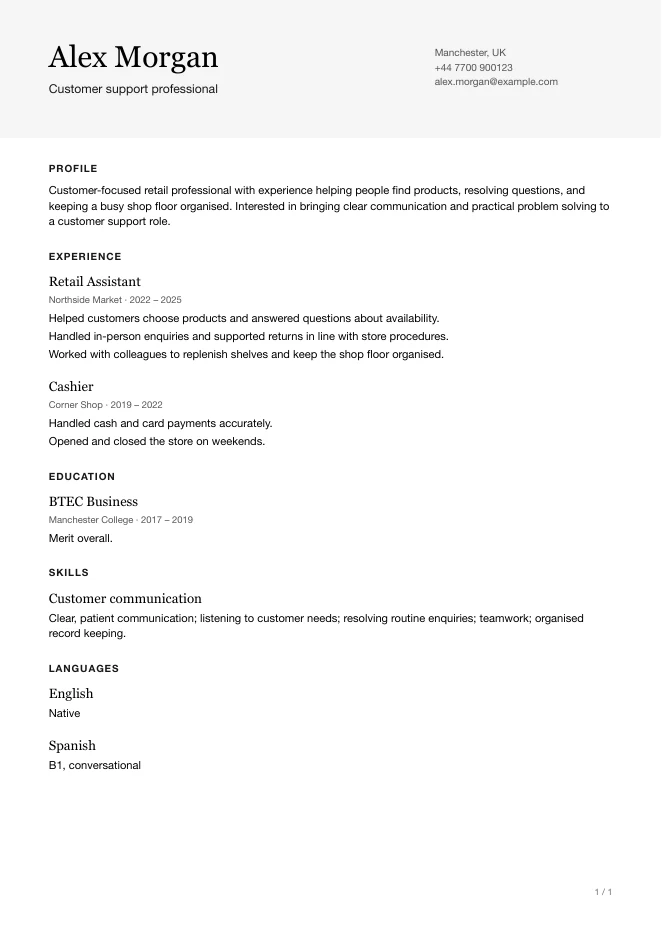 Classic
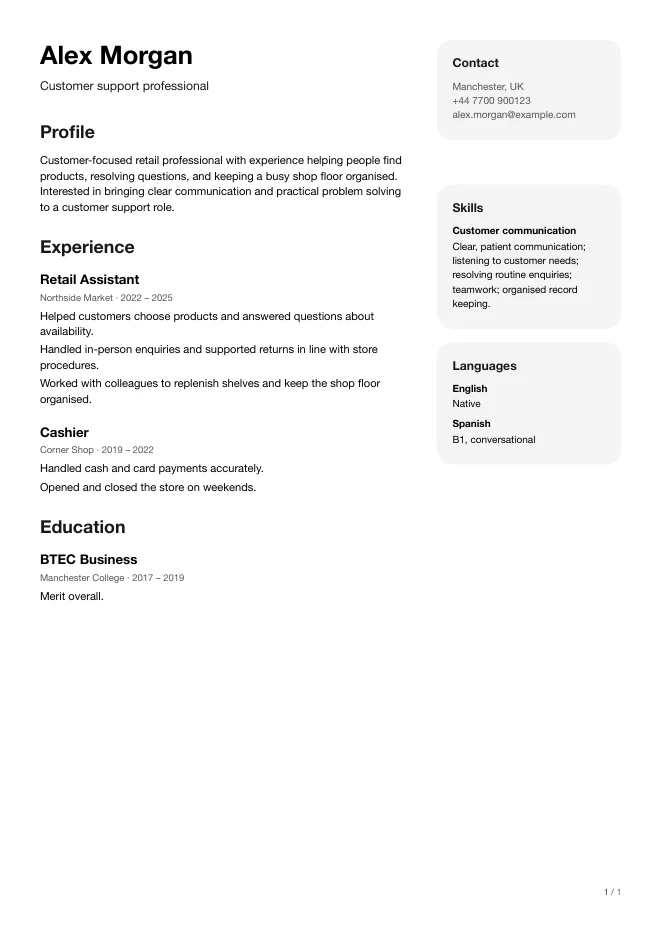 Modern
In c-v.ai your CV comes in six templates, from Classic and Modern to Banner and Timeline, each in six colours on A4 or US Letter.

Questions
How many keywords should a CV have?
We found no official source that gives a number. Citrus College’s careers service says not to overstuff keywords and that recruiters will notice. Use each term where it describes real work.
Should I use the ad’s exact words or synonyms?
Use the ad’s words where they are true. For federal job screening questions, the Government of Canada says to use the exact keywords from the question and not synonyms. Greenhouse’s help page doesn’t say whether its search matches synonyms, so write both terms if you use your own.
Do keywords belong in a cover letter too?
Yes, where they fit. The University of Surrey’s careers blog says to use the employer’s keywords in your CV, cover letter or application form, each backed by a specific example. Our guide to writing a cover letter from the job ad shows how.
Is white text on a CV a good idea?
No. Wofford College’s career centre says some systems ignore colour, others show the hidden text in the recruiter’s view, and some garble it. Recruiters may see it, and it says nothing true about you.
Does c-v.ai add keywords to my CV?
It suggests changes, and each one must quote the CV lines it is based on. Changes that add numbers your CV doesn’t contain are rejected, and nothing changes until you approve it. AI can make mistakes, so you check each change.
Sources
- JobHelp (UK Government): Getting through application filters and applicant tracking systems
- Greenhouse Support: Search resumes for keywords
- UC Berkeley Career Engagement: Resumes
- Public Service Commission of Canada: Applying for Government of Canada jobs, how to apply
- Citrus College Career Services: Understanding applicant tracking systems
- Wofford College Career Center: The new arms race, AI used by job seekers vs that used by employers (2025)
- Kwantlen Polytechnic University Career Services: Reading a job posting
- University of Surrey Careers: How to deconstruct the job description