
What is an applicant tracking system (ATS)?
An applicant tracking system (ATS) is software employers and recruiters use to collect job applications, store candidates' details and manage hiring. It reads the text in your CV (résumé) into fields so recruiters can search and sort applications. It can also filter people out, using rules the employer sets, such as answers to screening questions.
What an ATS is, in plain words
An applicant tracking system is a shared filing system for hiring. When you apply on an employer's careers page, your form answers, CV and cover letter go into it. The hiring team then reviews, searches and tracks every applicant in one place.
Edinburgh Napier University's careers guide describes an ATS as a digital filing system used by many employers and recruiters. The UK Government's JobHelp service adds that these systems scan CVs for key words and pick out those that best match the job description.
Each employer sets up its own system. It chooses the questions on the form, the hiring stages and any automatic rules. Two companies using the same product can treat your application quite differently, and you usually can't see how either one is set up.
What employers use one for
- Receiving applications. The system hosts the job post and the application form, and takes your uploaded files. In England, NHS employers can create a job listing in their own ATS and send it to NHS Jobs, and applicants then apply through that system.
- Storing candidates. Each applicant gets a record with their CV, form answers and the hiring team's notes. Recruiters can search those records again later, for a different job.
- Screening questions. Application forms often ask yes-or-no or multiple-choice questions. In Greenhouse, an employer can set a rule that rejects applicants automatically based on their answers, for example when they lack a required licence or don't meet a location requirement.
- Moving people through stages. A hiring process is a series of stages. In Greenhouse, every interview plan starts with Application Review and ends with Offer, and the employer decides the stages in between. The US Government's USA Staffing system covers the whole journey, from posting the job to assessments and onboarding.
- Searching the database. Recruiters can search the text of stored CVs for skills, job titles and other terms. Greenhouse's full text search, for example, shows a snippet of where each search term appears in a candidate's profile.
What it does with your CV
Parsing your CV into fields
Many systems read the text in your file and copy it into fields such as name, contact details, work history and education. This is called parsing. Some use it to fill in the application form for you.
Parsing can go wrong. Greenhouse's help pages list common causes: a CV uploaded as an image instead of a document, a file larger than 2.5 MB, layouts with columns or tables, and contact details placed in a header, footer or text box. When that happens, fields can come out empty or in the wrong place.
You can check this yourself before you apply. Our guide to making your CV ATS-friendly has a five-point checklist and a one-minute copy-and-paste test. Or add your PDF to our free CV checker to see the text it reads, without uploading it.
Keyword search by recruiters
Once your CV is stored, a recruiter can find it by searching for words. If they search for "payroll" or "forklift licence" and your CV says neither, it won't come up, even if you have done that work. JobHelp's advice is to spot the key words in the job advert and use them in your CV.
That only works when the words are true for you. Our guide to tailoring your CV to a job description shows how to use the ad's terms honestly.
What an ATS usually doesn't do
You may have read that 75% of CVs are rejected by a robot before a person sees them. We looked for the research behind that figure and couldn't find a published study, sample or method. Treat it as unsupported.
Here is what the sources we could check do show.
- Many employers use a system to make a first cut. In research by Harvard Business School and Accenture, more than 90% of surveyed employers that used a recruitment management system relied on it to make a first cut or rank applicants. The filters were rules the employers chose, such as excluding applicants without a degree.
- Automatic rejections tend to follow set rules. In a small survey of 25 US recruiters by the CV builder Enhancv, reported by IT Brief UK, most said their systems don't reject CVs automatically for formatting, design or missing keywords. The automatic filters they did use were mostly about work authorisation, licences, minimum qualifications and location. It is a small sample from a company that sells CV tools, so read it as a sign, not a measurement.
So an ATS can screen you out without a person looking. When it does, it is usually applying a rule the employer wrote, often linked to a screening question. Careful, honest answers on the form matter as much as your CV.
An ATS also doesn't send you a score. The number an online checker gives you is made up by that tool. Our guide to what an ATS score means explains the difference.
Common systems you may meet
There are many products. Examples named in the documentation we checked include Workday, Oracle, Greenhouse and SAP SuccessFactors. NHS Jobs lists 23 systems that send listings to it, including Workday, Oracle, Oleeo, Trac and Smart Recruiters.
The ones whose help pages we read accept both PDF and Word files. Greenhouse lists .pdf, .doc, .docx, .rtf and .txt. SAP SuccessFactors Recruiting accepts Word, PDF, HTML, plain text and some image formats. Accepting an image file is different from reading the text in it, as the parsing problems above show.
How it varies by employer
| Where you apply | What to expect |
|---|---|
| Large employers | More likely to use a system. In the Harvard Business School research, 69% of firms with more than 1,000 workers used one, against 63% of all employers surveyed. |
| Small firms | Less likely to use one, going by the same research. If you email your CV to a person, they read the file exactly as you sent it. |
| Public sector portals | Often one large system. USA Staffing posts more than 90% of job announcements on USAJOBS and includes skills-based assessments. NHS Jobs in England accepts listings from employers' own systems. In Germany, the Federal Employment Agency describes company portals where you fill in forms and upload documents. |
| Job boards | The board has its own rules. Indeed converts an uploaded CV into a PDF automatically and advises against scanning or photographing it. |
| Recruitment agencies | Agencies run their own systems. Some rebuild your CV in a branded template before sending it to a client, often as a Word document. |
A worked example
Grace Owusu, a fictional applicant, applies for an office coordinator job at a mid-sized company that uses an ATS. Here is what happens at each step and what she controls.
| Step | What the system does | What Grace does |
|---|---|---|
| 1. She uploads her CV | Reads her PDF and fills in the form: name, email, jobs, education. | Checks every field and moves a job date that landed in the wrong box. |
| 2. Screening questions | Asks whether she has the right to work in the country and can work on site three days a week. A rule can reject certain answers. | Answers truthfully. Both answers are yes. |
| 3. Stored | Saves her CV, answers and cover letter in one record. | Nothing to do. |
| 4. Recruiter search | The recruiter searches for "scheduling" and "Excel". | Her CV used to say "rota planning". She changed it to "scheduling" before applying, because the ad uses that word and it is true. Her application comes up. |
| 5. Next stage | The recruiter moves her from Application Review to a phone screen. | Gets an email and books a call. |
| 6. Months later | A different role opens. The recruiter searches past applicants. | Her record is still there and matches the search. |
At no point did Grace need to trick the system. She sent a readable file, checked the form, answered honestly and used the employer's words for work she had done.
What a jobseeker should actually do
- Send the file type the ad asks for. Make sure it contains real, selectable text and isn't a scan or photo. Our guide on PDF or Word covers which to send.
- Use standard headings. Experience, Education and Skills are easy for people and software to find. Keep your name and contact details in the main body.
- Use the job's own words where they are true. If the ad says "customer onboarding" and you did it, say so in those words.
- Answer screening questions carefully. They may be the part of your application a rule checks first.
- Check any fields the system fills in for you. Fix dates, job titles and contact details before you submit.
- Ignore made-up scores. Spend the time on the job ad's must-haves instead.
How c-v.ai helps
c-v.ai reads back every PDF it exports, on your iPhone. It checks for selectable text, embedded fonts, your name and contact details as text, standard section headings and a reading order that keeps each job together. If something might be misread, it tells you what and where, so you can fix it.
When you tailor a CV to a job ad, the app shows which of the role's requirements your CV already covers and where it doesn't. Every suggested change quotes the CV lines it is based on, and nothing changes until you approve it.
The check doesn't imitate any one employer's system or predict whether you'll be shortlisted. Systems differ, so it checks what they rely on.
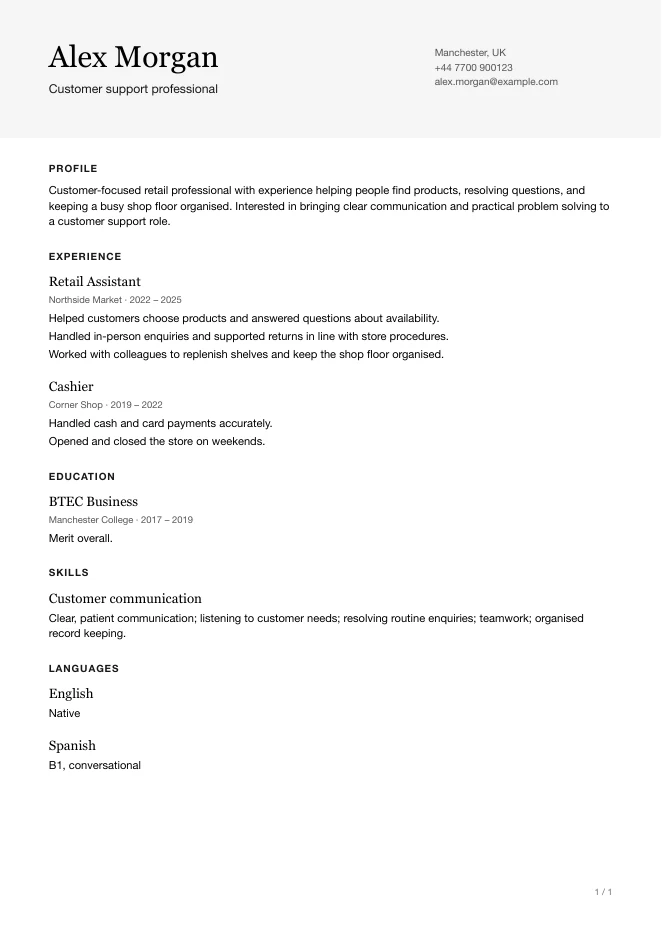 Classic
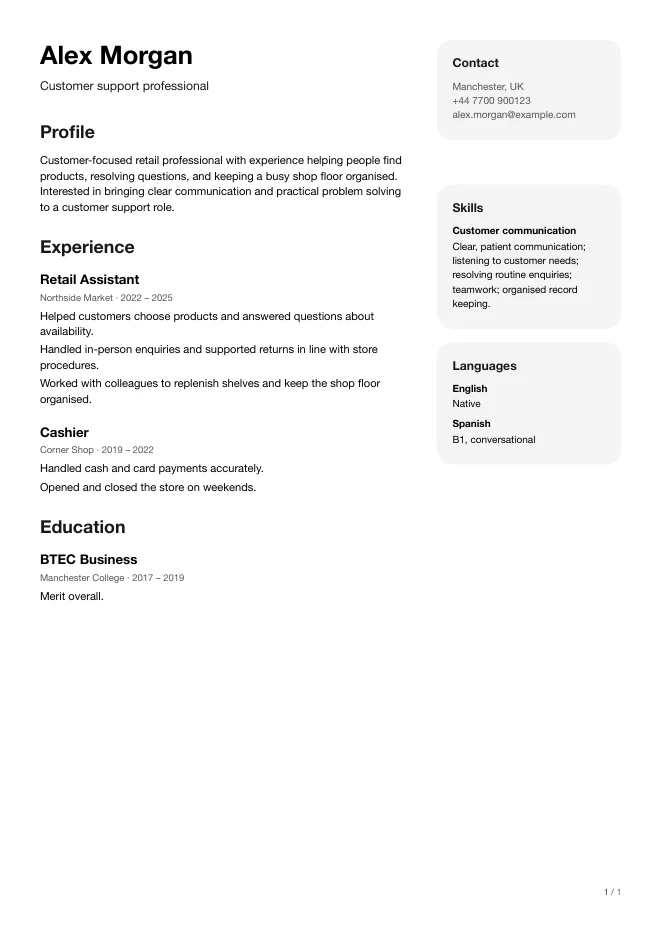 Modern
In c-v.ai your CV comes in six templates, from Classic and Modern to Banner and Timeline, each in six colours on A4 or US Letter.

Questions
What does ATS stand for?
Applicant tracking system. It is the software many employers and recruitment agencies use to receive applications, store candidates' details, move people through hiring stages and search past applicants.
Do all employers use an ATS?
No. In research by Harvard Business School and Accenture, 63% of employers surveyed in the US, UK and Germany said they used a recruitment management system. The share was higher, 69%, among firms with more than 1,000 workers. So plenty of employers, more often smaller ones, don't use one at all.
Is it true that 75% of CVs are rejected by an ATS?
We couldn't find a published study, sample or method behind that figure, so treat it as unsupported. Systems can screen people out automatically, but they do it with rules the employer sets, such as a required licence or a screening question.
Can an applicant tracking system read a PDF?
The systems whose documentation we checked accept both PDF and Word. Greenhouse lists .pdf, .doc, .docx, .rtf and .txt, and SAP SuccessFactors Recruiting accepts Word, PDF and text files. What matters most is real text in the file. Read PDF or Word: which file should you send?
Does an ATS give my CV a score?
Some systems can rank applications, using criteria the employer chooses. The score an online CV checker shows you is a different thing, made up by that tool. Our guide to ATS scores explains why it misleads.
Can c-v.ai tell me how an employer's ATS will read my CV?
No tool can, because every employer sets up its system differently. c-v.ai checks every PDF on your iPhone for what these systems rely on: selectable text, embedded fonts, your name and contact details as text, standard headings and reading order. It shows what it found and how to fix it.
Sources
- JobHelp (UK Government): Getting through applicant tracking systems
- Edinburgh Napier University: CVs and cover letter guide
- Harvard Business School Working Knowledge: How to Tap the Talent Automated HR Platforms Miss (Joseph B. Fuller, 2021)
- IT Brief UK: Study reveals ATS rarely auto-rejects CVs (19 November 2025)
- Greenhouse Support: Application rules overview
- Greenhouse Support: Interview plan overview
- Greenhouse Support: Search resumes for keywords
- Greenhouse Support: Unsuccessful resume parse
- Greenhouse Support: Supported formats for resumes, cover letters and other candidate uploads
- SAP Support: Attachments type supported, SAP SuccessFactors Recruiting Management
- NHS Business Services Authority: NHS Jobs integration and benefits
- US Office of Personnel Management: USA Staffing
- Bundesagentur für Arbeit: Bewerbungsarten im Überblick
- Indeed Help Center: Creating a resume on Indeed
- TrackerRMS Help: Agency resume/CV template