
Excel skills on a CV
Write what you build in Excel and with which features, such as PivotTables, XLOOKUP, Power Query or macros, tied to a task and a result. Set your level by what you can do without help, and list only what you could show in a test, because you may be asked to.
What employers mean by Excel skills
When an ad asks for “advanced Excel”, it usually means one of three jobs: handling large lists, building reports, or automating repeat work. The word itself is never defined, so two applicants can mean very different things by it.
No official framework sets Excel levels. The nearest guides are Microsoft’s own certificates, used below, and Canada’s Skills for Success, which describes digital skills at entry, intermediate and advanced level by what a person can do. O*NET, the US occupation database, lists Microsoft Excel by name under spreadsheet software and marks it as an in-demand technology on pages such as computer user support specialists.
This page covers Excel only. The other Office apps are on Microsoft Office skills on a CV, and code and BI tools such as SQL or Power BI belong on technical skills on a CV. The map of all skill pages is the skills hub, and the general method is in skills for a CV and how to prove them.
1. Read which features the ad names
Highlight every Excel word in the ad: PivotTables, lookups, charts, macros, VBA, Power Query, Power Pivot, conditional formatting, data validation. Those are the terms a reader will look for. Our guide on CV keywords shows how to match them.
Then sort them into what you can do now, what you could do after a quick look, and what you have never done. Only the first group goes on the CV.
2. Place yourself on a ladder
This ladder is ours, anchored to what Microsoft’s Excel exams assess. Pick the highest row where you could do most of the tasks without searching for help.
| Level | What you can do without help | Anchor |
|---|---|---|
| Basic | Enter and format data, sum and average, simple charts, sort and filter. | Part of the Associate topics. |
| Intermediate | Tables, absolute and relative references, IF, SUMIFS and COUNTIFS, lookups, a PivotTable from clean data, charts for a report. | Excel Associate (MO-210): worksheets and workbooks, cells and ranges, tables, formulas and functions, charts. |
| Advanced | PivotTables from messy data, dynamic lookups, data validation, Power Query to clean and combine files, structured reports others use each month. | Between Associate and Expert. |
| Expert | Advanced formulas, macros, custom templates, multiple-axis charts, workbook settings for a team. | Excel Expert (MO-211): workbook options and settings, managing and formatting data, advanced formulas and macros, advanced charts and tables. |
Microsoft’s Associate page gives workbook examples such as budgets, financial statements, team performance charts, sales invoices and data-entry logs. The Expert page lists custom business templates, multiple-axis financial charts, amortization tables and inventory schedules. Treat those as pictures of the work at each level.
A plain self-check, which is our view and not a standard: if you cannot build a PivotTable from raw data without looking it up, write intermediate. If you have never written a macro, do not write VBA.
3. Write the skills line
Write the product name, then the features, in the ad’s spelling. Put the strongest features first.
- Excel: PivotTables, SUMIFS, XLOOKUP, conditional formatting, charts.
- Excel (intermediate): lookups, PivotTables, monthly reports.
Do not list a function you only know by name. Microsoft’s XLOOKUP page says it is not available in Excel 2016 and Excel 2019. So an employer on an older version may ask for VLOOKUP or INDEX and MATCH instead, and someone who only knows VLOOKUP should not write XLOOKUP just because the ad does.
The level word is optional. If you use one, your bullets must back it up. No bars, stars or percentages.
4. Prove it in bullets
Each bullet is one file you built or one job you did: the feature, the size of the data (lines, files, people who used it) and what changed (time saved, errors found, a decision made). If you do not know the time saved, do not guess. Write what changed: “month-end checks that were done by hand are now one report”. Our guide to lying on a CV explains why an invented figure is a risk.
Excel tests and honesty
Employers sometimes set an Excel task before or after an interview. We found no official figure for how common this is. Our view: assume you may be asked, and write only what you could do in front of someone.
- Write the level you could demonstrate. “Intermediate” that you can show is safer than “advanced” that falls apart.
- Know your own CV. If a bullet names a PivotTable, be ready to build one from a new file.
- Say so if the tool is different. If you use an older version or Google Sheets, say it.
If you are asked about a gap, say what you have done and what you would learn. Most readers prefer an honest “I haven’t used Power Query, but I’ve done the same job with formulas” to a bluff.
Excel certificates from Microsoft
Microsoft Office Specialist (MOS) is Microsoft’s own certification. Microsoft Learn lists two current Excel levels for Microsoft 365 Apps, and still lists the Office 2019 versions.
| Certificate | Exam | Level | Assessed on |
|---|---|---|---|
| Excel Associate (Microsoft 365 Apps) | MO-210 (Office 2019: MO-200) | Intermediate | Worksheets and workbooks, cells and ranges, tables, formulas and functions, charts |
| Excel Expert (Microsoft 365 Apps) | MO-211 (Office 2019: MO-201) | Advanced | Workbook options and settings, managing and formatting data, advanced formulas and macros, advanced charts and tables |
Each page says the exam is 50 minutes and proctored, expects about 150 hours of instruction and hands-on use, and renews every 60 months. Write the title as Microsoft lists it, then the year: “Microsoft Office Specialist: Excel Associate (Microsoft 365 Apps), 2026”. If you passed the Office 2019 exam, keep “(Office 2019)” in the title.
A certificate shows you passed a timed test on a set of topics. It does not show you used Excel for a job. Our view: list it, and keep the bullets.
Google Sheets
Google Sheets is a different product. If the ad says “Excel or Google Sheets”, name the one you use, or both with what you do in each. Do not rename Sheets as Excel because the ad did.
Weak and strong lines
| Weak | Strong |
|---|---|
| Advanced Excel | Excel: built a PivotTable report from three ledgers, so month-end checks run from one file |
| Excel (formulas) | Excel: SUMIFS and XLOOKUP across a 4,000-line supplier list |
| Proficient in Microsoft Excel | Excel: monthly budget tracker with data validation and charts for a team of eight |
| Excel expert | Excel: recorded and edited macros that formatted a weekly stock report |
| Strong spreadsheet skills | Excel and Google Sheets: shared rota and a leave tracker used by 20 staff |
A worked example
Rafael Souza is a fictional accounts payable clerk in Curitiba. He applies to be a junior financial analyst at Pinheiral Distribuição, a fictional distributor. The ad says: “Advanced Excel (PivotTables, lookups) and monthly reporting to the finance director.” He has two years in accounts payable, uses PivotTables and lookups every week and has never written a macro.
Old line: Advanced Excel.
Honest level in tasks: intermediate to advanced. He can do lookups, PivotTables from raw data and charts. He cannot do macros or Power Query without help.
New skills line: Excel: PivotTables, XLOOKUP and VLOOKUP, SUMIFS, data validation, charts. Learning Power Query.
Bullets:
- Built a PivotTable report from three supplier ledgers, so month-end payable checks that took about two days now take about half a day.
- Matched about 4,000 invoice lines to the supplier list with lookups and found duplicate payments before they were released.
- Made a monthly payables summary with charts for the finance manager, and trained two colleagues to update it.
Why it works:
- The ad’s words, PivotTables and lookups, appear in both the skills line and the bullets.
- He leaves out VBA and says he is learning Power Query. If a test asks for a macro, nothing on the CV is wrong.
- Each bullet has a feature, a size and a change. The numbers are ordinary and approximate and come from his own work.
Other roles that lean on Excel include accountant, bookkeeper, data analyst, financial analyst and accounts payable.
Doing this in c-v.ai
In c-v.ai, suggested changes that add numbers your CV doesn’t contain are rejected, so any result in an Excel bullet has to come from you. Every suggested change quotes the CV lines it is based on, and nothing changes until you approve it. If a useful fact is missing, such as the size of the file, the AI review asks you instead of inventing it.
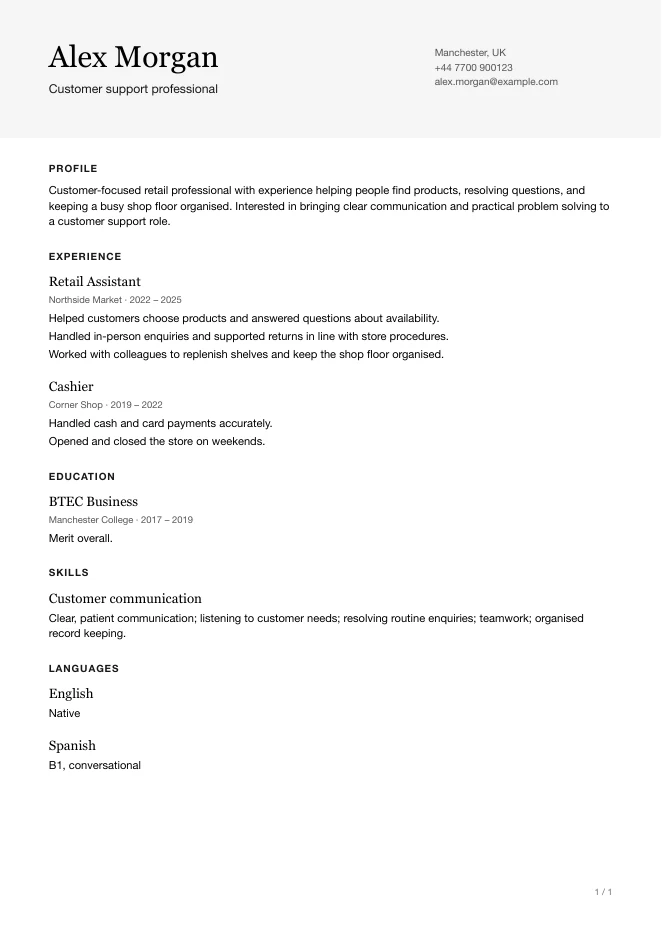 Classic
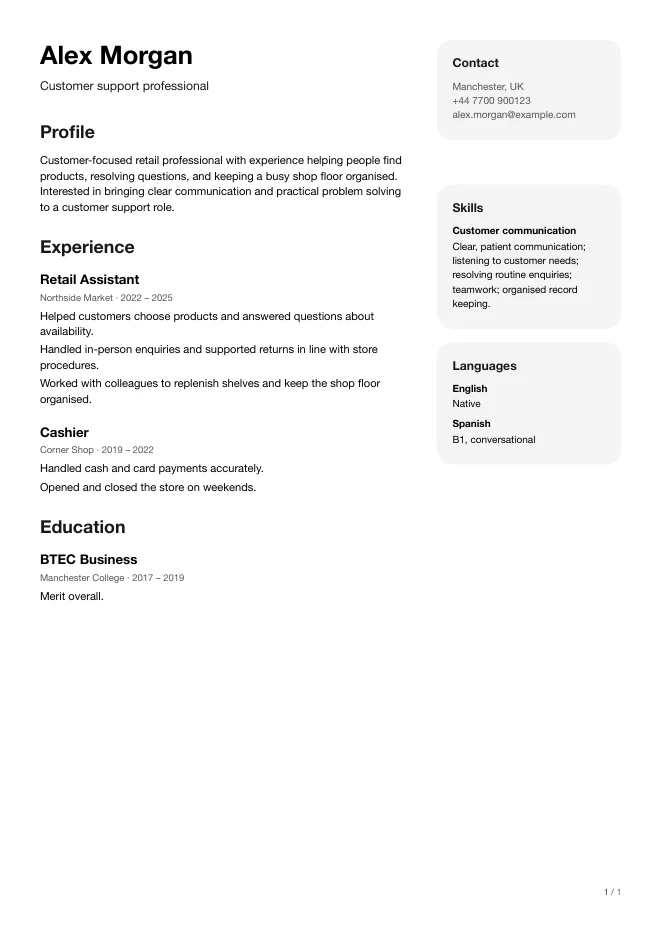 Modern
In c-v.ai your CV comes in six templates, from Classic and Modern to Banner and Timeline, each in six colours on A4 or US Letter.

Questions
What counts as advanced Excel?
No official body defines it for CVs. Microsoft’s Excel Expert exam (MO-211) covers workbook options and settings, managing and formatting data, advanced formulas and macros, and advanced charts and tables. Our view: when an ad says “advanced”, expect PivotTables, lookups and some automation, and name the features you can use.
Should I put VLOOKUP and XLOOKUP?
Only the ones you can use. Microsoft says XLOOKUP is not available in Excel 2016 and Excel 2019, so an employer on an older version may still ask for VLOOKUP. Match the ad.
Will I have to take an Excel test?
Some employers do. We found no official figure for how many, so assume you may be. Write only what you could do in a timed task, and say “intermediate” if that is the truth.
Is a Microsoft Excel certificate worth it?
It can help when your work history is short or the ad asks for one. The current exams are Excel Associate (MO-210) and Excel Expert (MO-211), each 50 minutes and proctored. A bullet with a real result still does more on most CVs.
Sources
- Microsoft Learn: Microsoft Office Specialist: Excel Associate (Microsoft 365 Apps)
- Microsoft Learn: Microsoft Office Specialist: Excel Expert (Microsoft 365 Apps)
- Microsoft Learn: Microsoft Office Specialist: Expert (Microsoft 365 Apps), exam list
- Microsoft Support: XLOOKUP function
- O*NET OnLine: Computer User Support Specialists (15-1232.00)
- Government of Canada: Skills for Success, learning steps and proficiency levels