
Do two-column CVs work with an ATS?
They can, if the text reads in the right order. A parser pulls the text out of your file and sorts it into fields, so a sidebar read in the middle of a job can scramble it. Several careers services advise one column for online applications. Copy your PDF’s text into a plain editor before you send it.
The short answer
A two-column CV (résumé) works when the text inside the file comes out in the order a person would read it. Each heading should come before its section, and each job’s title, dates and bullet points should stay together. When that happens, the layout itself causes no harm.
The risk is that software reads across the columns instead of down them. Then a line from your skills sidebar can land in the middle of a job, or your contact details can end up far from your name. Greenhouse, an applicant tracking system (ATS), lists a columned layout among the reasons a CV may not be read into fields correctly.
That is why many careers services play it safe. The University of Toronto Mississauga’s Career Centre advises keeping to a single column. The University of Oregon says two columns help human readers, but suggests one column when you apply online. You don’t have to guess for your own CV. You can test it in a minute, as shown below.
How a parser reads your file
An ATS doesn’t look at your page the way a person does. Workable, which makes an ATS, explains that parsing starts with text extraction: the system takes out the text and ignores the rest. The text is then sorted into fields such as name, contact details, experience and education.
A PDF doesn’t store “column one, then column two”. It stores pieces of text with positions on the page. Software has to rebuild the reading order from those positions. The manual for pdftotext, a free tool that turns PDFs into plain text, shows how much this can vary:
- By default, it tries to output text in reading order and drops the physical layout, such as columns.
- With the layout option, it tries to keep the text where it sits on the page, so two columns can come out side by side on the same lines.
- With the raw option, it keeps the order the text was written into the file, which the manual says often undoes column formatting.
So one PDF can give three different readings from one tool. Different systems make their own choices too, and you can’t see which one an employer uses. A layout that reads in order with several methods is the safest bet.
What careers services advise
| Source | Advice on layout |
|---|---|
| University at Buffalo (US) | Don’t use columns. Right-align dates with a tab stop, because otherwise the system may treat them as a column. |
| University of Oregon (US) | Two columns read well for people. Consider one column when applying online. |
| University of Toronto Mississauga (Canada) | Keep to a single column. Avoid tables, text boxes, graphics and key details in headers and footers. |
| Concordia University (Canada) | Tables or columns used for layout can cause problems with these systems. |
| JobHelp, UK Government | Don’t use pictures, tables or diagrams. Use standard headings. |
| University of Warwick (UK) | Avoid tables and text boxes, because some systems can’t detect what is inside them. |
| University of York (UK) | Avoid tables and text boxes. Many systems struggle to read text in complex layouts. |
| University of Sheffield (UK) | Don’t use headers and footers, tables, graphics or logos. |
| Greenhouse (ATS help pages) | Lists columns, tables, headers, footers and contact details in a text box among causes of parsing problems. |
None of these sources says a two-column CV can never be read. They say columns add a risk that a single column doesn’t have. Testing your own file tells you whether that risk applies to you.
What goes wrong
A sidebar read mid-section
This is the most common problem with two columns. If the software reads line by line across the page, it takes one line from the main column, then one from the sidebar, and so on. Your job bullets end up mixed with your skills, languages or contact details. Workable warns that tables and columns can put words on different lines from where you meant them, so sentences may come out in an unexpected order.
Tables
Some CVs use an invisible table to make the columns. The University of Warwick says some systems can’t detect content inside a table at all. The University at Buffalo says to avoid tables because they may not be read.
Text boxes
A text box floats on the page, apart from the main flow of text. The University of Warwick gives the same warning for text boxes as for tables. Greenhouse lists a name and contact details placed in a text box as a cause of parsing problems.
Headers and footers
Many designs put the name and contact details in the page header. Greenhouse lists this as a cause of parsing problems, and Concordia University says the system may not tell that information apart. Workable adds that header and footer text often gets mixed into the body. The University at Buffalo says to put your name and contact details at the top of the page, never in a header.
Graphics and icons
Skill bars, charts and icons are pictures, not words. Greenhouse lists graphics, photos and word art among causes of problems, and the University at Buffalo advises leaving out icons. If an icon stands in for a word such as “Email”, write the word too.
How to test your own PDF
The copy-and-paste test
- Open the PDF you plan to send.
- Select all the text, copy it and paste it into a plain text editor, such as Notes or Notepad.
- Read it from top to bottom, as software would.
The University at Buffalo suggests a version of this test: paste the PDF’s text into a Word document and check that all your content comes across. If you can’t select the text at all, the PDF holds a picture of your CV, and a system may read nothing. Our ATS-friendly CV checklist covers that case.
The pdftotext test
If you are comfortable with a terminal, pdftotext is part of poppler-utils, a free set of PDF tools. Run it three ways and compare:
- pdftotext cv.pdf - prints the default reading order.
- pdftotext -layout cv.pdf - keeps the page layout.
- pdftotext -raw cv.pdf - prints the order the text was stored in the file.
What to look for
- Your name and contact details come first, as text.
- Each heading comes before its own section.
- Every job reads in one piece: title, employer, dates, then bullets.
- No sidebar lines appear between the lines of a job.
- Nothing is missing, and no letters are spaced out or doubled.
If the default and raw readings both keep each section whole, your layout is in good shape.
Helping two columns read in order
We suggest these fixes, each aimed at one of the problems above. They keep the design and make the reading order clearer.
- Keep each section whole in one column. A job, with its title, dates and bullets, should never start in one column and finish in the other.
- Keep the sidebar short and self-contained. Skills, languages and links read well as a block, before or after the main content.
- Put contact details in the page body. Not in the header, a text box or an image.
- Build the columns as real text. Avoid tables and floating text boxes, as Warwick and Buffalo advise.
- Use standard headings. Experience, Education and Skills, as JobHelp suggests.
- Test again after every design change. Moving one block can change the order of the whole page.
When two columns are fine
- A person reads it directly. A career coach writing for The Muse, republished by Cal State East Bay’s careers centre, says a designed CV suits applications you email straight to a contact, without an online system.
- Your test reads cleanly. If the copy-and-paste and pdftotext readings keep every section whole, the columns aren’t hurting the text.
- You check the form. Many portals fill in fields from your CV. If you check and correct every field, a small reading error won’t reach the recruiter.
Follow the ad if it asks for a file type or format. If you are unsure between PDF and Word, read our guide to PDF or Word CVs. If you made your CV in a design tool, our guide to Canva CVs and ATS covers the extra checks.
A worked example
Ana Ruiz, a fictional operations coordinator, has a two-column CV. The main column holds her profile and experience. A narrow sidebar holds contact details, skills and languages. Here is what the copy-and-paste test showed before and after she fixed it.
Before
Experience Contact
Operations Coordinator, Fenmoor Logistics ana.ruiz@example.com
2022 – present Skills
Plan daily delivery routes for about 40 drivers Route planning
Handle customer delivery queries Excel
Warehouse Assistant, Fenmoor Logistics Languages
2020 – 2022 English, Spanish
After
Ana Ruiz
ana.ruiz@example.com
Profile
Operations coordinator with experience planning delivery routes and handling customer queries.
Experience
Operations Coordinator, Fenmoor Logistics, 2022 – present
Plan daily delivery routes for about 40 drivers
Handle customer delivery queries
Warehouse Assistant, Fenmoor Logistics, 2020 – 2022
Skills
Route planning, Excel
Languages
English, Spanish
Before, the software read across the page, so the sidebar broke into every job. Her name sat in the page header, so it was missing from the text. She moved her name and email into the page body, rebuilt the sidebar as one block that reads after the main column, and kept dates on the same line as each job title. The two columns still show on the page, and the text now reads in order.
Doing this in c-v.ai
c-v.ai checks every PDF on your iPhone for selectable text, embedded fonts, your name and contact details as text, standard headings and reading order. If something may be read out of order, it tells you what and where, for example that Skills is read in the middle of Experience. Systems differ, so no check can promise how a particular employer’s system will read your CV. You can also run the tests above on any PDF, from any app. For the full list of what systems rely on, see what an applicant tracking system is.
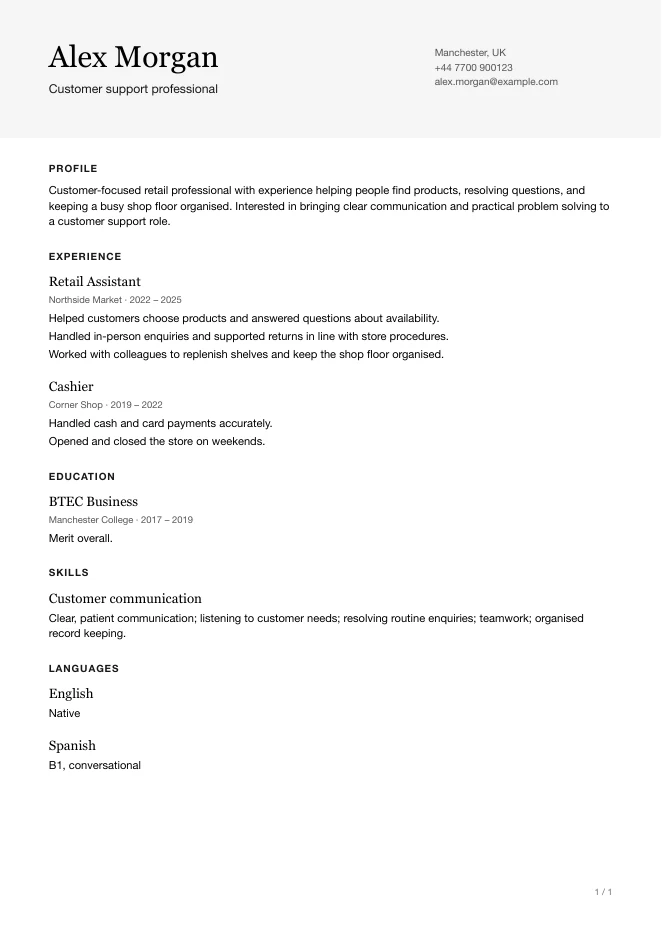 Classic
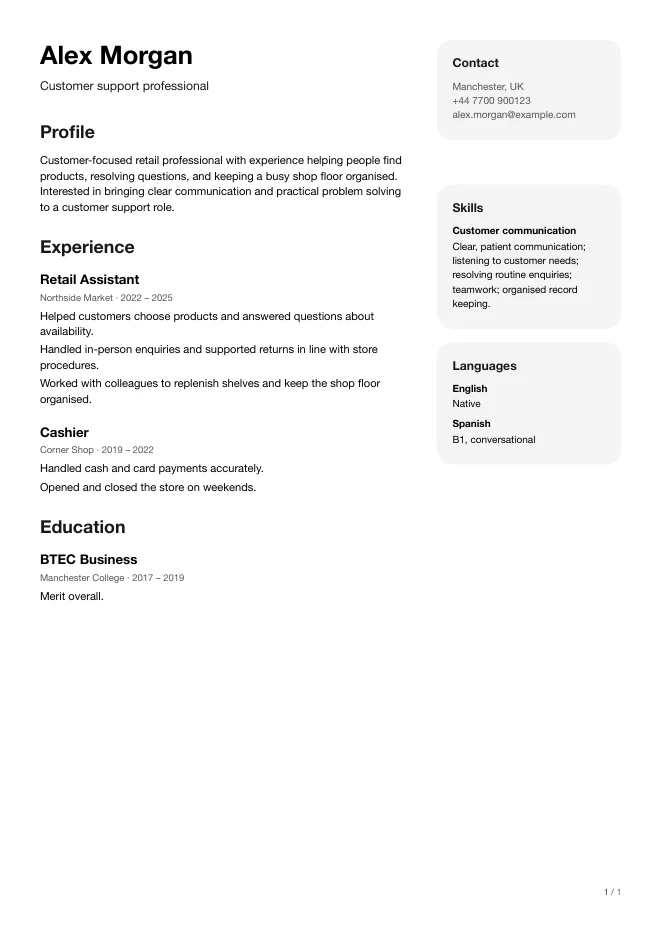 Modern
In c-v.ai your CV comes in six templates, from Classic and Modern to Banner and Timeline, each in six colours on A4 or US Letter.

Questions
Can an ATS read a PDF with columns?
It can read the text, but the order may change. Greenhouse lists a columned layout among the reasons a CV may not be read into fields correctly, so test the PDF before you upload it.
Is a sidebar for skills OK?
It can be, if the sidebar reads as one block before or after the main content. Copy the text out of the PDF and check that the skills don’t land between the lines of a job.
Should I use a table to make columns?
Avoid it. The University of Warwick says some systems can’t detect content inside a table or text box, and the UK Government’s JobHelp advises against tables.
Do recruiters mind two-column CVs?
Not for reading. The University of Oregon says a two-column layout is easier for people to read, but suggests one column when you apply online.
What if the portal gets my details wrong?
Correct each field by hand before you submit. Dates, job titles and contact details are the ones to check first. Our guide to what an ATS is explains what happens next.
Sources
- Greenhouse Support: Unsuccessful resume parse
- Workable: What is resume parsing and how an ATS reads a resume
- Debian manpages: pdftotext(1), poppler-utils
- JobHelp (UK Government): Getting through applicant tracking systems
- University of Warwick Student Opportunity: CVs
- University of York: CVs
- University of Sheffield Careers: Applicant tracking systems
- University of Toronto Mississauga Career Centre: Formatting matters
- Concordia University: Understanding applicant tracking systems (ATS)
- University at Buffalo School of Management: ATS-friendly résumés
- University of Oregon: Resume template, two column
- Cal State East Bay Career Empowerment Center: Should you use Canva for your resume?