
Are Canva CVs ATS-friendly?
A Canva CV can work with an applicant tracking system when the exported PDF holds real, selectable text in a sensible order. Trouble comes from flattened exports, words inside images or icons, and separate text boxes that read out of order. Check the PDF before you upload it, and send the file type the ad asks for.
What decides it
An applicant tracking system (ATS) doesn’t see your design. Workable, which makes an ATS, explains that parsing starts by taking the text out of the file and ignoring the rest. So the question for any CV (résumé), from any tool, is what text the file holds and in what order.
A Canva CV works with these systems when three things are true:
- The PDF contains real, selectable text.
- Your name, contact details and headings are typed text, not part of an image.
- The text comes out in the order a person would read it, with each section whole.
You can check all three yourself in a minute. The design tool matters less than the file it produces.
What a design tool puts in a PDF
Design tools place each piece of a page as its own object. A career coach writing for The Muse, in an article republished by Cal State East Bay’s careers centre, says every piece of text on a Canva resume template sits in a text box. Allyant, a PDF accessibility firm, describes Canva designs as separate text boxes, shapes, icons and grouped elements.
That affects the export in three ways.
- Text or picture. Allyant says the Flatten PDF option merges all design elements into a single image and commonly turns selectable text into pixels. Downloading as a PNG or JPG makes the whole page a picture.
- Reading order. Allyant says a direct Canva-to-PDF export can come out with missing tags and a poor reading order, and advises treating the order of layers as the reading order. The order you added boxes in can differ from the order your eye follows.
- Icons and graphics. An icon for a phone or email is a shape. Software may skip it, or read it as an odd character.
We couldn’t open Canva’s own help pages to check its export settings for this guide, so the details above come from the sources named.
How an ATS handles that
Greenhouse’s help pages list the layouts that cause it trouble. Several are common in designed CVs:
- graphics, photos or word art
- a CV uploaded as an image instead of a document
- a columned layout, tables, headers and footers
- a name and contact details in a header, footer or text box
The University of Warwick says some systems can’t detect content inside a text box at all. Workable gives an example of a name made as a banner image, which disappears when the text is taken out. When fields come out empty or mixed up, a recruiter may have to fix them by hand, or search may miss you.
Some careers services advise against design tools for online applications. UC Santa Barbara’s Graduate Division suggests preparing materials without formatted tables, LaTeX or Canva. The Cal State East Bay article steers people towards a Word or Google document for online applications. Our guide to applicant tracking systems explains what they do with your file.
How to check the exported PDF
- Try to select a line. Open the PDF and drag across your name. If nothing highlights, the page is an image. Export again as a standard PDF, without Flatten PDF.
- Copy and paste everything. Select all, copy and paste into a plain text editor such as Notes or Notepad. The University at Buffalo suggests a similar test with a Word document, to see whether all your content comes across.
- Read it top to bottom. Your name and contact details should come first. Each heading should come before its section. Each job should read in one piece.
- Look for gaps and odd characters. A missing name usually means it is an image. A box or symbol where an icon was is normal, but the word next to it should still be there.
- Try pdftotext if you can. This free command-line tool turns a PDF into plain text. Its manual describes a default reading-order mode and a raw mode that keeps the order text was stored in the file. If both keep your sections whole, the order is sound.
Our guide to two-column CVs and ATS shows what a mixed-up reading looks like and how to fix a sidebar.
Fixes that keep the design
- Turn off Flatten PDF. Allyant says flattening commonly turns text into pixels, so leave it off.
- Type your name and contact details. Use text boxes in the main page, not an image, header or footer.
- Put words next to icons. Write “Email”, “Phone” or your full address beside or instead of the symbol.
- Swap skill bars for words. A bar or star rating is a graphic. A short list such as “Spanish (fluent)” is text.
- Use standard headings. JobHelp, the UK Government’s jobsearch service, suggests standard wording and headings, such as Experience, Education and Skills.
- Keep each section in one block. One text box per job, rather than separate boxes for the title, dates and bullets, makes the order harder to break.
- Check the layer order. Arrange layers in reading order, as Allyant advises, then test the export again.
- Remove tables. Warwick and Buffalo both advise against them.
If the reading still comes out mixed, a simpler version of the layout is the reliable fix. You can keep your designed version for applications a person reads directly.
Design tools and documents compared
| Point | Design tool (such as Canva) | Document (Word, Google Docs) | Source |
|---|---|---|---|
| How text is placed | Separate text boxes and elements | One flow of text, top to bottom | Cal State East Bay, Allyant |
| Reading order | Follows layers and boxes, so check it | Follows the text, but columns, tables and text boxes can still change it | Allyant, Workable |
| Careers service advice for online applications | Some advise against it | Often recommended | UC Santa Barbara, Cal State East Bay, JobHelp |
| Best fit | A CV a person reads directly, after you test any upload | Portals and agencies that ask for Word | Cal State East Bay |
A document can go wrong too. Columns, tables, text boxes and headers cause the same problems in Word as in a design tool. The University of Toronto Mississauga’s checklist asks for no tables, graphics or text boxes, whatever you write your CV in.
Advice on file type differs. JobHelp says a .docx file is usually best for an ATS. The University of Toronto Mississauga says to send the format the ad asks for, and a PDF by default when it doesn’t say. Our view: follow the ad, and if it doesn’t say, send a PDF with selectable text and keep a Word copy ready. Our ATS-friendly CV checklist covers the rest.
A worked example
Maya Chen, a fictional junior graphic designer, built her CV in a design tool. Her name was a styled image, her contact details sat beside icons, and her skills were shown as bars. Here is what pasting the text from her PDF showed, before and after the fixes.
Before
□ maya.chen@example.com □ Experience Skills
Junior Designer Tidewell Studio Photoshop
2024 – present Illustrator
Design social posts and print flyers for local clients Education
After
Maya Chen
Email: maya.chen@example.com
Experience
Junior Designer, Tidewell Studio, 2024 – present
Design social posts and print flyers for local clients
Skills
Photoshop (daily use), Illustrator (daily use)
Education
BA Graphic Design, 2021 – 2024
Before, her name was missing because it was an image, the icons came out as boxes and the skills column broke into her job. She typed her name as text, added the word “Email”, replaced the skill bars with words and moved the skills block so it reads after her experience. The page still looks designed, and the text now reads in order.
Doing this in c-v.ai
You can import a PDF, including scanned pages, into c-v.ai. A designed or two-column CV is sorted into sections by AI, keeping your exact words. AI can make mistakes, so check each section after import. Every PDF you then export is checked on your iPhone for selectable text, embedded fonts, your name and contact details as text, standard headings and reading order. If something may be read out of order, the app says what and where. Systems differ, so no check can promise how a particular employer’s system will read your CV. See the CV templates for the designs available.
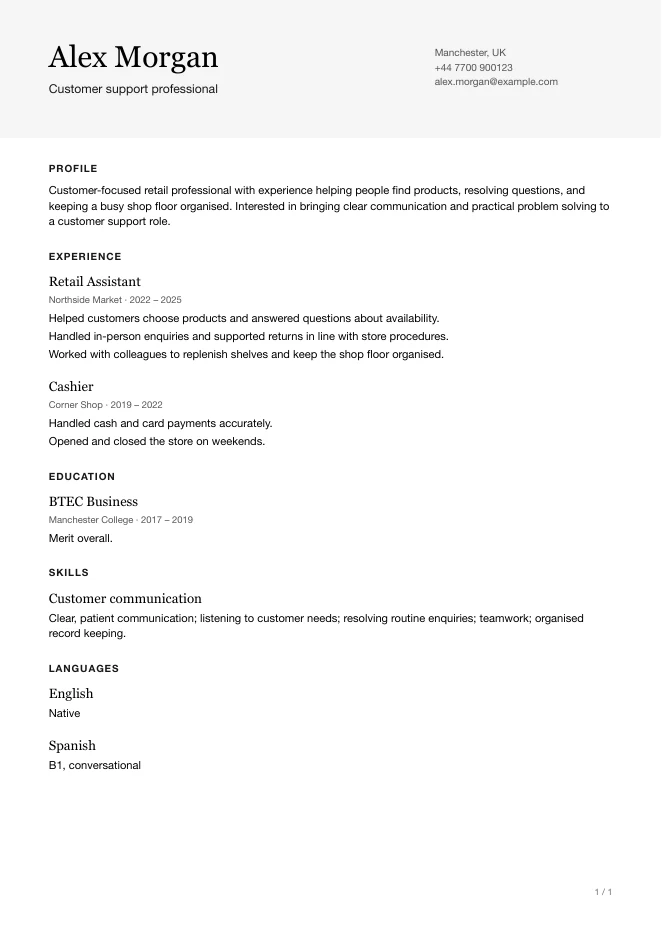 Classic
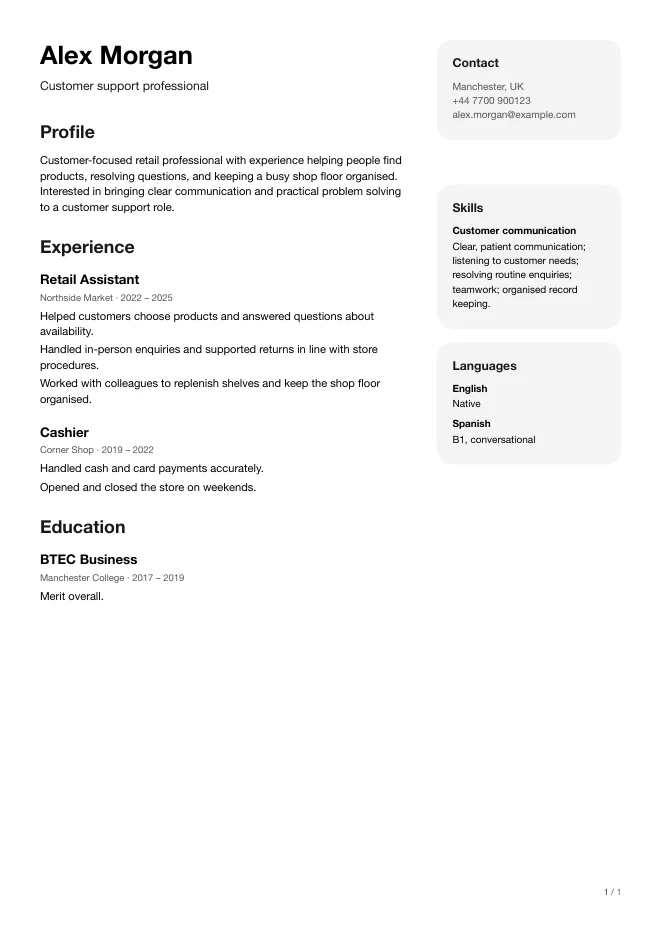 Modern
In c-v.ai your CV comes in six templates, from Classic and Modern to Banner and Timeline, each in six colours on A4 or US Letter.

Questions
Should I flatten my Canva PDF?
No, not for a CV you will upload. Allyant, a PDF accessibility firm, says flattening merges the design into a single image and commonly turns selectable text into pixels.
Can I upload my CV as a PNG or JPG?
Avoid it. Greenhouse lists CVs uploaded as an image, rather than a document such as a .docx or .pdf, among the reasons a CV can’t be read into fields.
Do icons on a CV cause problems?
They can. Greenhouse lists graphics among causes of parsing problems, and the University at Buffalo advises leaving out icons. If an icon stands for a word such as “Phone”, write the word.
Can I keep my Canva design?
Yes. Keep it for applications a person reads directly, and test the PDF before any upload. Some people keep a plain version for online portals as well.
Is a Canva CV a PDF or Word file?
Usually a PDF, which most systems accept. Send the file type the ad asks for. Our guide to PDF or Word CVs covers what to do when it doesn’t say.
Sources
- Cal State East Bay Career Empowerment Center: Should you use Canva for your resume?
- Allyant (CommonLook knowledge base): Making Canva PDFs accessible
- Greenhouse Support: Unsuccessful resume parse
- Workable: What is resume parsing and how an ATS reads a resume
- University of Warwick Student Opportunity: CVs
- UC Santa Barbara Graduate Division: Applicant tracking advice
- University at Buffalo School of Management: ATS-friendly résumés
- University of Toronto Mississauga Career Centre: Formatting matters
- JobHelp (UK Government): Getting through applicant tracking systems
- Debian manpages: pdftotext(1), poppler-utils