
How to email a cover letter
Follow the ad. If it doesn’t say, attach the cover letter and CV as PDFs and write a short email that names the job, quotes the reference and says what is attached. Careers services disagree, and some say to write the letter as the email itself. Our view is to attach it, so the layout stays as you made it.
1. Read how the ad wants it
The ad decides. Look for three things: the address to send to, what to put in the subject line, and which files to attach. Some ads ask for one PDF, a reference number in the subject or a set file name. If the ad tells you to paste the letter into the email, paste it.
An online form is a different case. Penn Career Services notes that an employer’s application system may ask you to upload the letter, to paste its contents into fields, or for no letter at all. Do what the form asks.
The rest of this page is for the common case: the ad says “email your CV and cover letter” and nothing more. If the ad asks for no letter, see our guide to the job application email.
2. Choose body or attachment
Careers services disagree, so here are both sides.
- Write the letter as the email. The UK’s National Careers Service says you can write the cover letter as an email if you are applying online. Tahatū, New Zealand’s government career service, says to paste the letter into the email, check the formatting, and attach the PDF version as well as your CV.
- Attach the letter. The University of Sydney says to send the letter as an attachment and not to type it into the body of the email. UNSW Sydney says not to paste it unless you are asked to. The University of Cape Town and McGill’s internship office both describe an attached letter with a brief email. VDAB, the Flemish employment service, says to attach the letter, ideally as a PDF, and to describe your motivation briefly in the email.
Our view: if the ad doesn’t say, attach the letter and keep the email short. A PDF keeps your layout, and the CV and letter arrive looking like a set. In New Zealand, Tahatū’s paste-and-attach method is the local advice.
3. Write the subject line
If the ad gives a subject line, copy it exactly. If not, name the job. Germany’s Bundesagentur für Arbeit says to put the title of the job ad in the subject, and its practical-tips brochure adds the reference number. The University of Waterloo’s writing centre says a subject line should give the purpose of the email and be brief, because a vague one may be ignored or land in the spam folder. The University of Cape Town says not to leave it blank.
Our view: job title, reference, then your name, so whoever sorts the inbox can file it at once.
| Weak | Strong |
|---|---|
| (blank) | Junior Payroll Clerk, ref. PC-14, Lerato Mokoena |
| Application | Application: Customer Support Agent, ref. CS-221, Sam Ortega |
| Job | Warehouse Team Leader (night shift), Dana Peters |
4. Write the short email
When the letter is attached, the email is a cover note. Sources differ on how much to put in it.
- A brief note. McGill says to name the position and say that your cover letter and CV are attached. The University of Cape Town asks for a brief, professional email saying what you are applying for and attaching. The Bundesagentur für Arbeit’s brochure says to keep the text short, point to the attached application and end with your full contact details.
- A note with selling points. UNSW Sydney suggests three to five key selling points, preferably as bullet points, and an invitation to get in touch with questions.
Our view: four or five lines are enough, because the letter makes your case.
- Greet a named person if you have one. See how to address a cover letter.
- Name the job and the reference, and say where you saw it.
- Give one sentence on your best match for the job.
- Say what is attached.
- Sign off, with your phone number and email address under your name.
For the sign-off, the University of Waterloo lists “Sincerely”, “Best regards” and “Kind regards” among the more formal choices for workplace email, and “Cheers” among the less formal. Use a formal one.
5. Turn a letter into an email
If the letter is the email, change the layout. UNSW Sydney’s sample emailed application goes straight from the greeting to the text, and puts the applicant’s phone number and email address under their name at the end. So drop both address blocks and the date. The email already shows the sender, the recipient and the date.
- Paste as plain text, then check the line breaks. Tahatū says to check that the formatting looks good after you paste.
- Keep it the length of a letter. See how long a cover letter should be.
- Attach your CV, and say so in the last paragraph.
- End with a formal sign-off and your name. The University of Cape Town says not to add quotes to your email signature.
6. Name and attach the files
Name each file so the employer can tell whose it is. Tahatū says to use your first and last name and “cover letter” in the file name. McGill suggests “Your Name, Cover Letter”. The Bundesagentur für Arbeit’s brochure asks for a meaningful name, so the file can be matched to your application. Our guide to a CV file name goes further.
Sources disagree on how many files to send.
- Two files. McGill says to attach the letter as a separate file from your CV unless told otherwise. Tahatū also treats the letter and the CV as two attachments.
- One file. UBC says to send a single PDF with the cover letter on the first page and the résumé after it, unless the employer’s guidelines differ. The Bundesagentur für Arbeit asks for one PDF that holds the cover letter, CV, certificates and other proof.
Our view: for a German employer, send one PDF. Elsewhere send two PDFs unless the ad asks for one file. Either way, see PDF or Word for how to check that the text in your PDF can be selected.
7. Check, then send
- Attachments. McGill says not to forget the attachment. The Bundesagentur für Arbeit’s brochure lists missing attachments among the common mistakes in online applications.
- Size. Follow the employer’s limit. With none, the Bundesagentur für Arbeit calls 2 to 3 MB in total safe, and its brochure gives 3 MB to at most 5 MB as the usual ceiling.
- Recipient. Check the address and the name in the greeting. The National Careers Service says to make sure the company name and the recruiter’s details are correct.
- Your address and signature. The Bundesagentur für Arbeit’s brochure asks for a private, neutral email address. Our view: also delete an automatic signature such as “Sent from my iPhone”.
- A test. The Bundesagentur für Arbeit says to send the email to yourself first, to see how it arrives and whether the attachment opens. Its brochure also suggests putting your own address in Bcc on the real email, so you have proof of what you sent.
- Timing. UNSW Sydney says to send before the closing date, in case you hit technical problems on the day.
A complete example email
Lerato Mokoena is a fictional applicant in Durban. She applies for a junior payroll clerk job at the fictional Umgeni Freight. The ad says “Email your CV and cover letter to careers@example.com, quoting ref. PC-14.” It names no contact and no file type.
To: careers@example.com
Subject: Junior Payroll Clerk, ref. PC-14, Lerato Mokoena
Attachments: Lerato-Mokoena-Cover-Letter.pdf, Lerato-Mokoena-CV.pdf
Dear Hiring Manager,
I am applying for the Junior Payroll Clerk role (ref. PC-14) advertised on your website. For the past two years I have captured timesheets and checked payslips for about 80 staff at a Durban logistics firm.
My cover letter and CV are attached as PDFs. I would welcome the chance to talk about the role.
Kind regards,
Lerato Mokoena
lerato.mokoena@example.com
The subject has the job, the reference and her name. With no contact in the ad, the greeting goes to a role, as the University of Cape Town allows. The body names the job, gives one real match and says what is attached. In a real email she would add her mobile number under her name. She sent it to herself first and opened both PDFs.
Email rules by country
The table shows only what official bodies and university careers services say. The ad overrides all of it.
| Country | What they say | Source |
|---|---|---|
| United States | Online systems may ask for an upload, for text pasted into fields, or for no letter. We found no official guidance on email itself that we could open. | Penn Career Services |
| Canada | A single PDF with the letter first, unless the employer says otherwise (UBC). A separate letter file and a brief email (McGill). | UBC; McGill |
| United Kingdom | You can write the letter as an email if you are applying online. | National Careers Service |
| Australia | Attach the letter. Send a short email with three to five selling points. | University of Sydney; UNSW Sydney |
| New Zealand | Paste the letter into the email and attach the PDF version as well as your CV. | Tahatū |
| South Africa | Attach the letter and CV as PDFs with a brief, professional email. Don’t leave the subject blank. | University of Cape Town |
| Germany | One PDF with all documents, the job title in the subject and a short email that points to the attachment. | Bundesagentur für Arbeit |
| Belgium (Flanders) | Attach the letter, ideally as a PDF, and describe your motivation briefly in the email. | VDAB |
| Ireland, India | No official guidance found that we could open. Follow the ad. | |
Your letter as a PDF in c-v.ai
In c-v.ai, a cover letter belongs to a CV with a saved job ad. Once you choose “Use this letter”, every field is editable, including the letter’s own subject line, the recipient and the greeting. The letter exports as a PDF in the same template, accent colour and paper size (A4 or US Letter) as your CV, so the two attachments match.
Attach the exported PDFs to your email. Writing a letter yourself is free. AI-drafted letters come with Plus or with the one-CV purchase. See pricing.
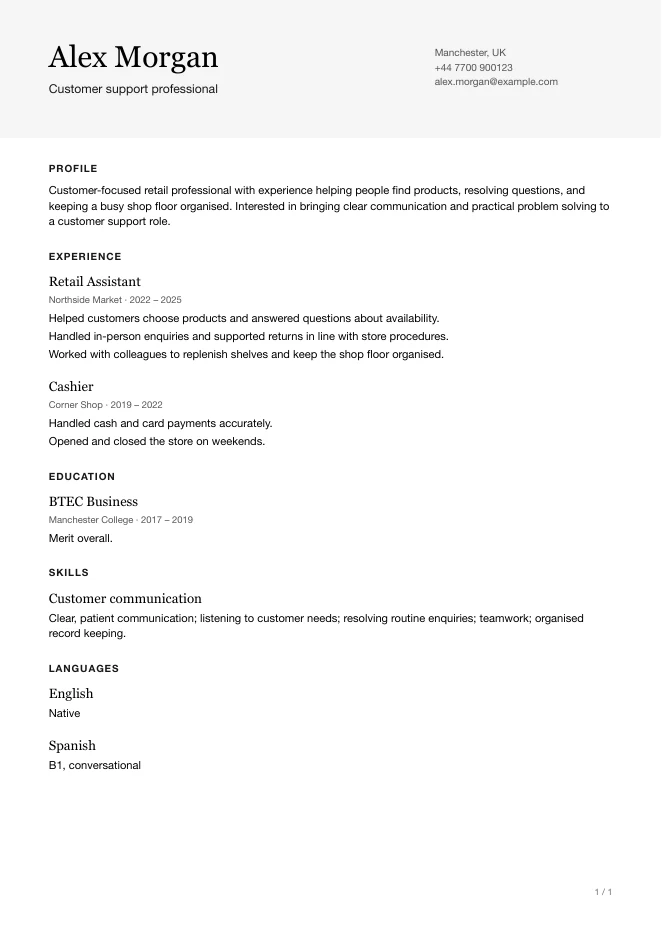 Classic
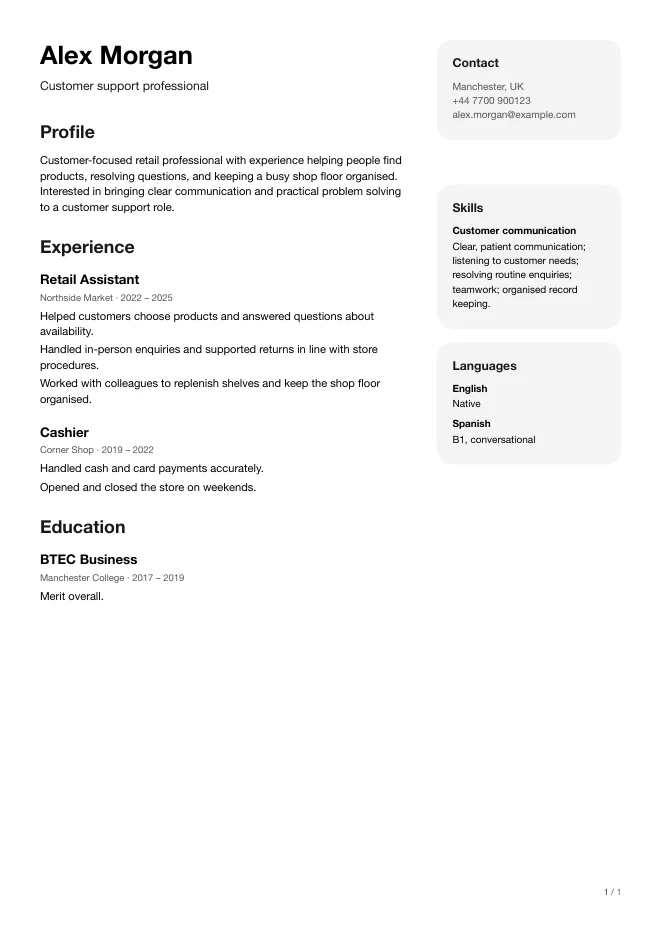 Modern
In c-v.ai your CV and cover letter come in six templates, from Classic and Modern to Banner and Timeline, each in six colours on A4 or US Letter.

Questions
Do I still need a cover letter in the email?
Yes, unless the ad says otherwise. UNSW Sydney says applications should always include a cover letter unless you have been asked to leave it out.
Should the letter be a PDF or Word file?
A PDF, unless the ad asks for Word. The University of Cape Town says a PDF keeps your layout, because words can shift on another system, and Tahatū says to send a PDF unless the employer asks for Word. See PDF or Word for your CV.
How big can the attachments be?
Follow the employer’s limit. With no limit given, Germany’s Bundesagentur für Arbeit calls 2 to 3 MB in total safe, and its practical-tips brochure gives 3 MB to at most 5 MB as the usual ceiling.
Can I paste the letter and attach it too?
Tahatū in New Zealand says to paste the letter into the email and attach the PDF version as well as your CV. UNSW Sydney says not to paste it unless you are asked. Our view: outside New Zealand, choose one, so nobody reads it twice.
Sources
- National Careers Service: How to write a cover letter
- Tahatū Career Navigator: How to write a cover letter
- University of Sydney Careers Centre: How to write a cover letter
- UNSW Sydney Careers and Employment: Cover letter guide
- University of Cape Town Careers Service: Writing cover letters
- McGill University Arts Internship Office: Writing a cover letter for an internship
- University of British Columbia, Faculty of Arts: Cover Letters 101
- University of Waterloo Writing and Communication Centre: Writing professional emails in the workplace
- Penn Career Services (University of Pennsylvania): Cover Letter Writing Guide
- Bundesagentur für Arbeit: Bewerbungsarten
- Bundesagentur für Arbeit (Chancengleichheit am Arbeitsmarkt): Praktische Bewerbungstipps
- VDAB: Veelgestelde vragen, webinar motivatiebrief