
How to format a cover letter
Use a one-page business letter in block format, with every line left-aligned, single spacing and a blank line between paragraphs. Put your contact details first, then the date, the employer’s details, a greeting, three to five short paragraphs and a sign-off. Match your CV’s font and size, and follow any instructions in the ad.
The standard cover letter layout
Most cover letters in English use the business letter layout called block format. Purdue University’s Online Writing Lab describes it as left-aligned and single-spaced throughout, with a blank line between paragraphs. The University of Windsor gives the same advice for cover letters, with no indented paragraphs.
Here is the layout from top to bottom. Each part is explained below.
[Your name]
[Phone number] · [Email address] · [City, or full postal address on a printed letter]
[Date]
[Recipient’s name]
[Their job title]
[Organisation]
[Organisation’s address, on a printed or attached letter]
Re: [Job title], ref. [number]
Dear [Ms Lastname, or Hiring Manager],
[Opening: the job you are applying for and where you saw it]
[Evidence: one or two paragraphs linking the job’s main needs to your experience]
[Why this employer]
[Close: thanks, interest in an interview, how to reach you]
[Sincerely, or Yours sincerely],
[Your name]
What goes in each paragraph is covered in our guide on how to write a cover letter. This page is about layout.
What to put in the header
Start with your name, phone number and email address. UNSW Sydney’s careers service adds a LinkedIn profile and treats your postal address as optional. Boston University and the University of British Columbia both suggest reusing the header from your CV, so the two pages look like a set. The UK’s National Careers Service warns against contact details that differ between the two.
On a printed letter, Purdue’s guide puts your street address and city above the date. The University of Cape Town’s template places your address, phone number, email and the date at the top right.
How to write the date
Boston University suggests spelling out the month and including the year. That also avoids confusion between countries, since Purdue notes that US letters put the month before the day.
- US: November 12, 2026
- Most other English-speaking countries: 12 November 2026
- Germany: the place and date together, right-aligned, such as Köln, 12.11.2026. The Bundesagentur für Arbeit (Federal Employment Agency) gives the day.month.year format.
When to include the employer’s address
On a letter you print, post or attach as a file, careers services include a recipient block. Boston University, the University of Windsor, UNSW Sydney and the University of Sydney list the same parts: the person’s name and job title, the organisation and its address. Purdue recommends writing to a named person instead of a department.
When the letter is the email itself, the block is usually left out. UNSW Sydney’s sample emailed application goes straight from the greeting to the text, and puts the applicant’s contact details under their name at the end. Penn Career Services notes that some online application systems ask you to paste the letter into a form field. In a field like that, you can leave the address blocks out.
Subject line and job reference
A subject line names the job, so the letter reaches the right person. It usually starts with “Re:”.
- The University of Windsor puts “Re:” with the job title and the ad number above the greeting.
- UNSW Sydney uses “Re:” with the job title and the company, and says to leave it out of speculative letters sent when no job is advertised.
- The University of Cape Town’s template puts “Re: Application for…” just below the greeting, with where the job was advertised and any reference number.
- The National Careers Service puts the job title and reference number in your opening paragraph instead.
When you email an application, the email needs a subject line too. The University of Cape Town says not to leave it blank.
Paragraph order, sign-off and signature
Most guides we checked use the same order for the body: an opening that names the job, one to three paragraphs of evidence, a reason for choosing this employer and a short close. The National Careers Service puts the total at 3 to 5 paragraphs. UNSW Sydney suggests keeping each paragraph to about six lines.
Then comes the sign-off and your name. Greetings and sign-offs differ by country, and our guide to writing a cover letter from the job ad has a table. For closing lines, see how to end a cover letter.
- Signature. On a printed letter, leave space to sign by hand above your typed name. The University of Windsor suggests two blank lines, and Purdue suggests four.
- Attachments. Purdue suggests a line saying “Enclosures” below your name. The University of Cape Town suggests naming the attached documents in your first paragraph instead. Either works.
Margins, font and length
- One page. Boston University, the University of British Columbia, UNSW Sydney, the University of Sydney and the University of Cape Town all set one page as the limit. Our guide on how long a cover letter should be has the detail.
- Same font and size as your CV. The National Careers Service, Boston University and UNSW Sydney all say to match them. Boston University adds the same margins.
- A plain font at a readable size. Penn suggests 10 to 12 points. The University of Cape Town says not to go below 11. UNSW Sydney and the University of Sydney suggest Arial or Calibri, and Purdue names Times New Roman at 12 points as the common choice for business letters.
- White space. UNSW Sydney suggests generous margins and a layout that isn’t cramped. The University of Cape Town warns against overfilling the page.
If your letter won’t fit on one page at a readable size, cut words. The University of Cape Town notes that smaller fonts and margins also cost you white space, which helps the reader take the letter in.
Sending a PDF or a Word file
Check the ad’s instructions first. If it asks for a Word file, or the application system only accepts one format, send what it asks for.
If the ad doesn’t say, a PDF is the usual choice. The University of Cape Town suggests converting the letter to PDF to keep your layout, because words can shift when a document is opened on a different system or software version. The University of British Columbia suggests saving both the letter and your CV as PDFs and, when emailing, sending one PDF with the cover letter on the first page and the CV after it, unless the employer says otherwise.
Before you send a PDF, open it and check that the text can be selected and reads in the right order. Our guide to an ATS-friendly CV explains why that matters.
Email body or attached letter
Advice differs here, so the ad’s instructions come first.
- The National Careers Service says that when you apply online, you can write the cover letter as an email.
- The University of Sydney says to attach the letter and not type it into the email.
- UNSW Sydney says not to paste it into the email unless asked. Write a short email instead, with three to five reasons you suit the job, and attach the letter and CV.
- The University of Cape Town suggests attaching the letter and CV as PDFs with a brief, professional email saying what you are applying for.
If you attach the letter, keep the email short and give it a clear subject line. If you write the letter as the email, drop the address blocks and put your phone number and email under your name.
Cover letter format by country
The table only includes what official bodies and university careers services say. Where an ad gives instructions, follow the ad.
| Country | Top of the letter | Subject line | Length and sending |
|---|---|---|---|
| United States Boston University; Purdue OWL; Penn | Your résumé header, the date with the month first, then the recipient’s name, title, organisation and address | Not part of the templates we checked | One page, same font and margins as your résumé, 10 to 12 point |
| United Kingdom National Careers Service | Contact details that match your CV | Job title and reference number go in the opening paragraph | Usually 3 to 5 paragraphs, same font and size as your CV; can be written as an email when you apply online |
| Canada University of Windsor; UBC | Your address, the date, then the contact’s name and title, company and address | “Re:” with the job title and ad number | One page at most, single-spaced, no indents; one PDF with the letter first and the résumé after |
| Australia UNSW Sydney; University of Sydney | Name, phone, email (address optional), the date, then the contact’s name, title, company and address | “Re:” with the position and company; none on speculative letters | One A4 page, Arial or Calibri; attach the letter instead of pasting it into the email |
| India | We found no official Indian guidance on cover letter layout that we could check. Follow the ad or the job portal’s instructions. | ||
| South Africa University of Cape Town | Your address, phone, email and the date at the top right; then the recipient’s name, title and company address | “Re: Application for…”, with where it was advertised and any reference number, below the greeting | One A4 page in business letter format, at least 11 point; attach as a PDF with a short email |
| Germany Bundesagentur für Arbeit; Universität Kassel | Your name, postal address, mobile number and email; the employer’s details; place and date right-aligned as day.month.year | The Betreff: the job title and any reference number, in bold, without the word “Betreff” | One page; signed by hand on paper or scanned for email; “Anlagen” (attachments) at the bottom left |
Germany is the biggest contrast. The cover letter there is called the Anschreiben, and Universität Kassel’s career service describes it as a business letter whose layout follows the DIN 5008 standard. The Bundesagentur für Arbeit gives the closing as “Mit freundlichen Grüßen”. For the CV itself, see our CV and résumé differences by country.
How c-v.ai lays out a cover letter
In c-v.ai, a cover letter belongs to a CV with a saved job ad. The letter has its own fields for subject, recipient, place, date, greeting, body and sign-off, and you can edit each one. A contact person is named only if the ad names one.
The PDF uses the same template, accent colour and paper size (A4 or US Letter) as your CV, so the two match. The letter follows the CV’s language and job-market setting. Letters in languages other than English get a place-and-date line, and German letters use the usual Anschreiben greeting and closing.
Writing and exporting a cover letter yourself is free. AI drafting, which only uses facts from your CV and shows the CV lines behind each paragraph, comes with Plus or with the one-off purchase for a single CV. See pricing.
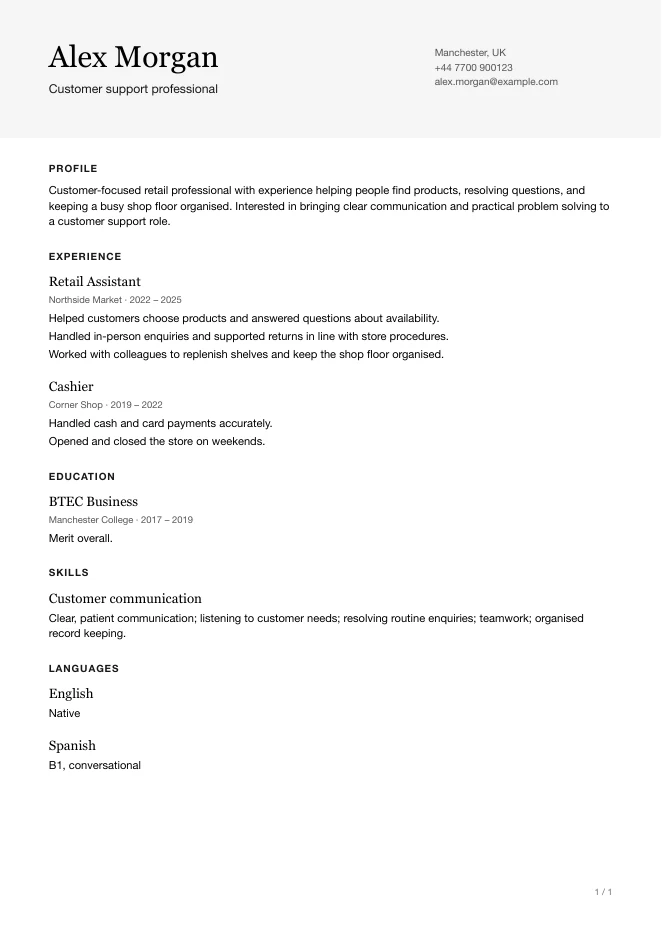 Classic
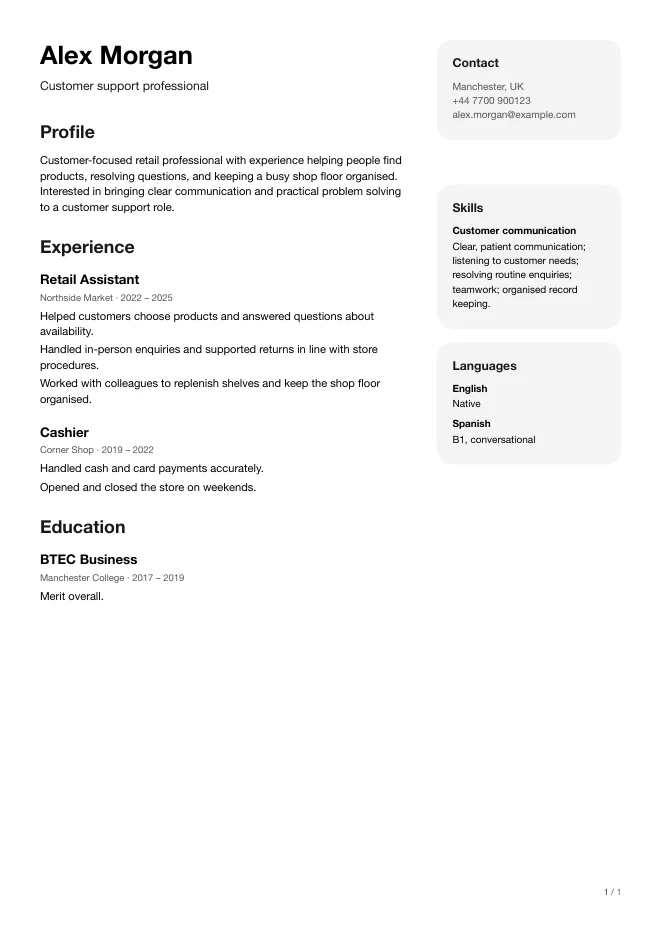 Modern
In c-v.ai your CV and cover letter come in six templates, from Classic and Modern to Banner and Timeline, each in six colours on A4 or US Letter.

Questions
What is the standard format for a cover letter?
A one-page business letter in block format. Your contact details come first, then the date, the employer’s details, a greeting, the body paragraphs and a sign-off with your name. Purdue University’s Online Writing Lab describes block format as left-aligned and single-spaced, with a blank line between paragraphs.
What font and size should a cover letter use?
The same font and size as your CV. Penn Career Services suggests a readable font between 10 and 12 points, and the University of Cape Town says not to go below 11 points. UNSW Sydney suggests Arial or Calibri.
Does an emailed letter need the employer’s address?
Not if the letter is the email itself. UNSW Sydney’s sample emailed application starts with the greeting and puts the applicant’s contact details below their name. On a letter you attach or post, careers services include the recipient’s name, job title, organisation and address.
Should I send my cover letter as a PDF or a Word file?
Check the ad’s instructions first and send what it asks for. If it doesn’t say, the University of Cape Town and the University of British Columbia both suggest a PDF, because it keeps your layout the same on the reader’s screen.
Do I need to sign a cover letter?
On a printed letter, sign by hand above your typed name. UNSW Sydney’s sample emailed application ends with a typed name. In Germany, the Bundesagentur für Arbeit suggests a scanned signature for emailed applications, and says online forms usually don’t need one.
What does “Re:” mean on a cover letter?
It introduces the subject line, which names the job and any reference number. The University of Windsor and UNSW Sydney both include one. In German letters this line is the Betreff, and the word itself isn’t written.
Sources
- Purdue Online Writing Lab: Basic Business Letters
- Boston University Center for Career Development: Cover Letters
- Penn Career Services (University of Pennsylvania): Cover Letter Writing Guide
- National Careers Service: How to write a cover letter
- University of Windsor Career Centre: Cover Letter Format & Content
- University of British Columbia, Faculty of Arts: Cover Letters 101
- UNSW Sydney Careers and Employment: Cover letter guide
- University of Sydney Careers Centre: How to write a cover letter
- University of Cape Town Careers Service: Writing cover letters
- Bundesagentur für Arbeit: Anschreiben für die Bewerbung
- Universität Kassel Career Service: Anschreiben