
What to name your CV file
Name your CV file with your first name, last name and the word CV, joined with hyphens: Grace-Owusu-CV.pdf. Add the job title when you email it. If the ad gives a naming rule, copy it exactly. Leave out “final” and “v3”, and check the title stored inside the PDF, which a reader can show in place of the file name.
The short answer
Use your first name, last name and the word CV, joined with hyphens: Grace-Owusu-CV.pdf. The reader can see whose file it is and what it is without opening it.
Careers services agree on what goes in the name. Edinburgh Napier University says to label files before you attach them, and its example reads “John Moss CV, Admin Assistant, Scottish Water”. The University of Arizona’s career centre suggests “Mary Smith, Sales Manager Resume”, and gives the reason: employers can search by the file name of the documents they receive. Germany’s Federal Employment Agency, the Bundesagentur für Arbeit, says to give the PDF a meaningful name.
Both university examples use spaces and commas. The hyphens are our view, for the reasons under “Spaces, hyphens and accents” below.
One rule comes before all of this. If the ad or the portal tells you how to name the file, copy that format exactly, including its order and capital letters.
File names by situation
| Situation | File name | Where it comes from |
|---|---|---|
| The ad gives a naming rule | Exactly what the ad says | The employer’s rule comes before any advice, ours included. |
| Portal upload, no rule given | Grace-Owusu-CV.pdf | Our view: name and document type are enough when you upload to one job’s page. |
| Email application | Grace-Owusu-CV-Office-Coordinator.pdf | Edinburgh Napier’s example names the person, the document, the role and the employer. |
| US application | Grace-Owusu-Sales-Manager-Resume.pdf | The University of Arizona suggests full name, job title and “Resume”. |
| Email to a German employer | Grace-Owusu-Bewerbung.pdf, one combined PDF | The Bundesagentur für Arbeit says to combine the cover letter, CV and certificates in one PDF and to name it meaningfully. |
| Cover letter | Grace-Owusu-Cover-Letter.pdf | Our view: use the same pattern, so the two files sort together. |
The German file name is our wording. The Bundesagentur gives no pattern. “Bewerbung” means application, which fits a file that holds more than the CV.
Spaces, hyphens and accents
We found no official list of the characters that job portals reject. Microsoft publishes one for OneDrive and SharePoint, where many employers keep files. A file name there can’t contain a double quote, an asterisk, a colon, angle brackets, a question mark, a forward slash, a backslash or a vertical bar, and it can’t start or end with a space.
A space in the middle of a name is allowed, and commas aren’t on Microsoft’s list. So the university examples above are valid file names. Our advice is stricter than the rule, and all of it is our view:
- Letters, numbers and hyphens only. Nothing in that set is on Microsoft’s list, so you never have to wonder.
- Hyphens in place of spaces. A space turns into %20 when a file name becomes part of a web link. A hyphen stays a hyphen. Underscores work too. Pick one and use it throughout.
- Plain letters for accents, in the file name only. Write Łukasz as Lukasz and Müller as Mueller. We found no official source on accents in file names, so treat this as a precaution. Keep the correct spelling of your name inside the CV.
- No brackets or copy numbers. A name like “CV (2).pdf” is what a computer gives a second download.
CV, resume or Lebenslauf
Use the word the ad uses. Edinburgh Napier’s example says “CV” and the University of Arizona’s says “Resume”. For Germany, the Bundesagentur’s list of documents calls the CV the Lebenslauf, so use that word if a German employer asks for the CV as its own file.
Our guide to CV or resume explains which word is used where, and our German CV guide covers the Lebenslauf and the rest of a German application.
Dates and version numbers
Don’t send a file with “final”, “v3” or “new” in its name. Those words are notes to yourself. Keep them in your own folder and send a clean copy.
- Date. Add it only if the ad asks. Our view: it makes the name longer and gives the reader nothing they need.
- Reference number. If the ad says to quote one, add it, and put it where the ad says.
- Several jobs. Our view: end the name with the job title or employer, so you can’t attach the wrong version. The content should differ too. See our guide to tailoring a CV to a job description.
The title inside the PDF
A PDF has two names. The file name is the one you see in a folder. The title is stored inside the file. The University of Wisconsin–La Crosse’s teaching centre says the title sits in the PDF’s information, and that PDF readers and other tools use it to show a fuller name. The W3C, which sets web accessibility standards, says software makes the title available so people can identify a document.
Which one a reader sees depends on a setting. The University of Wisconsin–La Crosse says Adobe Acrobat shows the file name in the title bar unless the PDF is set to show the document title. The W3C describes the same setting.
The title usually comes from the document you exported. Microsoft says Word includes document properties in a PDF when that option is selected. Our view: a CV that began as a template, or as a copy of an old file, can carry that file’s title into the PDF, so check it before you send. We found no official page that says how often this happens.
- Open the PDF in Adobe Acrobat and choose File, then Properties. The W3C and the University of Wisconsin–La Crosse both give this route.
- On the Description tab, read the Title field.
- Change it to your name and “CV”.
- If your reader can’t edit the title, change it in the source document’s properties and export the PDF again.
File type and size
The extension at the end of the name follows the file type the ad asks for. Greenhouse, an applicant tracking system, accepts .doc, .docx, .pdf, .rtf and .txt files of up to 100 MB for resumes and cover letters. Other portals set their own limits, so read the upload page. For email, the Bundesagentur says a total of 2 to 3 MB is safe when the employer sets no limit.
Our PDF or Word guide covers which type to send and why sources disagree. For the message itself, see how to write a job application email, or the email cover letter guide if you are sending a letter too.
A worked example
Łukasz Wójcik is a fictional warehouse supervisor in Kraków. He is applying for a logistics coordinator job at a fictional Dublin company, Harbourline Freight, through its careers portal. The ad gives no naming rule. Here is what he changes before he uploads.
Before
File name: CV_final_v3 (2).pdf
PDF title, in the document properties: Szablon CV
After
File name: Lukasz-Wojcik-CV.pdf
PDF title: Łukasz Wójcik, CV
For a second application, sent by email: Lukasz-Wojcik-CV-Logistics-Coordinator.pdf
Why it works:
- The old name said nothing about whose file it was. The new one gives the person and the document, which is what Edinburgh Napier and the University of Arizona both ask for.
- “Szablon CV” is Polish for “CV template”, left over from the file he started with. The title now carries his name, with its accents. The file name uses plain letters and hyphens.
- For the email application he adds the role, as Edinburgh Napier’s example does. His drafts stay in a folder at home.
Doing this in c-v.ai
c-v.ai exports your CV as a PDF, and Exported versions keeps a copy of every PDF exactly as you sent it. You can look back at what each employer received. Every PDF is also checked on your iPhone for selectable text, embedded fonts, your name and contact details as text, standard headings and reading order. Systems differ, so no check can promise how one employer’s software will read your CV. Whichever app you use, read the file name and the PDF title before you attach the file.
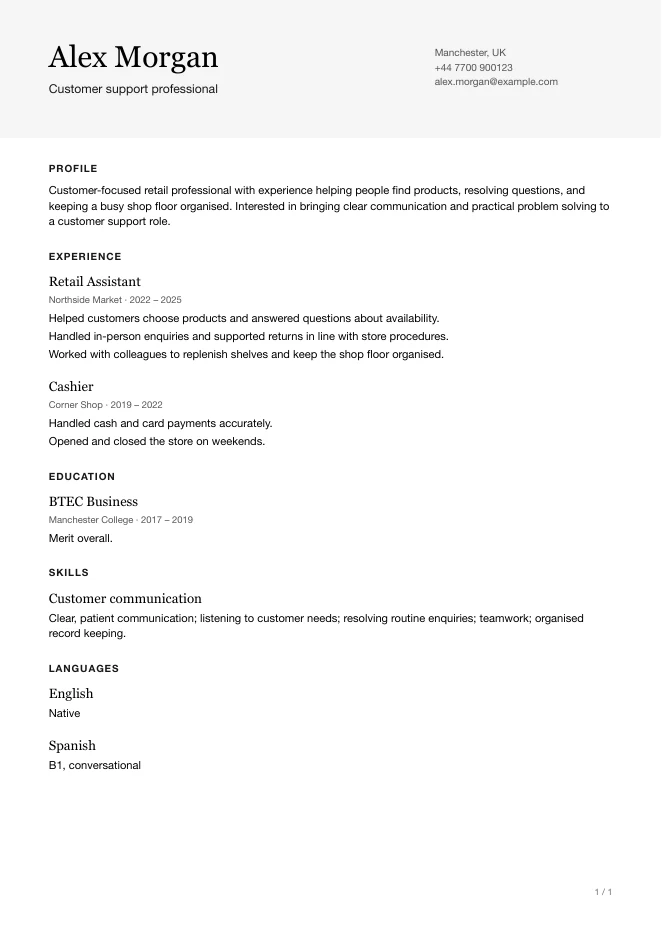 Classic
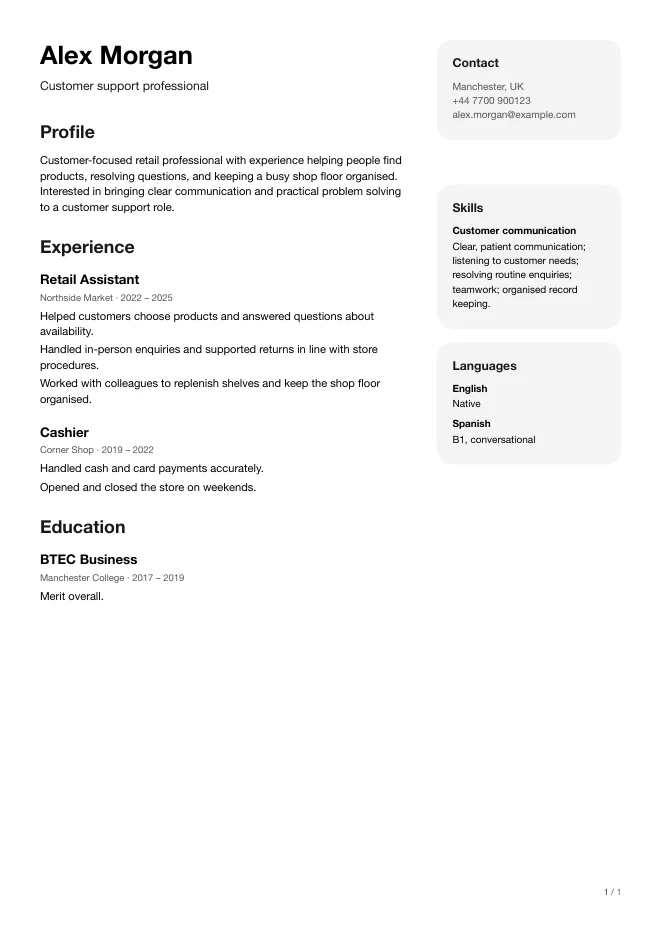 Modern
In c-v.ai your CV comes in six templates, from Classic and Modern to Banner and Timeline, each in six colours on A4 or US Letter.

Questions
Should I add the job title?
When you email your CV, yes. Edinburgh Napier University’s example names the person, the document, the role and the employer, and the University of Arizona’s career centre suggests full name, job title and “Resume”. On a portal where you upload to one job, your name and CV are enough.
Can I use spaces in a CV file name?
Yes, they usually work. Edinburgh Napier University’s own example has spaces and commas, and Microsoft’s list of characters a file name can’t contain doesn’t include a space. Microsoft does say a name can’t start or end with one. Our view: hyphens are the safer habit.
Should I add the date to the file name?
Only if the ad asks for it. Our view: a date makes the name longer and tells the reader nothing they need. Keep dates and version numbers in your own folder, and send a clean copy.
Why does my PDF show a different name?
The title stored inside the PDF can differ from the file name. The University of Wisconsin–La Crosse explains that the title sits in the document properties and that PDF readers and other tools use it. Change it on the Description tab of the document properties, or fix it in the source document and export again.
Sources
- Edinburgh Napier University: CVs and cover letter guide
- University of Arizona Career Development: Tailoring your resume
- Bundesagentur für Arbeit: Bewerbungsarten im Überblick
- Microsoft Support: File names and file path limits in OneDrive and SharePoint
- Microsoft Support: Save or convert to PDF or XPS in Office desktop apps
- University of Wisconsin–La Crosse CATL: PDF document title vs file name
- W3C: Technique PDF18, specifying the document title in a PDF
- Greenhouse Support: Supported formats for resumes, cover letters and other candidate uploads