
How to update an old CV
Keep a master copy, then cut what is out of date, lead with your recent roles and refresh your skills and tools. Fix your dates and explain any gaps, tidy the layout so the text can be read, and tailor the result to each ad. Proofread it before you send it.
1. Keep a master copy
Save the old CV (résumé) under a new name before you change anything. The University of Queensland’s careers service recommends a master copy that lists every responsibility from every role, so nothing useful is lost when you cut a version down. Work on a copy of it, and keep the master for later ads.
Then read the old CV as a stranger would. Which parts still describe you? Which describe the person you were five years ago?
2. Cut what is out of date
The National Careers Service says to remove outdated information and check that your contact details are correct. Start there, then work down the page.
- Old jobs. Canada’s Job Bank says jobs and experience more than 15 years old should be cut out or kept short. Keep an older job only if it helps you get this one, and give it a line.
- Duties that never changed. If a bullet says what the job description said, replace it with something you did or changed.
- Interests. UC Berkeley’s careers service says interests and hobbies are not an essential part of most resumes and are among the first sections to go when space runs short.
- Personal details. The National Careers Service says not to include your age, date of birth, marital status or nationality.
- Referees. The National Careers Service says not to list other people’s contact details and that you can write “references available on request”.
3. Refresh the top of the page
Check your phone number, email address and location first. Then rewrite the short profile at the top. The National Careers Service says to add any new achievements, experiences or skills you have gained since the CV was written.
A profile written years ago often describes where you hoped to go. Write the one you need now: the kind of role, your strongest evidence and what you bring. Our guide to the personal statement has examples.
4. Put recent roles first
The National Careers Service says to list your most recent experience first. Job Bank says to put the emphasis of your resume on your most recent experience. In practice, that means:
- Give your current or latest role the most space and the most bullet points.
- Rewrite each bullet to say what you did and what changed. Our guide to work experience on a CV shows how.
- Shorten the oldest roles to one line each, or remove them if they no longer help.
If you have a lot of experience, the National Careers Service says you may want to show your work history and experience before your education.
5. Update skills and tools
Skills go out of date faster than job titles. Go through the skills list one item at a time.
- Remove tools you no longer use or could not use tomorrow without a refresher. Our view: a skill you cannot talk about at interview does more harm than good.
- Add tools, systems, courses and certificates you have picked up since. Only add what you can show.
- Show the evidence. Prospects, a UK careers advice site, says hard skills are what you list on your CV and often what an employer tests. It suggests evidence such as a portfolio link, a project or a data dashboard. It also says to show your level for each language.
- Match the ad. JobHelp says to spot the key words in the job advert and use them in your CV, and to mention your transferable skills.
Our guide to skills for a CV explains how many to list and how to describe your level.
6. Fix dates and gaps
Check every date against a payslip, contract or email. Use the same style throughout: “March 2019 to present”, or years only, but not a mix. Make sure each job’s end date is not later than the next job’s start date unless the roles overlapped.
Then look for gaps. The National Careers Service says a gap in your CV is not a problem, but you might be asked about it. It suggests stating briefly why you took time off, and gives a redundancy example with dates. The University of Arizona’s career centre says listing years without months can work when gaps are short and fall between jobs, and adds that you should be ready to discuss them. Never stretch a date to hide a break. Our guide to gaps in your CV has wording for each reason.
7. Reformat a scanned or Word CV
An old CV is often a Word file built with columns and text boxes, or a scan of a printout. Both can hide your text from the software an employer uses.
- Word files. UC Berkeley’s careers service advises avoiding headers, footers, text boxes, tables, pictures and graphics. JobHelp says to avoid pictures, tables and diagrams, to stick to standard headings, and that a .docx file is usually best for an applicant tracking system to read.
- Scans. Adobe says OCR extracts text from a scanned paper document or image and can produce a PDF with text you can search and copy. Our view: check the result line by line, since text read from a picture can contain mistakes in names and dates.
- File type. JobHelp leans to Word, and other guides lean to PDF. Our view: follow the ad, and if it says nothing, send a PDF with real text. Our guide to PDF or Word for your CV has the detail.
To test the result, copy all the text out of your file into a plain text editor. If it reads in the right order, a system is more likely to read it correctly. Our ATS-friendly CV guide explains the test.
8. Tailor it to the next ad
The University of Kent’s careers service describes a CV as a marketing document that should be tailored to each company and position. JobHelp says adapting your CV to the job is vital, and suggests focusing your employment history on the most relevant experience. Even a small job is worth more space if it is closer to the role. The Western Cape Government advises updating your CV every time you apply.
Sort what the ad asks for, find your evidence for each item, and move that evidence to the top. Our guide to tailoring a CV to a job description goes through it.
9. Proofread it
JobHelp says to check for typos and, better still, to get someone else to check. Job Bank says to proofread several times. Read it aloud once. Check every name, number and date.
A before and after
Daniel Hughes is a fictional customer service team leader. His CV was last updated in 2019. Here is the old version.
Daniel Hughes
14 Long Row, Leeds · 07700 900456 · d.hughes@example.com · Date of birth: 3 June 1987
Objective
To obtain a challenging position in customer service where I can use my skills.
Experience
Sales Assistant, Harbour Home Store, Leeds, 2007–2010
Warehouse Operative, Dale Distribution, Leeds, 2012–2015
Customer Adviser, Fernwood Retail, Leeds, 2016–present
- Responsible for dealing with customers
- Used Microsoft Office
Skills
Microsoft Office, Windows Vista, telephone skills, teamwork
Interests
Football, cinema, reading
Here is the updated one, for a customer service supervisor role at a different company.
Daniel Hughes
Leeds · 07700 900456 · d.hughes@example.com
Profile
Customer service team leader with more than six years leading a team of eight at a busy retail store, after nearly four years as a customer adviser. Calm with complaints and reliable with rotas and training. Looking for a supervisor role in a larger customer service team.
Experience
Customer Service Team Leader, Fernwood Retail, Leeds, March 2020 to present
- Lead a team of eight, setting weekly rotas and covering absences.
- Trained about 15 new starters on the till, returns and complaints procedures.
- Handle escalated complaints and agree refunds within store limits.
Customer Adviser, Fernwood Retail, Leeds, June 2016 to February 2020
- Served customers on the shop floor and the returns desk.
- Moved to team leader after nearly four years.
Warehouse Operative, Dale Distribution, Leeds, 2012 to 2015
Skills
Rota planning · staff training · complaint handling · Microsoft Excel and Outlook · stock and returns system
Extras
References available on request
The update cut the 2007 to 2010 job, which is more than 15 years old, and the date of birth, and replaced the vague objective with a profile built on his recent role. His current job now carries the evidence. The skills list drops an operating system nobody asks about and adds what the supervisor role needs. The 2012 to 2015 job is kept short, and years without months cover the short gap before 2016, so nothing is hidden or stretched.
If you are over 50
You need the same update, with more to cut.
- How far back. Canada’s Job Bank says experience more than 15 years old should be cut out or kept short. Our view: describe the last 10 to 15 years in full. Go further back only when an older job is the closest match to the ad.
- Early jobs. Leave them off, or group them in one line, such as “Earlier career: sales and store management roles in retail”. The dates of the jobs you keep must stay exact.
- Graduation years. We found no official guidance on this. Our view: keep the qualification and where you studied, and drop the year if it is decades old. Give it if an application form asks.
- Current tools. Name the tools you use now inside your recent bullets. “Moved the team’s rotas to a shared Excel workbook” says more than a skills list. Add recent courses with their year.
- Photo and date of birth. Leave both off in the US, Canada, the UK and Australia unless the ad asks. Germany and Switzerland differ: see our guides to personal details on a CV and a photo on a CV.
- Length. Job Bank says to limit a resume to two pages. Thirty years of work rarely needs more pages than fifteen.
Many countries ban age discrimination in hiring.
- United States: the Equal Employment Opportunity Commission says the Age Discrimination in Employment Act protects applicants and employees aged 40 or over. Asking for a date of birth is not explicitly banned, it says, but may deter older applicants.
- Canada: the Canadian Human Rights Act lists age as a prohibited ground and covers application forms and adverts that express an age preference. The Canadian Human Rights Commission says it applies to federal and federally regulated employers.
- United Kingdom: Acas says the law on age discrimination, the Equality Act 2010, covers job applicants. GOV.UK says employers can only ask for a date of birth on an application form if the job needs a certain age.
- Australia: the Victorian Equal Opportunity and Human Rights Commission, a state body, lists not employing mature-age workers on the assumption they will soon retire as age discrimination.
Doing this in c-v.ai
In c-v.ai you can import the CV you already have: a PDF (including scanned pages), a Word (.docx) file, Markdown, a photo of a CV or pasted text. A designed or two-column CV is sorted into sections by AI, keeping your exact words. A plain CV can be sorted on your iPhone with nothing sent. Your photo is kept, and your contact details go into the contact fields. Check what was read, then edit it like any other CV.
AI review suggests clearer wording and shows which CV lines each suggestion is based on. If a useful fact is missing, it asks you instead of inventing one. Nothing changes until you approve it, and the AI can make mistakes, so read every change. For each job ad, AI tailoring creates a separate saved version and leaves the original CV as it was. Every PDF you export is checked on your iPhone for selectable text, embedded fonts, your name and contact details as text, standard headings and reading order. Systems differ, so no check can promise how one will read a CV.
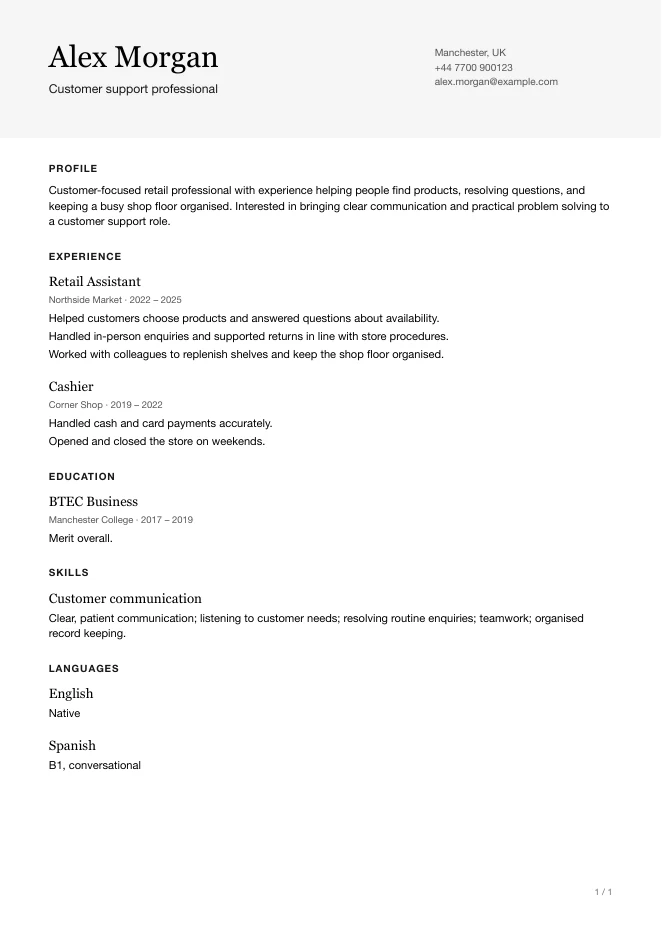 Classic
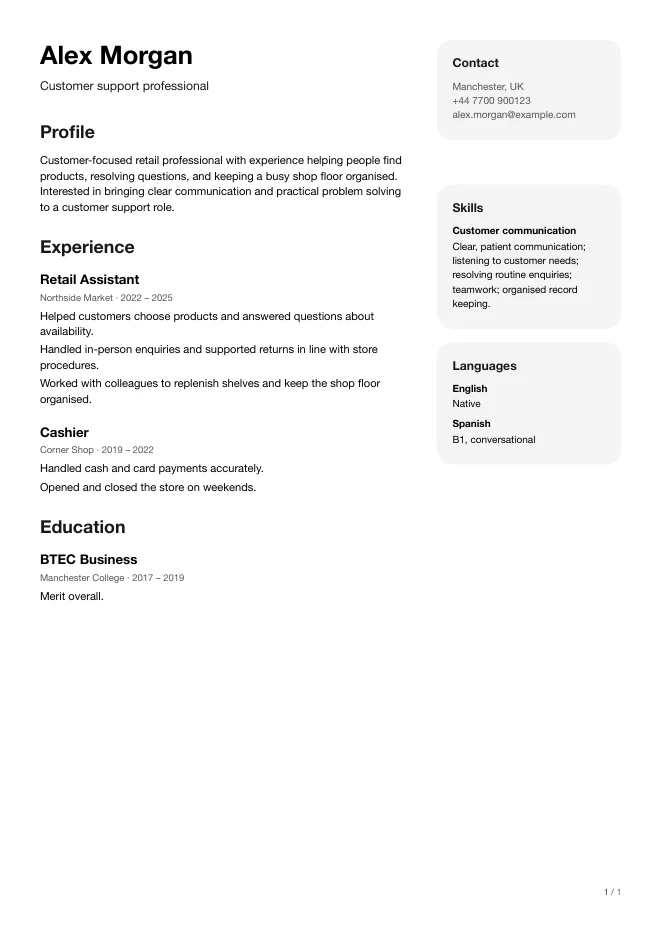 Modern
In c-v.ai your CV comes in six templates, from Classic and Modern to Banner and Timeline, each in six colours on A4 or US Letter.

Questions
How often should I update my CV?
Update it whenever you apply. The Western Cape Government says it is advisable to update your CV every time you apply for a new job, to show the skills and experience that job needs. The National Careers Service also says to make sure an existing CV is up to date.
Do I need a new CV for every job?
No, but you do need to adapt it. JobHelp, the UK Government's job-search service, says not to use the same CV for every application. Keep one master CV and change the profile, the order of your bullets and your skills for each ad. Our guide to tailoring a CV to a job description shows how.
Can I list years instead of months?
Yes, if the years are true. The University of Arizona's career centre says it works well when gaps are short and fall between jobs. Use the same style for every job and be ready to talk about the gap at interview.
Is it fine to send a scanned CV?
Our view: avoid it. A scan is a picture of text, and Adobe describes OCR as the step that turns scanned pages into text you can search and copy. If a scan is all you have, convert it, then check the text before you send anything.
Should I leave graduation years off?
You can. We found no official guidance on it that we could check. Our view: keep the qualification and where you studied, and drop the year if it is decades old and adds nothing. Give the year if an application form asks for it.
Should I list my referees?
Only if they have agreed. The National Careers Service says not to add other people's contact details to your CV, and that you can write that references are available on request. South Africa's government guide says to check your referees' contact details are still valid before an interview.
Sources
- National Careers Service: CV sections
- National Careers Service: Explain gaps in your work history
- JobHelp (UK Government): Preparing your CV
- JobHelp (UK Government): Tailoring your CV
- JobHelp (UK Government): Getting through applicant tracking systems
- Job Bank (Government of Canada): How to write a good resume
- Western Cape Government: How to create a CV
- South African Government: Compiling a curriculum vitae
- University of Kent Careers and Employability Service: CVs
- University of Queensland Career Development: Top tips for effective resumes
- UC Berkeley Career Engagement: Resumes
- Prospects: What skills do employers want?
- University of Arizona Center for Career Readiness: How do I explain employment gaps on my resume?
- Adobe: How to use OCR software for PDFs
- US Equal Employment Opportunity Commission: Fact sheet on age discrimination
- Government of Canada, Justice Laws: Canadian Human Rights Act
- Canadian Human Rights Commission: About human rights
- Acas: What the law says, age discrimination
- GOV.UK: Employers, preventing discrimination in recruitment
- Victorian Equal Opportunity and Human Rights Commission: Age discrimination