
How to prepare for a video interview
A live video interview is a normal interview held on a video call. A one-way interview shows each question on screen and records your answer, alone, within time and retake limits the employer sets. Find out which you have, test the exact link on the device you will use, and practise answering to the camera inside the time limit.
1. Find out which kind it is
The invitation usually says. If it doesn’t, ask, because the two kinds need different practice. The UK’s National Careers Service says to find out the format before any interview.
- Live. You and one or more interviewers meet on a platform such as Zoom or Teams. UC Santa Barbara’s career services says these calls can replace a phone interview, may run longer and may go deeper into behavioural questions.
- One-way (recorded). You record yourself answering a set of written questions, as UC Santa Barbara puts it. Nobody is on the other end. CareerOneStop, from the US Department of Labor, says some screening interviews are automated in this way.
Public employers use both. The UK Civil Service says its interviews may be face to face, by telephone, by video or recorded.
For a live call with people in another country, confirm the time zone in writing. Our view: reply with the start time in both zones, such as “10:00 London, 15:30 Bengaluru”, so a mix-up shows before the day.
2. Test the platform and device
Open the exact link on the exact device you will use, days before. One-way platforms differ, and each employer sets its own limits. The table shows what two vendors say on their own candidate help pages. It describes those two products only.
| Willo | HireVue | |
|---|---|---|
| Device | Desktop or mobile, from the invitation link. No app or download. It recommends the latest Google Chrome. | Computer, tablet or phone, whichever you are most comfortable with. |
| Connection | At least 5 Mbps upload and download. | At least 350 Kbps upload and download for an on-demand interview. |
| Practice | A sample question, as many times as you need. | A microphone test before you start. |
| Time per answer | Between 1 and 5 minutes, shown under the record button. You can stop early. | “Several minutes” for each question. |
| Retakes | A re-record button on some interviews and questions, with a warning when none are left. | Not stated on the FAQ page. |
| Whole interview | Submit within 12 hours of answering the first question. | Most have five to eight questions and take under 20 to 30 minutes. Set aside 45. |
| Source | Willo Support, “Interview in 5 easy steps”, last reviewed March 2025 | HireVue candidate FAQ, opened November 2026 |
Your invitation overrides any table, so read it first. Willo says to close all other tabs and applications, or you will not be able to complete its interview. Allow camera and microphone access when the browser asks.
3. Set up light, sound and frame
- Light. UC Santa Barbara says to put the light in front of your face, because light behind you makes you hard to see. HireVue suggests closing the blinds if you sit with your back to a window.
- Frame. UC Santa Barbara says to sit in the centre of the frame and to prop a laptop on books if you need to. Willo says to keep your head and shoulders centred, and to stand a phone on a steady surface.
- Eyes. UC Santa Barbara says to look at the camera, not the screen. HireVue’s tip is to move the window that shows your own video to the top centre of the screen, next to the camera.
- Power and sound. HireVue says to keep the device charged or plugged in and to test the microphone first. Our view: use headphones if the room echoes, and silence your phone and notifications.
Clothes follow the same rule as an in-person interview. UC Santa Barbara says to dress professionally all over, because you may need to move in a way that shows the whole outfit. Our guide to what to wear to an interview covers the choice.
4. Prepare notes, not a script
Write short prompts, not sentences. Our view: a script pulls your eyes off the camera and flattens your voice, and on a recording that is all the reviewer has.
Build the prompts from the job ad and the CV (résumé) you sent. Take each main requirement, find the CV line that proves it and note one example in a few words: the situation, what you did, the result. Our guide to the STAR method shows the structure, and our list of common interview questions shows what to expect. HireVue says its video assessments commonly use three kinds of question: what you would do in a situation, a scenario you act out, and what you did in the past.
Stick the prompts beside the camera, not on the desk. Our view: prepare “Tell me about yourself” first, because it is the most predictable opener in any format.
5. Practise to the camera
Use the platform’s own practice question if it has one. Willo says its sample question shows how the process works and lets you check sound and lighting.
Then practise at home with the real limits. Set a timer for the thinking time and the answer time in your invitation, record yourself on your own device and watch it once with the sound on. Check where your eyes go, how fast you speak and whether you finish before the limit. CareerOneStop’s tip for recorded answers is to imagine speaking to a live person, which brings energy and focus.
6. Answer inside the time limit
A one-way interview runs on the employer’s clock. Read the screen before each question, because the limits can change from one question to the next.
- Use the thinking time to choose your example and your first sentence.
- Start with the point of your answer, then give the situation, your action and the result.
- Stop when you have finished. Willo says you can end a recording before the time is up.
- If you get a retake, use it for a real mistake, not for polish. Willo says to play each answer back before you submit and check that the sound is clear.
Start only when you can finish in one sitting. Willo gives 12 hours from your first answer to submit the whole interview. HireVue says you can take its interview at any time and suggests the time of day when you feel sharpest.
Is AI assessing your answers?
Sometimes, and the employer chooses. HireVue says not all of its interviews have an assessment added. These are the facts we could confirm on official and vendor pages.
| Where | What the page says | Source |
|---|---|---|
| HireVue’s own product | Its AI-assessed interviews analyse a transcript of what you say, not facial expressions, body language, appearance, background or tone of voice. Employers remain responsible for hiring decisions. | HireVue, “Our science” |
| New York City | For jobs based at an office in the city, including remote jobs tied to one, an employer must not use an automated employment decision tool without a bias audit in the past year. Candidates who live in the city must get notice 10 business days before it is used. The notice says what the tool assesses and how to request a reasonable accommodation. | NYC Department of Consumer and Worker Protection |
| Illinois | We could not open the Illinois General Assembly’s page for the state’s Artificial Intelligence Video Interview Act, so we don’t summarise it. If the job is in Illinois, ask the employer what the Act requires of it. | None checked |
| United Kingdom | The data protection regulator audited providers of AI recruitment tools in 2024. Its recommendations included clearly explaining to candidates how their information will be used by the AI tool. | Information Commissioner’s Office, November 2024 |
| European Union | The AI Act treats AI tools for employment, such as CV-sorting software for recruitment, as high risk. The strict obligations for high-risk systems apply from 2 December 2027. | European Commission |
HireVue’s statement covers HireVue only. For any other tool, ask the employer three things: whether software assesses the recording, what it looks at, and whether a person reviews the result.
Asking for an adjustment
If a timed, recorded format puts you at a disadvantage because of a disability or health condition, ask in advance for more time or another format.
- United States. The EEOC says an employer must provide reasonable accommodation in the application process unless it would cause undue hardship. You can ask orally or in writing, and it is best to ask as soon as you know.
- Great Britain. Acas says employers must make reasonable adjustments when a disabled job applicant asks, and gives more time for tests that are part of an interview as an example. The Civil Service lists more time for a test or interview among its adjustments and says to ask when you apply.
- The vendor. HireVue tells candidates to request accommodations from the recruiter or hiring team, and says you may be able to ask for the questions in advance.
For other countries we found no official guidance that we could check, so ask the recruiter.
When the tech fails
- Before a live call. Save the interviewer’s email and phone number. The National Careers Service says to know how to contact them if you are running late or have technical issues.
- During a live call. UC Santa Barbara says to tell the interviewer if you can’t hear or see them, and to ask to switch to a phone call if you must.
- During a recording. HireVue says that if you lose your connection you can pick up where you left off with the same link. Willo offers a troubleshooting guide and live chat. Email the recruiter as well, so there is a record.
- If it asks for secrets. Willo says no interview should ask for bank details, social security numbers or passwords, or ask you to run a script or application. Report one that does.
A complete example
Arjun Mehta is a final-year student in Bengaluru. A fictional firm, Tamarind Analytics, has sent him a one-way interview for its analyst programme. The invitation says five questions, 30 seconds to think and two minutes to answer each, with one retake. He opens the link on his laptop two days early, runs the practice question and writes this for a question he expects.
Prompts for “Tell us about a time you used data to solve a problem”
- Situation: final-year project, canteen food waste, nobody tracking it.
- Action: logged leftovers for three weeks, grouped by meal, charted in a spreadsheet.
- Result: most waste at lunch, two dishes. Smaller portions for a month. Waste fell, manager kept the change.
- Close: same work, larger data.
His answer, about 55 seconds
“In my final year I led a project on food waste in our college canteen. Nobody was tracking it, so I started. For three weeks I recorded what came back on plates and grouped it by meal in a spreadsheet. The chart showed that most of the waste was at lunch, and two dishes were the main cause. I took that to the canteen manager, and we cut the portion size on those two dishes for a month. Waste at lunch dropped, and the manager kept the smaller portions. I learned that a simple record can settle an argument that opinions can’t. I’d like to do the same kind of work with larger data, and that is why I applied for this programme.”
The prompts are four short lines, so his eyes stay on the camera. The answer follows them in order, uses a project that is on his CV and ends well inside the two minutes. He spends the 30 seconds choosing his first sentence, and he keeps the retake for a real mistake.
Doing this in c-v.ai
c-v.ai has no interview feature, so it can’t practise answers with you. It does keep a copy of every PDF exactly as you sent it, under “Exported versions”. Before the interview you can open the same CV the interviewer is reading and build your prompts from it.
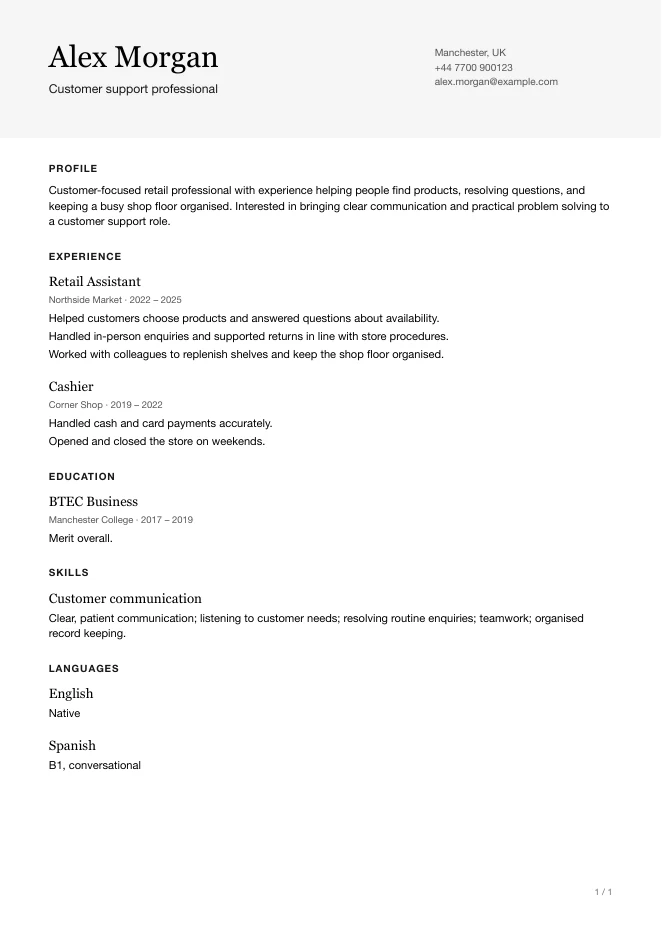 Classic
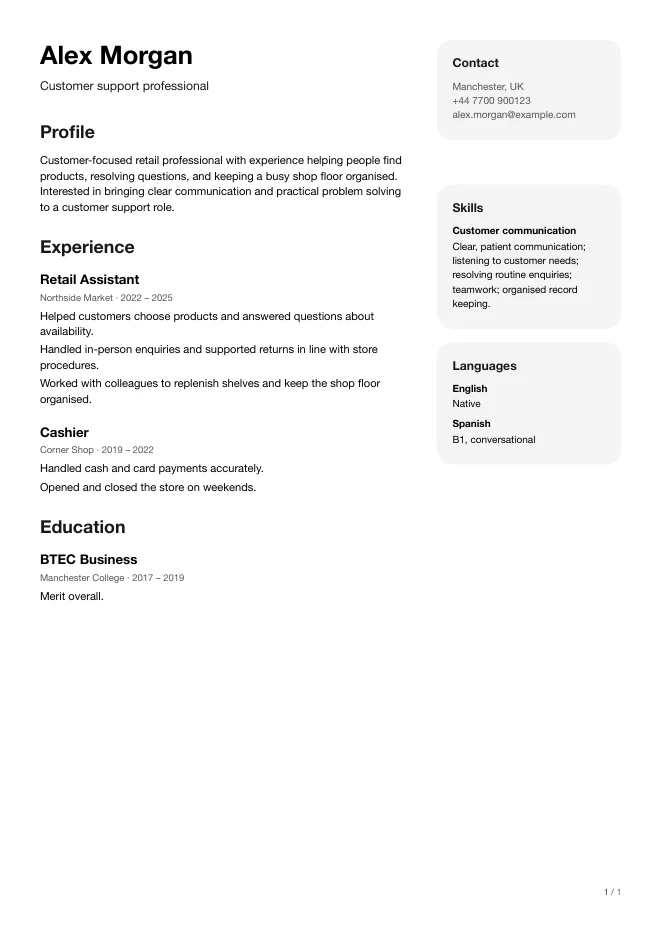 Modern
In c-v.ai your CV comes in six templates, from Classic and Modern to Banner and Timeline, each in six colours on A4 or US Letter.

Questions
Can I redo an answer in a one-way interview?
Only if the employer allows it. Willo’s help page says a re-record button appears on some interviews and questions, not all, and that the screen warns you when you have no retakes left. Read the invitation before you start.
How long does a one-way interview take?
Often under half an hour. HireVue’s candidate FAQ says most of its video assessments have five to eight questions and take under 20 to 30 minutes, and suggests setting aside 45. Willo says each answer is limited to between 1 and 5 minutes.
Does a person watch my recorded interview?
Usually, but it depends on the employer. HireVue’s candidate FAQ says its interviews and assessments help recruiters make the first cut and that hiring decisions are made by people. Not every recorded interview has an AI assessment added, so ask the employer.
What if my internet drops during the interview?
Rejoin with the same link, then tell the employer. HireVue says you can pick up where you left off with the link you started with. For a live call, the UK’s National Careers Service says to know how to contact the interviewer if you have technical issues.
Sources
- CareerOneStop (US Department of Labor): Types of interviews
- UC Santa Barbara Career Services: Prepare for your interview
- National Careers Service: Interview advice
- Willo Support: Interview in 5 easy steps
- HireVue: Frequently asked questions for candidates
- HireVue: Our science
- New York City Department of Consumer and Worker Protection: Automated Employment Decision Tools, frequently asked questions
- European Commission: AI Act, regulatory framework for AI
- Information Commissioner’s Office: ICO intervention into AI recruitment tools (6 November 2024)
- GOV.UK: Success Profiles, candidate overview
- Acas: Reasonable adjustments
- US Equal Employment Opportunity Commission: Job applicants and the ADA