
How to prepare for a phone interview
A phone interview is usually a screening call of about 20 minutes with a recruiter. It checks that you match your CV and want the job, and it often settles pay, notice period, location and right to work. Take it with the job ad and the CV you sent in front of you, and a short answer ready for each.
1. Know what a screen checks
A phone interview is a first filter. CareerOneStop, from the US Department of Labor, calls it a screening interview and describes a short meeting by phone or video call to assess your basic qualifications. UC Santa Barbara’s career services says it usually lasts about 20 minutes, is run by a recruiter or an HR professional, and covers your interest in the position, your knowledge of the organisation and your skills.
Northeastern University’s careers office gives the recruiter’s aim in plain terms. They want to know that you are who your CV (résumé) says you are, and to deal with any red flags before the employer spends time on longer interviews.
None of those pages lists the practical questions. Our view, as recruiters: a screener also has to settle pay, notice period, location and right to work before passing you on. That makes five points, and step 4 turns each into one short answer.
The caller is often not the person you would work for. Northeastern says a phone screen is typically run by a recruiter who handles several vacancies and usually won’t know the role in detail. Keep technical answers simple, and save detailed questions about the work for the hiring manager.
2. Fix the time and the place
When the call is booked, ask who will ring, their job title, how long to allow and what to prepare. Northeastern lists those four questions and adds one more step: write down the caller’s number in case you need to ring back.
Take the call in a quiet room with the door closed and good reception. Northeastern says to use the handset, not speakerphone, and to keep a pen, paper and water within reach. Charge the phone and leave ten minutes free on each side of the call.
3. Put the ad and your CV in view
The recruiter can’t see your desk, so use it. UC Santa Barbara calls notes a perk of the phone interview and says not to read directly from them. CareerOneStop says to refer to your CV as needed. Write prompts, not sentences.
- Open the job ad and mark the three or four lines that look like must-haves. Our guide to reading a job ad shows how to find them.
- Open the CV you sent for this job, not a newer or older one. Next to each must-have, write the CV line that matches it.
- Add one fact about the employer, from its own website, that explains why you applied.
4. Prepare the five screen answers
Write one line for each point and say it aloud twice, so it sounds like speech.
| Point | What to have ready | Basis |
|---|---|---|
| Why this role | One reason from the ad and one fact about the employer. | UC Santa Barbara lists interest in the position and knowledge of the organisation. |
| Your background | A 30-second summary that matches your CV line for line. Our guide to “Tell me about yourself” covers the opener. | Northeastern says the screen checks you against your CV. |
| Pay | A range you can say calmly. Our guide to salary expectations shows how to set it, and lists the places where an employer may not ask what you earn now. | Our view. |
| Notice and start date | Your real notice period and the earliest date you could start. | Our view. |
| Location and right to work | Where you can work and how often, and one line on your status. Our right-to-work guide has the wording. | Our view. |
Give the same facts your CV gives. A recruiter has it open and will notice a date, job title or number that doesn’t match.
5. Speak so you are easy to follow
On a call your voice does all the work. UC Santa Barbara advises speaking slowly and clearly, and smiling, because it changes your tone. Northeastern says to keep answers concise, because phone conversations drag when you ramble.
- Answer, then stop. Two or three sentences, then let the recruiter ask for more.
- Check in. You can’t see a nod, so Northeastern suggests asking whether you answered the question, or whether the recruiter would like more.
- Fill a pause. If you need to think, Northeastern suggests saying that you need a moment, so the line doesn’t go silent.
- Leave a weak answer behind. Northeastern says not to redo it unless the recruiter follows up.
6. Ask about next steps
Close with two questions: what happens next, and when you can expect to hear. Northeastern gives the same close and adds that you should confirm the best way to reach you. Canada’s Job Bank says that if the employer is due to call on a certain day you should be free to take it, and that you can make a follow-up call if the day goes by with no word.
A recruiter can usually answer questions about the process, the team and the timeline. Our guide to questions to ask an interviewer sorts them by who you are talking to. For the questions you may be asked in the rounds that follow, see our list of common interview questions.
If the call comes unplanned
You don’t have to take a screening call on the spot. Northeastern says it is completely appropriate to ask for 15 to 30 minutes, and that most companies will respect it. Its wording is close to this.
“Thanks for calling. I want to give you my full attention. Could I call you back in 20 minutes?”
Take the caller’s name and number, open the ad and the CV you sent, and ring back on time.
If you missed the call, ring or email back the same day. We found no official guidance on missed calls, so this wording is our view.
“Hello, this is [your name], returning your call about the [job title] role. I’m sorry I missed you. I’m free today until 5pm and tomorrow from 9am to 12 noon, on this number.”
If you need an adjustment
A voice call doesn’t suit everyone, for example people who are deaf or hard of hearing. Ask the recruiter for another format as soon as the call is offered.
- United States. The EEOC says an employer must provide reasonable accommodation in the application process unless it would cause undue hardship. It says you can ask orally or in writing, and that it is best to ask as soon as you know, because some arrangements need notice.
- Great Britain. Acas says the Equality Act 2010 requires employers to make reasonable adjustments when a disabled job applicant asks for them.
Our view: say which format works for you, such as a video call with captions, written questions or a relay call. Relay UK is a phone relay service in which a Relay Assistant types the other person’s words for you to read in the app, and you reply by typing or speaking. Tell the recruiter in advance if you will use a relay, so the introduction doesn’t surprise them. For other countries we found no official guidance that we could check, so ask the recruiter. CareerOneStop notes that some screens are automated and ask you to record your answers. Our guide to video interviews covers that kind.
A complete example
Dana Whitfield lives in Denver and has applied to be a customer support team lead at a fictional firm, Alderwick Software. A recruiter has booked a 20-minute screen for Thursday at 10:00. Dana opens the ad and the CV she sent, and writes this one-page crib sheet.
Three lines from the ad
- “Lead a team of support agents.” My CV: Team Lead since April 2024, team of six.
- “Handle escalated customer cases.” My CV: Senior Agent, July 2023 to March 2024, escalations.
- “Improve support processes.” My CV: rewrote the refund macro so agents stopped asking for the same details twice.
Five answers
- Why this role. “I lead a team of six now and want a larger one. Your ad says you are growing the support team, and that is the step I’m looking for.”
- Background. “I’ve worked in customer support since 2021. I started as an agent, moved to escalations in 2023, and I’ve led a team of six since April 2024.”
- Pay. “The range in your ad works for me. I’d expect to be in the upper half, given that I already lead a team.”
- Notice and start. “My notice is two weeks, so I could start two to three weeks after an offer.”
- Location and right to work. “I live in Denver and can be in your office three days a week. I’m authorised to work in the US and don’t need sponsorship.”
My two questions. What does the next step look like? When do you expect to decide?
Each answer comes from a line she can point to on her CV or in the ad, so nothing she says contradicts what the recruiter holds. The pay answer talks about the job’s range, not her current salary. The notice period is the real one. The whole sheet fits one page, so she can find any line in a second without the sound of turning paper.
Doing this in c-v.ai
c-v.ai has no interview feature, so it can’t practise the call with you. It does keep each job as its own saved version of your CV, with the job ad saved alongside, and the original CV stays as it was. When the recruiter rings, you can open the exact version you sent for that job.
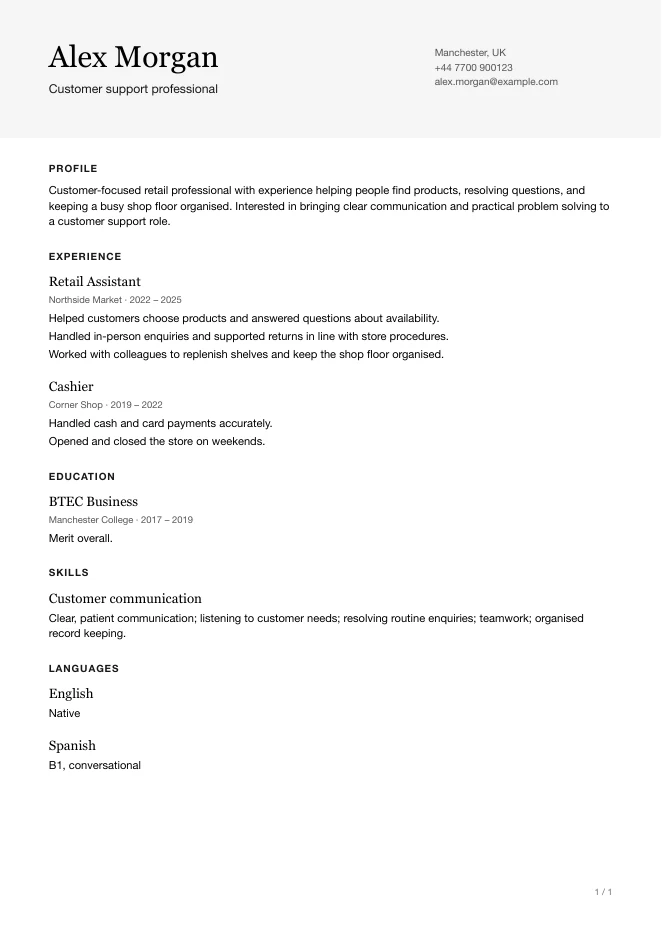 Classic
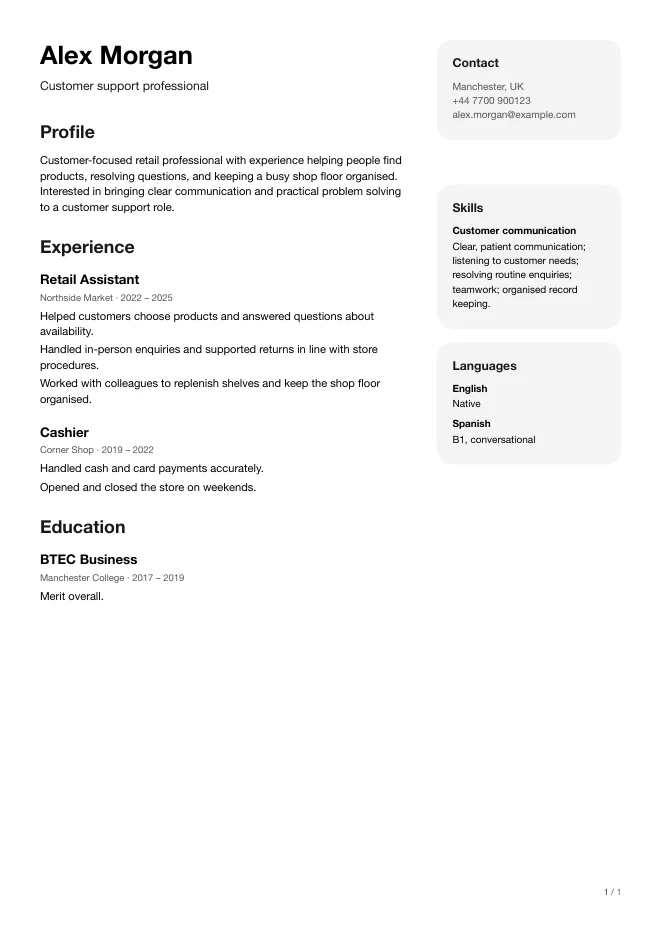 Modern
In c-v.ai your CV comes in six templates, from Classic and Modern to Banner and Timeline, each in six colours on A4 or US Letter.

Questions
How long is a phone interview?
Often about 20 minutes. UC Santa Barbara’s career services says phone interviews are usually screening interviews of about that length, run by a recruiter or an HR professional. Northeastern University’s careers office suggests asking how long to allow when the call is booked.
Can I use notes in a phone interview?
Yes, as prompts. UC Santa Barbara’s career services calls notes a perk of the phone interview and says not to read directly from them. CareerOneStop, from the US Department of Labor, says to refer to your CV (résumé) as needed.
What if I miss the recruiter’s call?
Call back the same day. We found no official guidance on missed calls, so this is our view: ring or email within a few hours, apologise once and offer two times you can talk. Canada’s Job Bank says that if you agreed to call an employer back, you should do it on the agreed day.
Should I send a thank-you after a phone screen?
A short one is fine. Northeastern University’s careers office suggests a brief email within 24 hours that mentions something specific from the call. Our guide to the thank-you email after an interview has wording.
Sources
- Northeastern University Career Development: Interview type, phone
- UC Santa Barbara Career Services: Prepare for your interview
- CareerOneStop (US Department of Labor): Types of interviews
- Job Bank (Government of Canada): Preparing for an interview
- Relay UK (BT): How to make a call using the app
- Acas: Reasonable adjustments
- US Equal Employment Opportunity Commission: Job applicants and the ADA