
A4 or US Letter for a CV?
Use US Letter (8.5 × 11 inches) for jobs in the United States and Canada, and A4 (210 × 297 mm) in most other countries. Match the employer’s country, because that is where the CV gets printed. A PDF keeps the page size it was made in, so choose before you export. If the ad names a size, use it.
The short answer
The paper size of a CV (résumé) follows the employer’s country. Use US Letter for jobs in the United States and Canada, and A4 for most other countries. Microsoft’s Excel help describes the split in one line: in some countries or regions the standard paper size is Letter, and in others it is A4.
- The ad or form names a size: use it.
- The ad names no size: use the size of the country where the job is based, from the table below.
- You apply in both regions: keep two versions with the same content, one in each size.
Most applications are read on a screen, where either size works. The size matters when the CV is printed for an interview or a file, because it is printed on the paper that office stocks.
Paper size by country
Few official pages name a paper size for a CV. The table gives what each source says, and says so where we found nothing.
| Country | Size to use | What we found | Source |
|---|---|---|---|
| United States | US Letter | Syracuse University’s College of Arts and Sciences tells students to use 8½ by 11 inch paper for a résumé. | Syracuse University |
| Canada | US Letter | No official guidance on résumé paper found. The federal government’s stationery standard sets letter size at 216 × 279 mm (8.5 × 11 inches). | Federal Identity Program |
| United Kingdom | A4 | JobHelp, the UK Government’s job-search service, gives the ideal CV length in sides of A4. | JobHelp |
| Ireland, Australia, New Zealand, India, South Africa | A4 (our view) | No official guidance on CV paper size found. | None |
| Germany | A4 | The Bundesagentur für Arbeit says to write the CV on one to at most two A4 pages. | Bundesagentur für Arbeit |
| Mexico | Follow the ad | No official guidance found. | None |
| Philippines | Follow the ad | No official guidance found. | None |
For Mexico and the Philippines, we could not confirm a size for a CV from an official page that we could open, so we don’t state one. Ask the employer, or send the size its own documents use.
Our view: use A4 for the countries marked “our view” and for the rest of Europe, and keep a Letter copy ready in case an employer asks.
Who sets the sizes
A4 comes from an international standard, ISO 216, which ISO says specifies the trimmed sizes of writing paper and certain classes of printed matter. It grew out of a German standard. DIN, Germany’s standards body, says it published DIN 476 in August 1922, that each size in the series is half of the one above and that the shape stays the same at every size.
US Letter is the North American size. DIN notes that in the USA the letter format is the common one. We could not open the American standard that defines it, so the figures here come from the Government of Canada and from Microsoft’s print settings, which both give Letter as 8.5 × 11 inches.
How the two sizes differ
| Size | Millimetres | Inches |
|---|---|---|
| US Letter | 216 × 279 | 8.5 × 11 |
| A4 | 210 × 297 | 8.3 × 11.7 |
The figures are the ones NSERC, Canada’s federal research funder, gives for the two page sizes it accepts. Letter is about 6 mm wider. A4 is about 18 mm taller, which by our arithmetic is room for about four more lines of 11 point text on each page.
So a CV does not move between the two sizes cleanly:
- A4 to Letter: each page loses a few lines at the bottom. A CV that just fills two A4 pages can spill onto a third.
- Letter to A4: each line is a little shorter, so a line that just fitted may wrap. The page gains space at the bottom.
Change the page size first, then look at where each page ends. Check the last page, any entry that now starts on the last line of a page, and any heading left alone above a page break. If the switch pushes you over a page limit, our guide to how long a CV should be lists what to cut first.
Does it matter for a PDF?
On a screen, no. A PDF keeps the page size it was made in, and the reader’s software zooms it to fit.
At the printer, yes. The printer has to put a page of one shape onto paper of another. Microsoft’s print help for Edge shows the two ways this goes: a scale setting that fits the page to the printable area, and one that prints at actual size.
- Fitted: the whole page is shrunk a little. An A4 page on Letter paper comes out with smaller type and wider side margins.
- Actual size: nothing is shrunk, so whatever falls outside the paper can be cut off. An A4 page is taller than Letter paper, so the part at risk is the top or bottom of the page.
You don’t control which setting the employer’s printer uses. Our view: don’t rely on scaling. Send the size the office prints on. Our PDF or Word guide covers the file itself.
If it prints on the wrong paper
You may print the CV yourself, for an interview abroad or at a print shop. If the paper in the tray is not the size of your file:
- Go back to the document, change the page size and export a new PDF. This is the clean fix.
- Read the new file page by page, then print it.
- If you have no time, open the print settings and choose the scale option that fits the page to the paper. In Edge it sits under More settings.
- Look at the preview before you print. Check the last line of each page and the page count.
How to change the page size
- Google Docs: Google’s help says to open File, then Page setup, select Pages and choose a Paper size. Click “Set as default” to use it for new documents. Paper size isn’t available in pageless format.
- Word: the paper size is in the page setup options on the Layout tab.
- Any browser print dialog: the paper size here changes the printout, not your file. Microsoft lists Letter and A4 with their sizes under More settings in Edge.
The trap is the default. Microsoft says the standard paper size depends on the country or region, so a new document can start on a size you did not choose, and a template made abroad keeps the size it was made in. Check the size when you start the document, and again before you export. Our CV format guide covers margins and layout.
A worked example
Marta Kowalczyk is a fictional software tester in Kraków. She applies for one job in Dublin and one in Chicago with the same CV, written on A4.
Dublin. The CV fills two A4 pages. The ad names no size. We found no official Irish guidance, and our view is A4, so she sends it as it is.
Chicago. Marta switches the page to US Letter. The last few lines of page two now spill onto a third page, and a heading sits alone at the bottom of page one. She wants two pages, so she trims two older bullet points and moves one date onto the same line as its job title. The CV fits two Letter pages again, and the heading has moved to page two with its section.
Files. Marta-Kowalczyk-CV-A4.pdf and Marta-Kowalczyk-CV-Letter.pdf.
It works because she changed the paper size before she edited, cut what mattered least and read every page break in the new size. Both files show the same jobs, titles and dates. Our US résumé format guide, Canadian résumé guide and UK CV format guide cover what else changes between those markets.
Doing this in c-v.ai
c-v.ai exports on A4 or US Letter. A short entry that would straddle a page break moves to the next page whole. Very long entries can still split, and the app never shortens your content to fit a page count, so check the page count after you switch size. Cutting stays your decision.
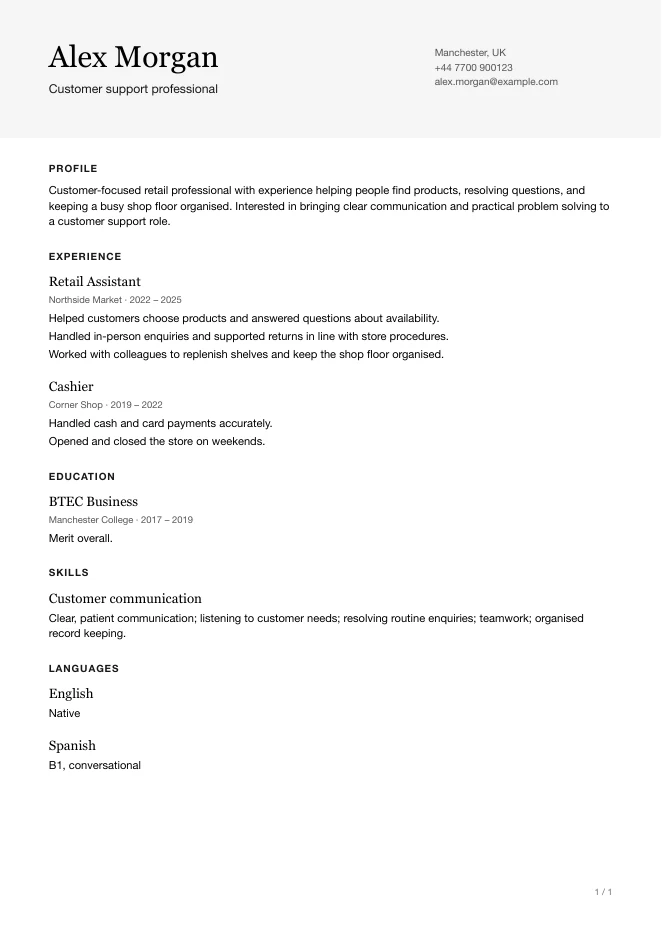 Classic
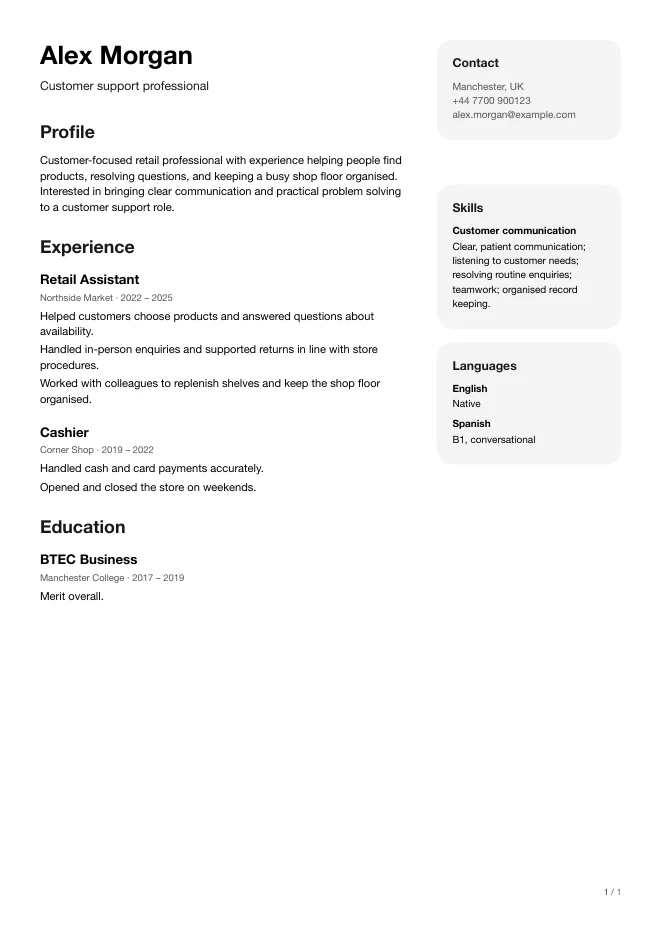 Modern
In c-v.ai your CV comes in six templates, from Classic and Modern to Banner and Timeline, each in six colours on A4 or US Letter.

Questions
Is US Letter bigger than A4?
Neither is bigger overall. Letter is 216 × 279 mm (8.5 × 11 inches) and A4 is 210 × 297 mm (8.3 × 11.7 inches), in the figures Canada’s research funder NSERC gives. Letter is about 6 mm wider and A4 is about 18 mm taller.
Can I send an A4 PDF to a US employer?
Yes. It opens on any screen. The risk comes when someone prints it on Letter paper, where the page is shrunk or its edge is cut off. Our view: if you know the job is in the US or Canada, export a Letter version and check where each page ends.
Which size do Canadian employers use?
Letter is the safe choice. The Government of Canada’s own stationery standard sets letter size at 216 × 279 mm (8.5 × 11 inches). We found no official Canadian guidance that names a paper size for résumés, so follow the ad if it names one.
What about Mexico and the Philippines?
We found no official guidance on CV paper size for either country that we could open. Follow the job ad. If it says nothing, ask the employer or keep both versions ready.
Sources
- Syracuse University College of Arts and Sciences: Resumes
- Government of Canada, Federal Identity Program: Stationery, Letterhead (flag symbol)
- NSERC (Government of Canada): Research Portal presentation and attachment standards
- JobHelp (UK Government): Preparing your CV
- Bundesagentur für Arbeit: Den perfekten Lebenslauf erstellen
- ISO: ISO 216:2007, Writing paper and certain classes of printed matter, trimmed sizes, A and B series
- DIN (German Institute for Standardization): Happy birthday, A4!
- Microsoft Support: Print in Microsoft Edge
- Microsoft Support: Excel advanced options
- Google Docs Editors Help: Change page settings on Google Docs