
How to write a CV header
A CV header is the block at the top of page one: your name, phone number, email, town or city with country, and a LinkedIn or portfolio link if you have one. Type it in the body of the page as plain text. Recruitment software can miss details in a document’s header area, a text box or an image.
1. Put your name first, as text
Your name is the title of your CV (résumé). Put it on the first line of page one, in the largest type on the page. Use the name you go by at work, the one on your email and your LinkedIn profile, so the reader can match them.
Do not head the page “Curriculum Vitae”. The University of Dundee’s CV guide for international students says that title is not recommended. The reader knows what the document is.
Type the name as ordinary text in the body of the page. Greenhouse, which makes an applicant tracking system (ATS) that employers use to collect applications, publishes a list of things that stop its parser reading a CV. The list includes a name and contact information in the header, footer or a text box, a CV uploaded as an image, and graphics, photos or word art. Our view: a name set as a logo, or with a space between every letter, runs the same risk, so keep the letters together.
This page covers how to lay the header out. Which personal details belong on a CV in each country, and which the law says to leave off, is in our guide to personal details on a CV.
2. Add a job title line
One short line under your name can say the job you do, such as “Registered nurse, adult medical wards”. None of the sources we read asks for this line. Our view: add it when you know the role you are applying for, and leave it out when you would have to guess. Our CV headline guide shows how to word it.
The line is different from a summary. A summary or personal statement is a few sentences below the header, and our personal statement guide covers it.
3. Give one phone number
Give one number, the mobile you will answer. Two numbers make the reader choose.
If an employer in another country may call you, write the number in international form. The ITU’s recommendation E.123, the international standard for writing phone numbers, says the plus sign should come before the country code in an international number. It also notes that callers often need to leave out the national trunk prefix, the leading 0 on many numbers, when they dial from abroad. So a UK mobile written 07700 900123 at home becomes +44 7700 900123.
Karlsruhe Institute of Technology’s careers service says the same for an English résumé: the telephone number goes directly below the name, with the country code if applicable. If you only apply inside your own country, the national format is fine.
4. Use a plain email address
Use an address built from your name, such as hannah.clarke@example.com, and one you check every day. Our guide to what not to put on a CV shows the kind of address to replace.
Write the address out in full. You may make it a link, but the visible words must be the address itself, never “Email me” or an envelope icon. A printed CV cannot be clicked, and software reads the words on the page.
5. Write your location in one line
Our view: for most applications, write your town or city and your country, and leave out the street and postcode unless the ad or the country asks for them. When you apply abroad, the country matters most. “Leeds, United Kingdom” tells a reader in Auckland where you are.
The sources differ on the full address:
- The University of Dundee’s guide lists a UK contact address among the basic details.
- The UK’s National Careers Service lists a name, phone number, email address and a link to a work network profile, and no address.
- Karlsruhe Institute of Technology’s careers service says a German-style CV should give contact details including the address, and that an English résumé does not necessarily have to give a postal address.
The tie-breaker is the job ad. For a government or public-sector job, fill in exactly what the form asks for. The personal details guide linked above has the country-by-country table.
6. Add one or two links
The National Careers Service suggests a link to a work network profile, such as LinkedIn, if you have one. UC Berkeley’s careers service lists a LinkedIn URL with the name, email address and phone number.
Tidy the link before you use it. LinkedIn’s Help Center says you can set a custom public profile URL of 3 to 100 characters, with no spaces, symbols or special characters and without the word “LinkedIn”. It also says you can change it up to five times within six months, so settle on one version. Then write it without “https://www.”, as in linkedin.com/in/hannah-clarke-rn.
Add a portfolio, GitHub profile or personal site only when the work on it is relevant to the job. Leave personal social media out. Open every link in a private browser window before you send the CV, so you see what a stranger sees.
7. Keep it to three lines
None of the sources we read sets an order or a layout for the header, so this step is our view. Three lines are enough:
- Your name, in the largest type on the page.
- Your job title line, if you use one.
- Location, phone, email and link, in that order, on one line.
Separate the items on the contact line with a dot, a comma or a vertical bar, and use the same mark each time. If the line wraps on a narrow page, break it after the phone number. Stacking each item on its own line also works, but it uses space that your experience needs.
Leave the labels off. “Phone:” and “Email:” add nothing, because a number and an address explain themselves. Do not swap the labels for icons either. JobHelp, the UK Government’s job-search service, says not to use pictures, tables or diagrams, because they are harder for an ATS to read.
Left-aligned and centred headers both work. Use the same font as the rest of the CV, and black or dark grey text. Some countries add a photo beside the header. Our guide to photos on a CV lists where one is expected, and our CV format guide for Germany shows a header with one.
8. Keep it out of the header area
The header area is the strip that Word and Google Docs reserve at the top of every page, outside the normal text. Many CV templates place the name and contact details there. Here is what the sources say:
- Greenhouse lists a name and contact information in the header, footer or a text box among the causes of an unsuccessful parse.
- UC Berkeley’s careers service says to avoid headers, footers, text boxes, tables, colours, pictures and graphics on a résumé that an ATS will read.
- Karlsruhe Institute of Technology’s careers service says you can place your contact details in the header, and that in a smaller grey font the header can double as a letterhead for the cover letter. Its advice is written for German-style applications.
The sources disagree, and the software varies. Our view: type your name and contact details in the normal text at the top of page one. Nothing is lost if the software would have read the header area anyway. If your template puts the details in the header area, a text box or a side column, move them into the body. A cover letter can still carry the same block as its letterhead.
To test your file, open the PDF, select all the text on page one and paste it into a plain note. If your name, phone number and email appear at the top, in order, they are text in the body. Systems differ, so no test can promise how a particular one will read your CV. Our ATS-friendly CV guide covers the rest of the page.
9. Repeat your name on page two
None of the sources we read covers a second page, so this is our view too. If the CV runs to two pages, put your name and “page 2” in small type on the second page. Printed sheets get separated, and the name keeps them together.
The header area is fine for this small line, because nothing is lost if software skips it. Your phone number and email stay in the body of page one only.
A complete example
Hannah Clarke is a fictional nurse in Leeds who is applying to hospitals in New Zealand. The example shows layout only. For what New Zealand employers expect on the rest of the page, see the personal details guide linked in step 1.
Before
CURRICULUM VITAE
H A N N A H “Han” C L A R K E
(in the Word header, beside a phone icon and an envelope icon) 14 Example Road, Headingley, Leeds · 07700 900123 · Email me
After
Hannah Clarke
Registered nurse, adult medical wards
Leeds, United Kingdom · +44 7700 900123 · hannah.clarke@example.com · linkedin.com/in/hannah-clarke-rn
Why the second version works:
- Her name is the title, with the letters together and no nickname.
- All three lines are text in the body of page one, so nothing depends on software reading a header area or an icon.
- The phone number starts with +44 and drops the 0, so a hospital in New Zealand can dial it as written.
- The location names the country and leaves out the street.
- The email address is written out, and the LinkedIn link is short enough to type from a printed page.
Doing this in c-v.ai
In c-v.ai, contact details have their own fields, and when you import a CV they go into those fields. Every PDF you export is checked on your iPhone for what applicant tracking systems need: selectable text, embedded fonts, your name and contact details as text, standard headings and reading order. Systems differ, so no check can promise how one will read a CV.
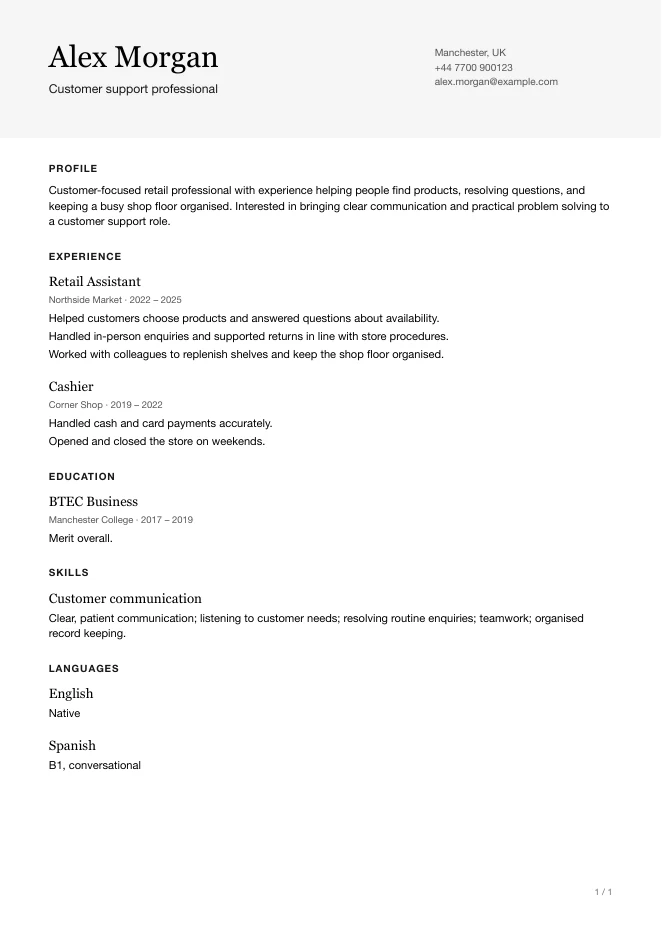 Classic
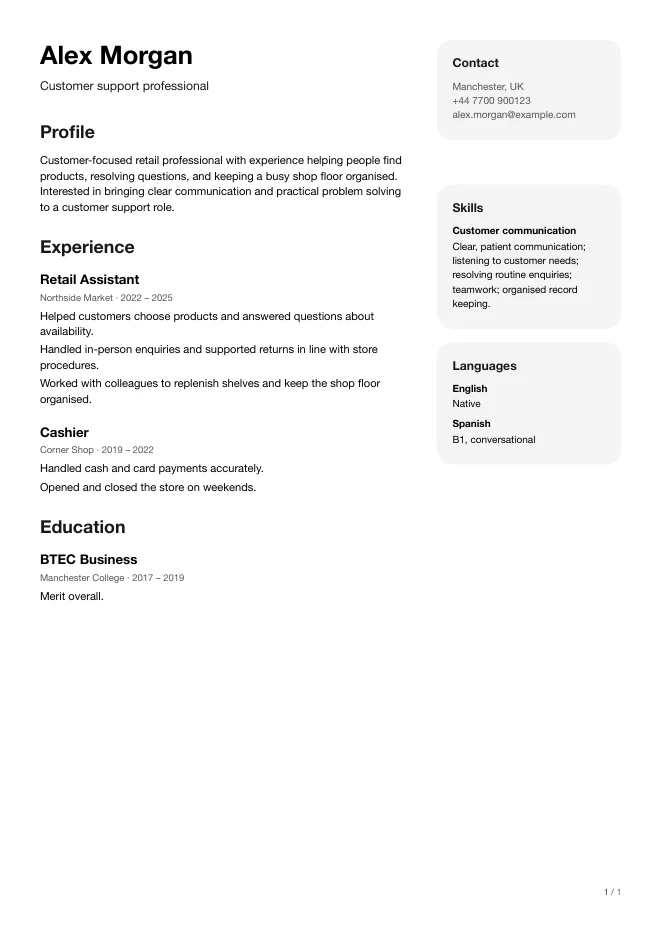 Modern
In c-v.ai your CV comes in six templates, from Classic and Modern to Banner and Timeline, each in six colours on A4 or US Letter.

Questions
Should I write “Curriculum Vitae” at the top?
No. The University of Dundee’s CV guide for international students says putting “Curriculum Vitae” at the top is not recommended. Your name is the title of the page.
Can I put my details in the Word header?
It is a risk. Greenhouse, which makes applicant tracking software, lists a name and contact information in the header, footer or a text box among the causes of an unsuccessful parse, and UC Berkeley says to avoid headers and footers. Karlsruhe Institute of Technology allows a header on a German-style CV. Our view: type the details in the body.
Do I need a street address?
It depends on the country and the ad. The University of Dundee lists a UK contact address, the UK’s National Careers Service lists only a name, phone number, email and profile link, and Karlsruhe Institute of Technology says an English résumé need not give a postal address. Our personal details guide covers each country.
How do I write my phone number for abroad?
Start with a plus sign and your country code, and drop the leading 0. The ITU’s recommendation E.123 says the plus sign should come before the country code in an international number. A UK mobile written 07700 900123 becomes +44 7700 900123.
Sources
- Greenhouse Support: Unsuccessful resume parse
- UC Berkeley Career Engagement: Resumes
- JobHelp (UK Government): Getting through applicant tracking systems
- Karlsruhe Institute of Technology Career Service: How to Write Your CV
- University of Dundee: CV writing guidance for international students
- National Careers Service: CV sections
- LinkedIn Help: Customizing your public profile URL
- ITU-T Recommendation E.123: Notation for national and international telephone numbers, e-mail addresses and web addresses