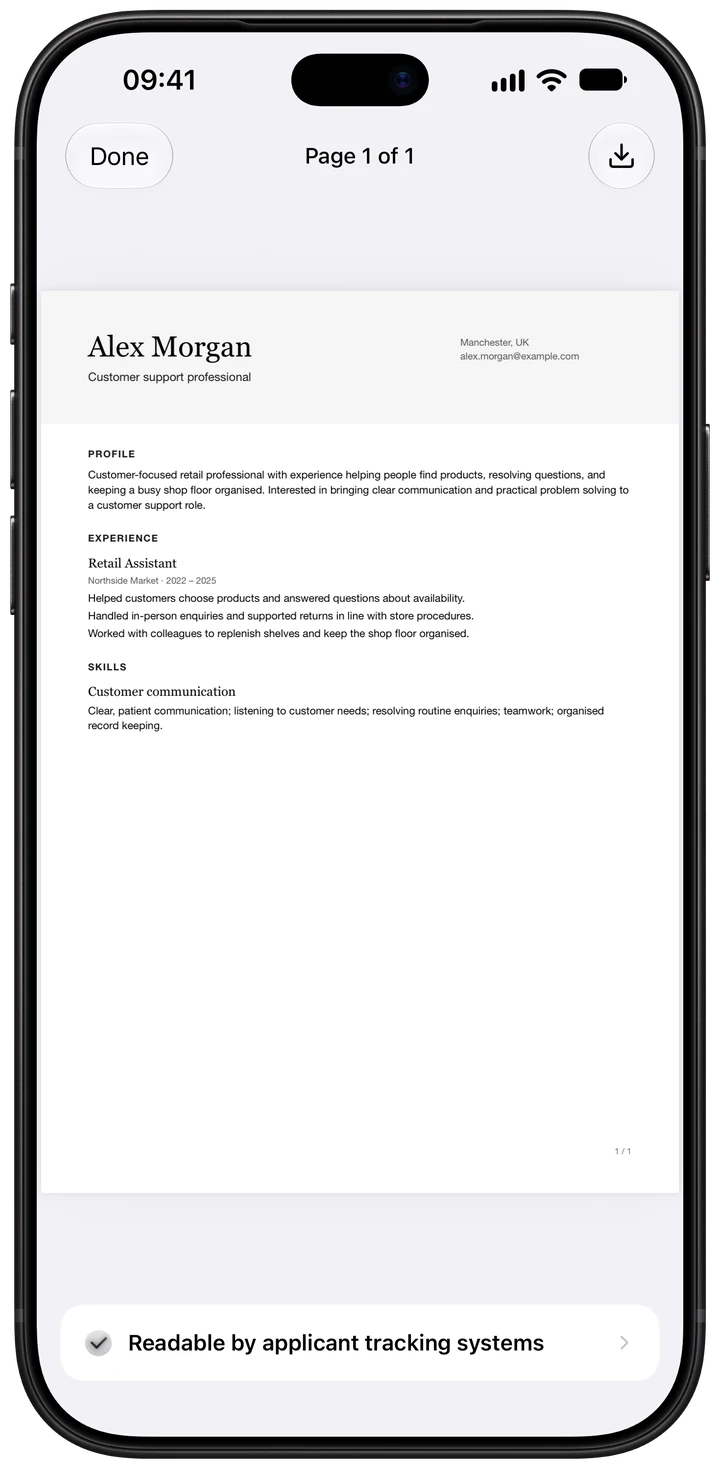
Many employers run CVs through an applicant tracking system (ATS) before anyone reads them. It pulls out your details so recruiters can search for you.
If the PDF is hard to read, details get jumbled or lost, and you may not show up in a search.
c-v.ai checks every PDF for what these systems need: real text, standard headings and jobs in order.
A chatbot writes a CVanyone could send.c-v.ai writes yours.
A popular job can draw hundreds of CVs, and more of them come from the same chatbots every month. c-v.ai builds yours around what sets you apart and what this employer asks for, and it keeps to the truth. Here is the same CV and ad, both ways.
What the chatbot wrote
Senior ReceptionistHer title is Receptionist.
Use Microsoft Outlook and Excel daily.Her CV lists Excel. It never says daily.
Trains cover staff through a desk guide.She wrote a guide. Her CV shows no training.
“I haven’t added anything you didn’t tell me.”
c-v.ai: same CV, same ad
ReceptionistAI tailoring can’t change a job title.
The ad asks for training staff. Your CV doesn’t show it. Have you trained anyone?Answer only if it’s true
Wrote a one-page front desk guide that cover staff now use.Based on: her CV, Corrowby Court
From our test on 22 November 2026: Claude was given a receptionist’s CV and an ad for a senior receptionist, and asked for her best chance of an interview. None of the crossed-out lines are on her CV.
Your strengths first
Tell the app what should stand out. Each version leads with it, matched to what the ad asks for most.
Built on years of hiring
The rules come from years of hiring across industries and writing CVs professionally: what recruiters check first, and what falls apart at an interview.
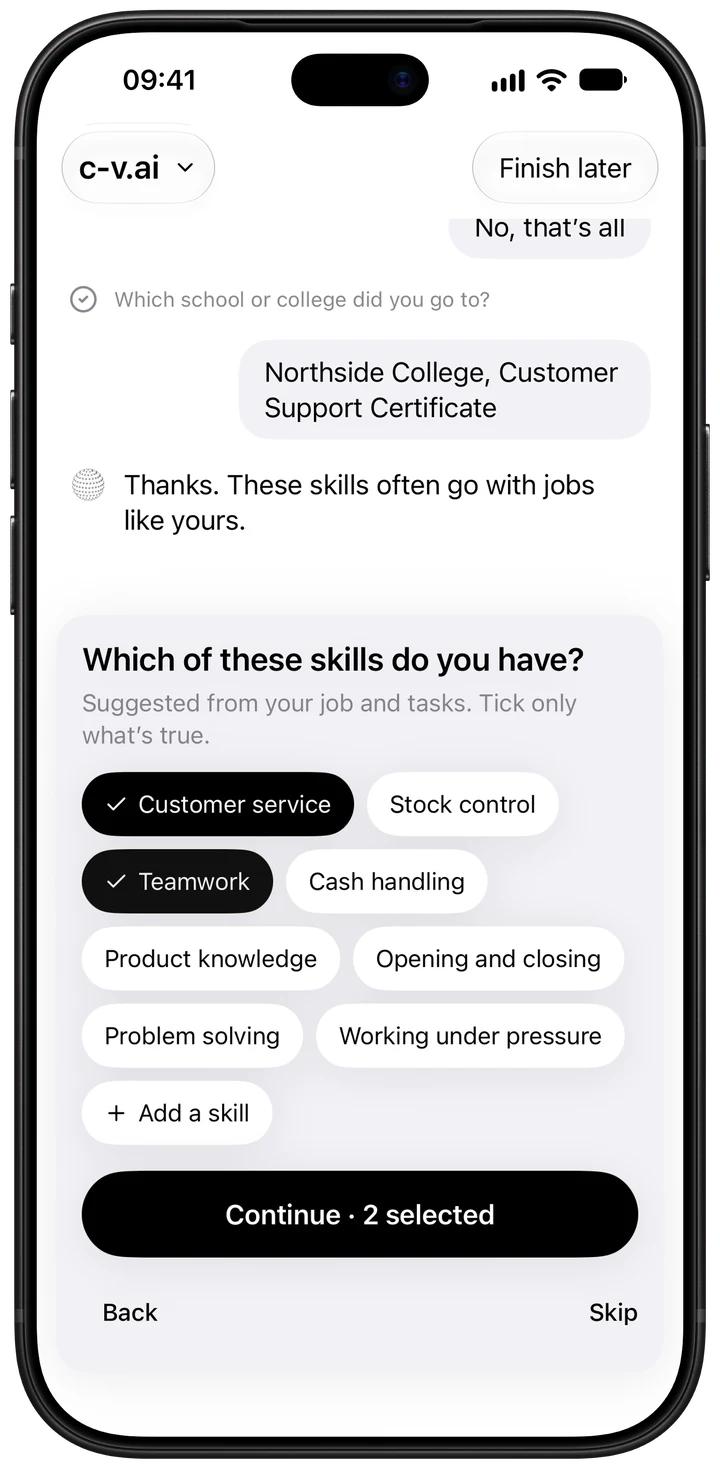
Skills you forgot to mention
As you build your CV, the app suggests skills that fit your job and tasks. You tick the ones you have.
The norms where you apply
Photo or no photo, A4 or US Letter, how a cover letter opens and closes. c-v.ai follows the country you apply in.
Classic or Modern, your accent colour, A4 or US Letter. The design is saved with your CV.
Download a PDF
Preview, then share, print or save. Each PDF gets an ATS check and a saved copy.
Write for the market
Set each CV’s language and country, so AI wording fits where you’re applying.
Templates and colourPDF previewLanguage and country
Plus
A sharper CVfor every job ad
Build, edit and download your CV free. Add AI tailoring and review when you’re applying, always from your real experience.
Free
Import or create, edit, choose a design and download PDFs. No card needed.
£0always
Plus
AI tailoring, review and cover letters for your job search. Cancel any time.
£24.99per 3 months
One tailored CV
AI tailoring, review and a cover letter for one CV. No subscription.
£4.99one payment
Try it freeNo card needed. Upgrade only when you want AI.
Tens of thousands
trust our apps
“I got invited to an interview the next day!”
UK prices. The App Store shows the price in your currency and the renewal terms before you confirm.
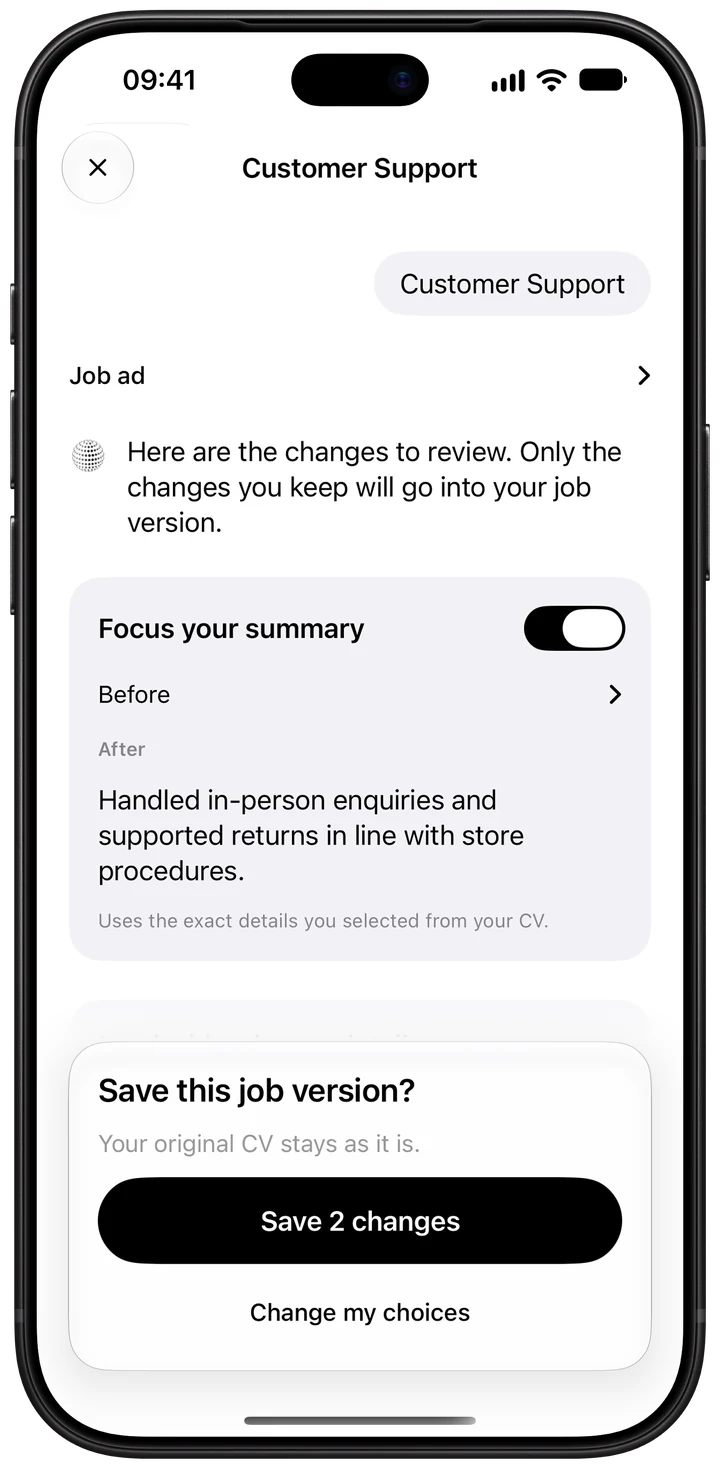
Tailoring for each job ad
See what the role needs next to what you’ve done, then save a version for that job.
Review of your wording
Clearer wording, practical tips and a check of your PDF for spacing, page breaks and readability.
You approve every change
Suggestions use what’s already in your CV. Missing facts become questions, and nothing changes until you say so.
Downloads stay free
Edit, change the design and download your CV as a PDF as often as you like, with or without Plus.
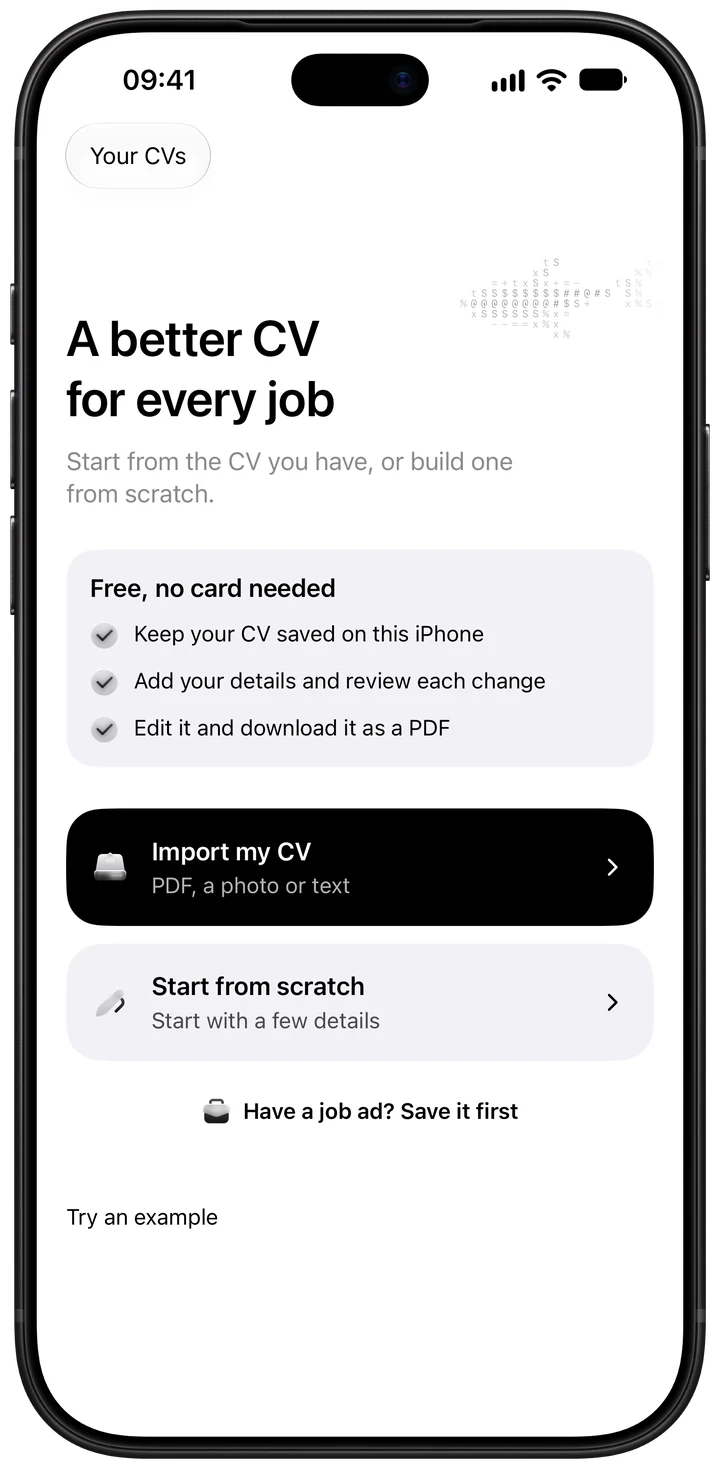
Three ways to start
Import my CV
Bring a PDF, Word file or text. Check what was read, fix anything flagged, then save.
PDF, Word or text
Start from scratch
Answer a few questions in six short steps. Skip what’s optional and use your own words anywhere.
Guided, at your pace
Have a job ad?
Save the ad first, then import or build your CV and tailor it to that job straight away.
Paste text or a screenshot
Before you begin
What can I use for free?
Creating a CV, importing one, editing it, choosing a design and downloading it as a PDF are free. AI import and your first AI review are free too, after you sign in with Apple. Plus adds AI tailoring for each job ad and more AI reviews.
How much does Plus cost?
In the UK, Plus is £24.99 every three months, or £4.99 once for a single tailored CV. The subscription renews automatically until you cancel in your Apple account settings. The App Store shows your local price before you confirm.
How is this different from asking ChatGPT or Gemini?
A chatbot writes from whatever you type in, often in the same phrases it gives everyone else, and it tends to stretch your CV towards the ad: in our test it gave a receptionist a senior job title. c-v.ai’s rules come from years of hiring across industries and writing CVs professionally. It leads with what sets you apart, shows what the ad asks for most and where your CV proves it, suggests skills you may have left out and follows the CV norms of the country you apply in. Every suggestion quotes the CV lines it’s based on, missing details become questions, and you get a finished CV, cover letter and PDF for each job.
Will my CV get through applicant tracking systems?
Every PDF is checked on your iPhone for what applicant tracking systems need: selectable text, your name and contact details as text, standard headings and a reading order that keeps each job together. If a page might be read out of order, the app shows where. Systems differ, so we check what they rely on rather than promise a result.
Will the AI make up experience I don’t have?
It’s designed not to, and you stay in control. Suggestions are based on the details already in your CV and show what they draw on. When a fact is missing, the app asks you. Nothing is added to your CV until you approve it.
Where is my CV stored, and what is shared?
Your CVs are saved on your iPhone. Nothing is sent for AI processing until you choose an AI action and allow sharing. The app tells you what will be sent first. Text reviews and tailoring leave out your contact details and photo. The optional PDF layout check sends the pages as they look, including anything visible on them. AI processing is provided by Anthropic.
Which files can I import?
PDF, including scanned pages, Word (.docx) and plain text, or you can paste your CV. Word imports keep tables, headers, footers and links. If a Word file contains embedded images, the app asks you for a PDF copy instead.
Is there an Android version?
Not yet. c-v.ai is on iPhone first.
Your next CVstarts here
Get c-v.ai on your iPhone. Bring the CV you have, or start with a few questions.


 Send the link via WhatsApp